262
Surround View Monitor (SVM) - Option
operaTing rear sVm
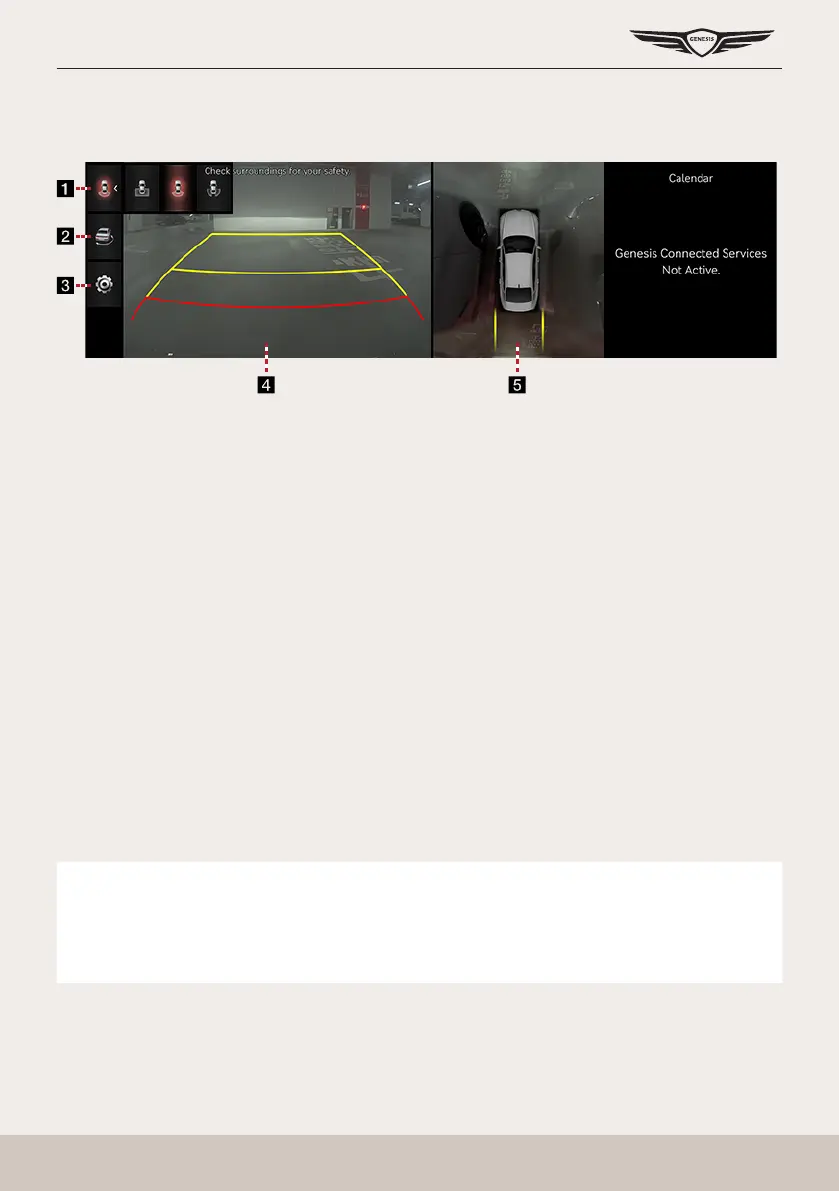
After starting the vehicle, if gear is put to R position, rear SVM starts.
a Top view of the rear
Displays the top view of the rear of the vehicle screen magnied.
Rear wide view
It displays only the rear screen of the vehicle.
Rear side view
It displays left rear / right rear screen of the vehicle simultaneously.
b 3D surround view
Displays 3D screen around the vehicle.
c
a
Move to the camera settings menu.
d Rear screen
It displays rear view.
e Top view
It displays combined image for each directions (left, right, front, rear) of side mirror
camera.
,
noTe
䠐 SVM camera has an optical lens to secure wide view, so there is a little difference
between the distance shown on the screen and the actual one.
䠐 For safety, make sure to check the rear and left/right by yourself.



 To Next Page