271
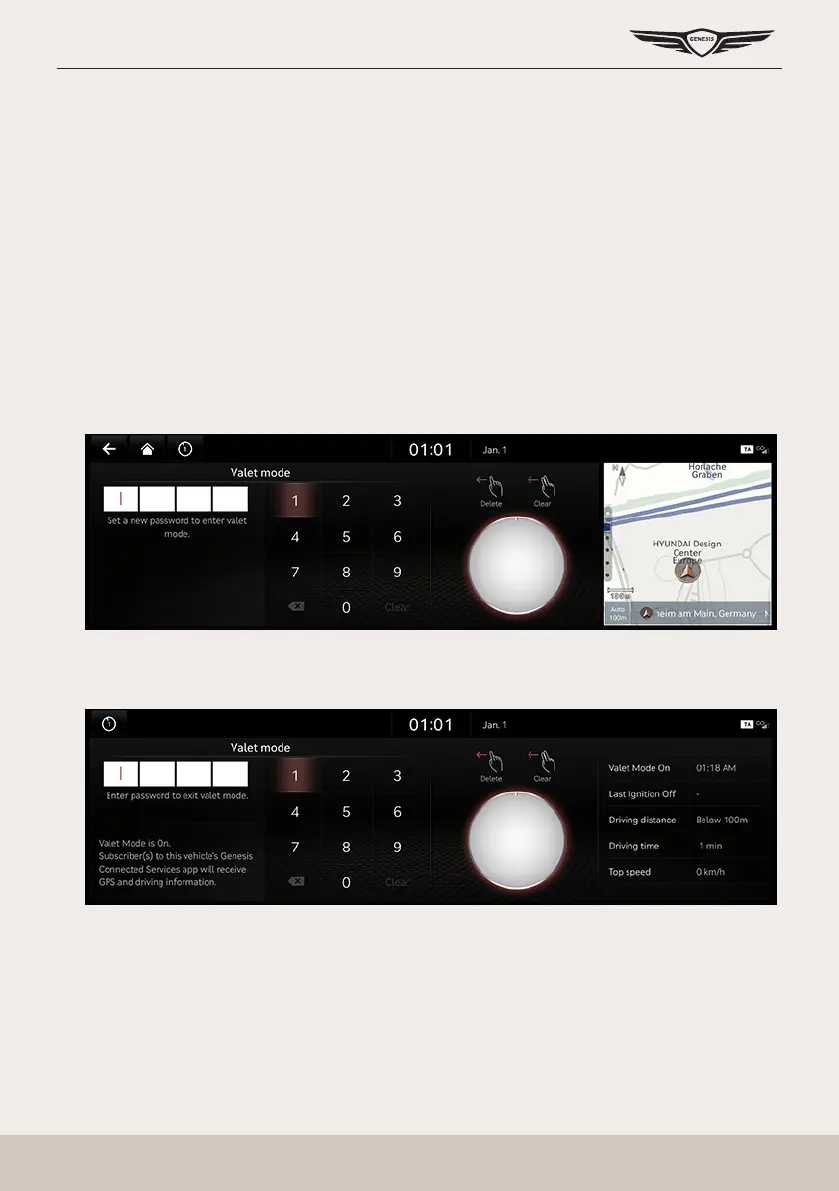
Valet Mode
ValeT mode
For privacy, disable the operation via the monitor or button when the valet mode is set.
You can check the vehicle information through a smartphone app.
The vehicle information provided is as follows.
䠐 Valet mode start time
䠐 End time
䠐 Distance, time and top speed after valet mode is set
Turn on ValeT mode
1. Press [Valet mode] on the home screen.
2. Enter your four-digit password. (Password is the value set by the user.)
3. Enter the same 4-digit password again.
4. When the valet mode is set, you can check the vehicle information in the smartphone app.



 To Next Page