239
Voice Memo
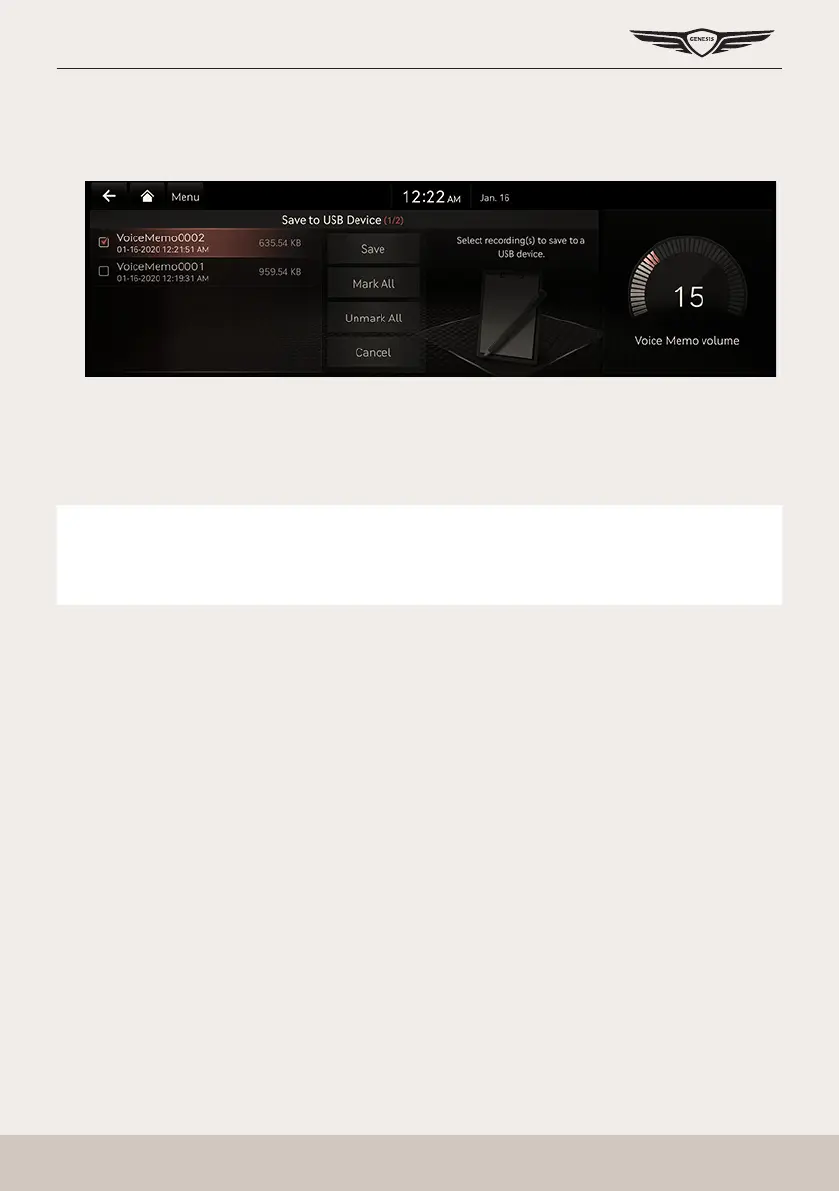
saVing a Voice memo To usb
1. Connect USB to the USB port.
2. Press [Menu] > [Save to USB Device] on the voice memo screen.
3. Press a desired item, and then press [Save].
䠐 [Mark All]: Selects all items.
䠐 [Unmark All]: Unmarks all items.
䠐 [Cancel]: Exits screen.
,
noTe
䠐 It can be saved to a USB memory formatted with FAT 16/32 or exFAT/NTFS.
䠐 When saved to USB, a voice memo is copied to "VoiceMemo" folder and saved.



 To Next Page