22 23
Description of navaid characteristics:
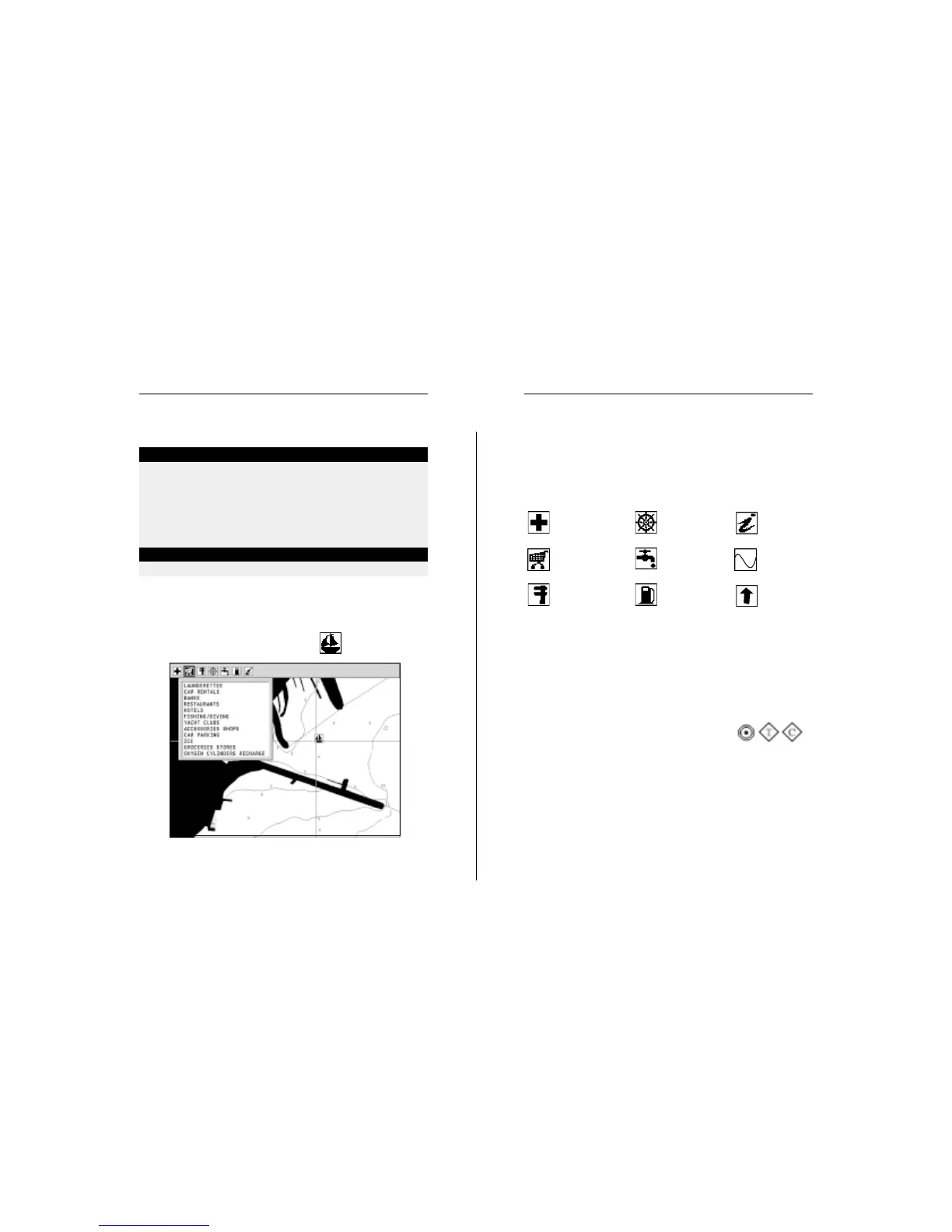
Displaying port services
NOTE: This function is available only with the NAVIONICS cartridges containing the
Port Services feature.
Position the cursor on the port icon and press ENTER.
A window will show the list of the port services available in
the port selected. Choose the service desired by the joystick.
The number and the type of icon differ from one port to an-
other.
Port services are identified by the following icons:
The number and the type of service available will depend on
the cartridge installed.
Displaying Tides and Currents data
NOTE: This function is available only with the NAVIONICS cartridges containing
Tides and Currents data.
Position the cursor on the icon of a Tide or
Current station, then press ENTER.
A graph will show the tide rate or the tidal stream relevant to
the station selected, as measured during the current day.
ABBREVIATIONS FOR LIGHT ABBREVIATIONS FOR COLOUR
AL alternating AM amber
F fixed B black
FLL fixed and flashing BL blue
FL (...) group flashing G green
FL single flashing OR orange
IQ interrupted quick R red
OC single-occulting VL violet
OC (...) composite group occulting W white
Q continuous group Y yellow
ABBREVIATION FOR PERIOD ABBREVIATION FOR RANGE
..S xx seconds ..M xx nautical miles
Health and first aid
services
Tourist services and
shops
Engine, boat,
electronic and
other repairs
Information
and port
authorities
Tide station
Current station
Customer services
Water
Fuel
NAVIONICS Electronic Charts


 To Next Page