16 17
• A port
• The nearest port service
Positions the cursor on the coordinates selected (Lat/ Lon or
Trk).
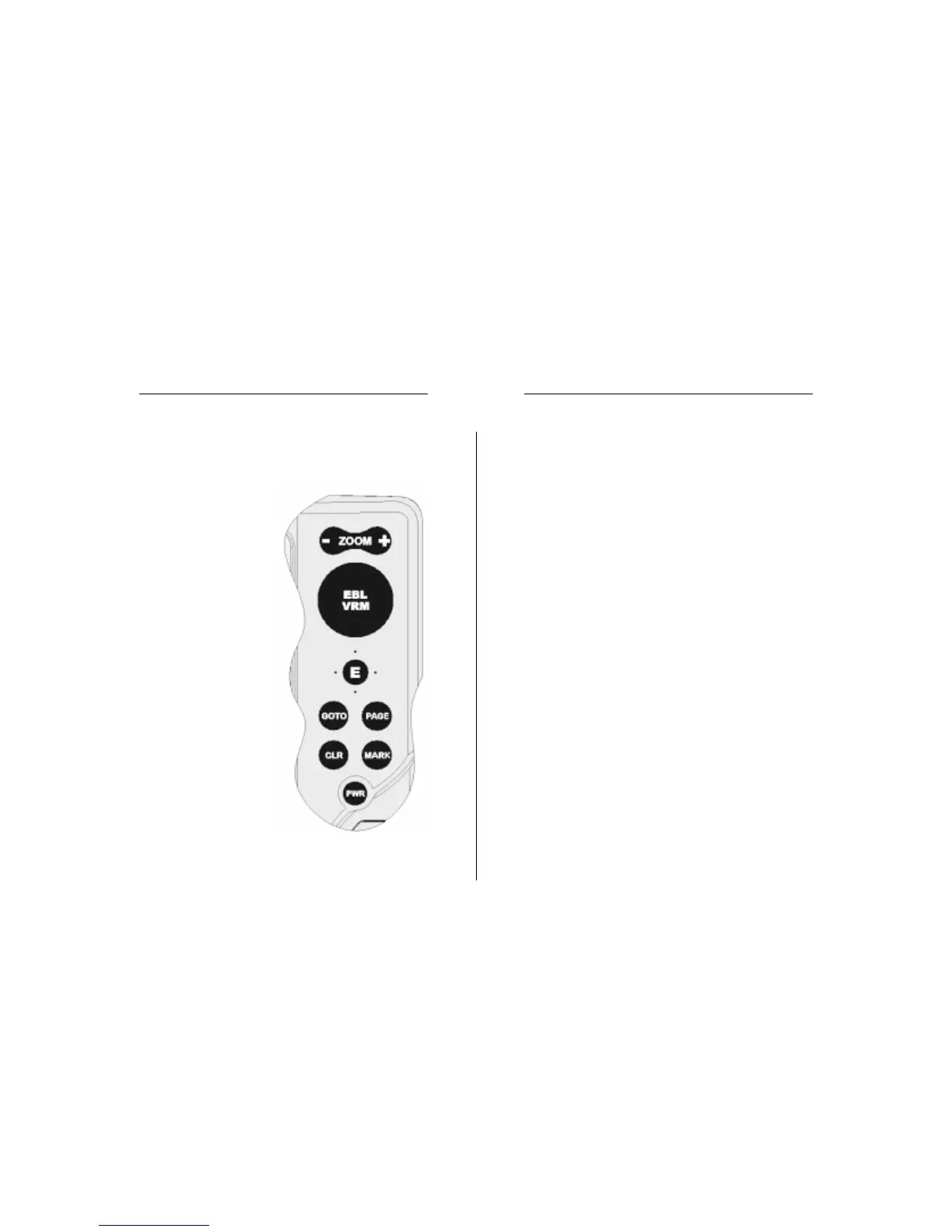
CLR
• Cancels the setting of data in the windows
• Cancels the option selection from the menu
Cursor mode:
• Deletes all waypoints, starting from the last entered
• Deletes the waypoint pointed by the cursor
• Deletes the marker pointed by the cursor
Navigation mode:
• Deletes the whole current route
KNOB
• Adjusts EBL/VRM parameters
• Selects the several options from the menu windows
• Scrolls letters and numbers when entering data in the
windows
If pressed:
Navigation mode:
• Switches from EBL to VRM
Menu:
• Switches from vertical to horizontal scrolling and confirms
the selection
NOTE: Both the joystick and the knob (press the knob to switch from horizontal to
vertical movement) can be used to select items from the menu, as well as to set data
(e.g., marker’s name, local time, etc.). In the remainder of the document, reference is
made to the joystick only.
PAGE
• Cancels a selection
KEYBOARD
ZOOM-/ZOOM+
• Increases/decreases
the chart range
• Enables/disables the
Autozoom function
JOYSTICK (right/left - up/down)
• Moves the cursor
across the screen
• Switches from Naviga-
tion mode to Cursor
mode
• Selects the options
from menus and
submenus
If pressed (ENTER):
Cursor mode:
• Inserts a waypoint at
the cursor’s position
Navigation mode:
• Changes the target
waypoint (Motor boat-
ing)
• Sets the wind speed
(Sailing)
Menu:
• Confirms a selection
GOTO
Plots a route to:
• A new target waypoint
• A marker
Keyboard


 To Next Page