42 43
When navigating in waters deeper than sounder operating
range or if the boat’s speed is too high for depth sounding,
data acquisition will be interrupted and the number replaced
by “—”.
NOTE: To display sea depth and temperature values, the GEONAV must be inter-
faced with a depth sounder.
MOTOR BOATING WINDOWS
These windows are automatically enabled as soon as the GPS
receiver has obtained a valid fix (FIX OK).
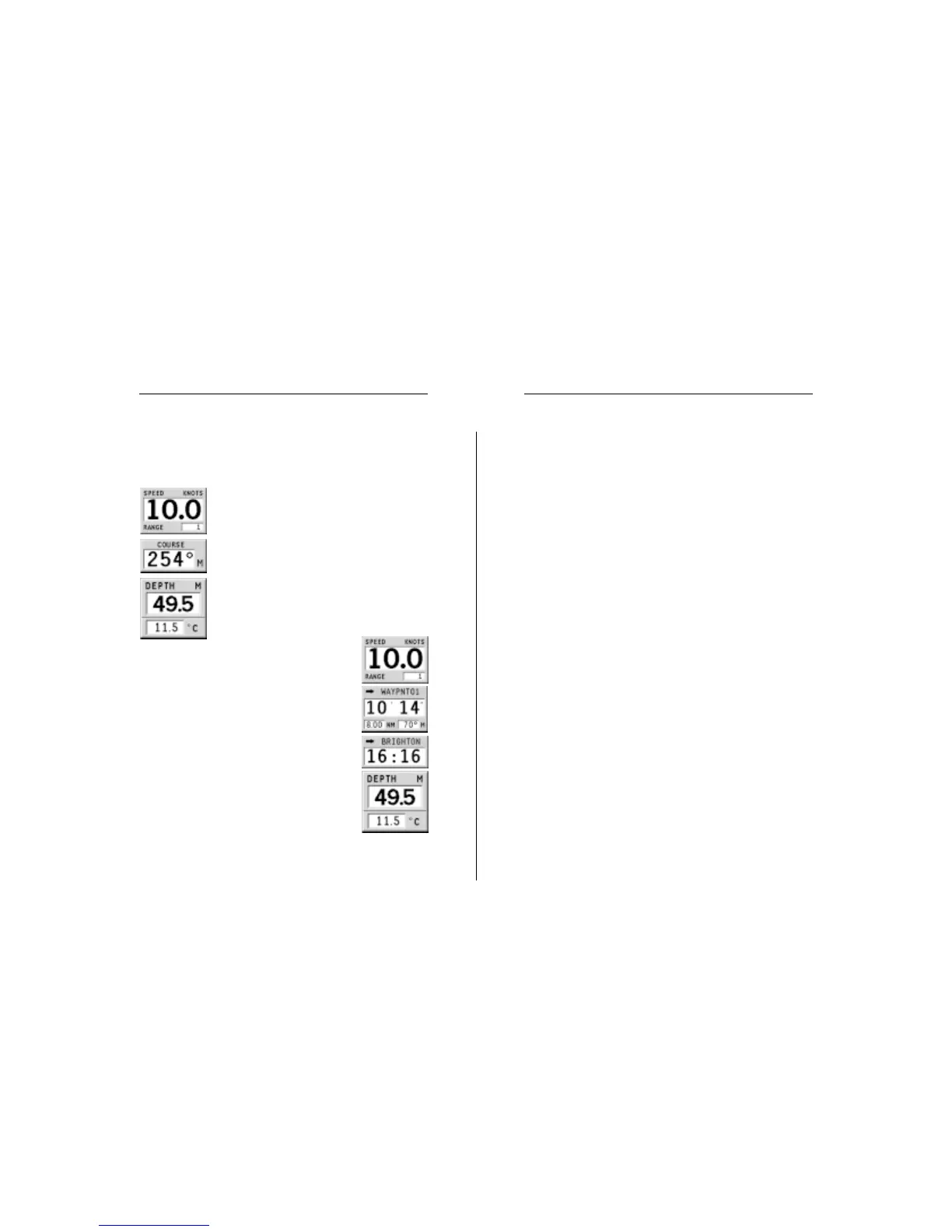
If no route has been entered, the following data
will be shown:
• Boat’s speed
• Chart range
• Course
• Sea depth
• Water temperature (if available)
To change the chart range, press the -ZOOM+
key.
If a route has been entered, the following data
will be shown:
• Boat’s speed
• Chart range
• Target waypoint
• Time to arrive to the target waypoint
• Distance to the target waypoint
• Bearing
• Estimated time to the end of the route
• Sea depth
• Water temperature (if available)
Motor Boating Windows


 To Next Page