38 39
NAVIGATION MODE
To access these windows, press the PAGE key repeatedly. As
the fix is valid, the sequence is the following:
SATELLITE > MOTOR BOATING > MENU > DEPTH SOUNDER > TRIP
> INFO
If data is received from the mast head transducer, the Sailing
mode is automatically enabled and the window sequence
changes as follows:
SATELLITE > SAILING > MENU > MOTOR BOATING > DEPTH
SOUNDER > TRIP > INFO
The Depth Sounder window is displayed provided that data
from a depth sounder is received.
The Info window is displayed provided that a NAVIONICS
cartridge featuring Tides and Currents data is active (see the
Info Window Section).
Sailing
OPERATING MODES
The GEONAV will display different kinds of data, according
to the operating mode currently enabled.
CURSOR MODE
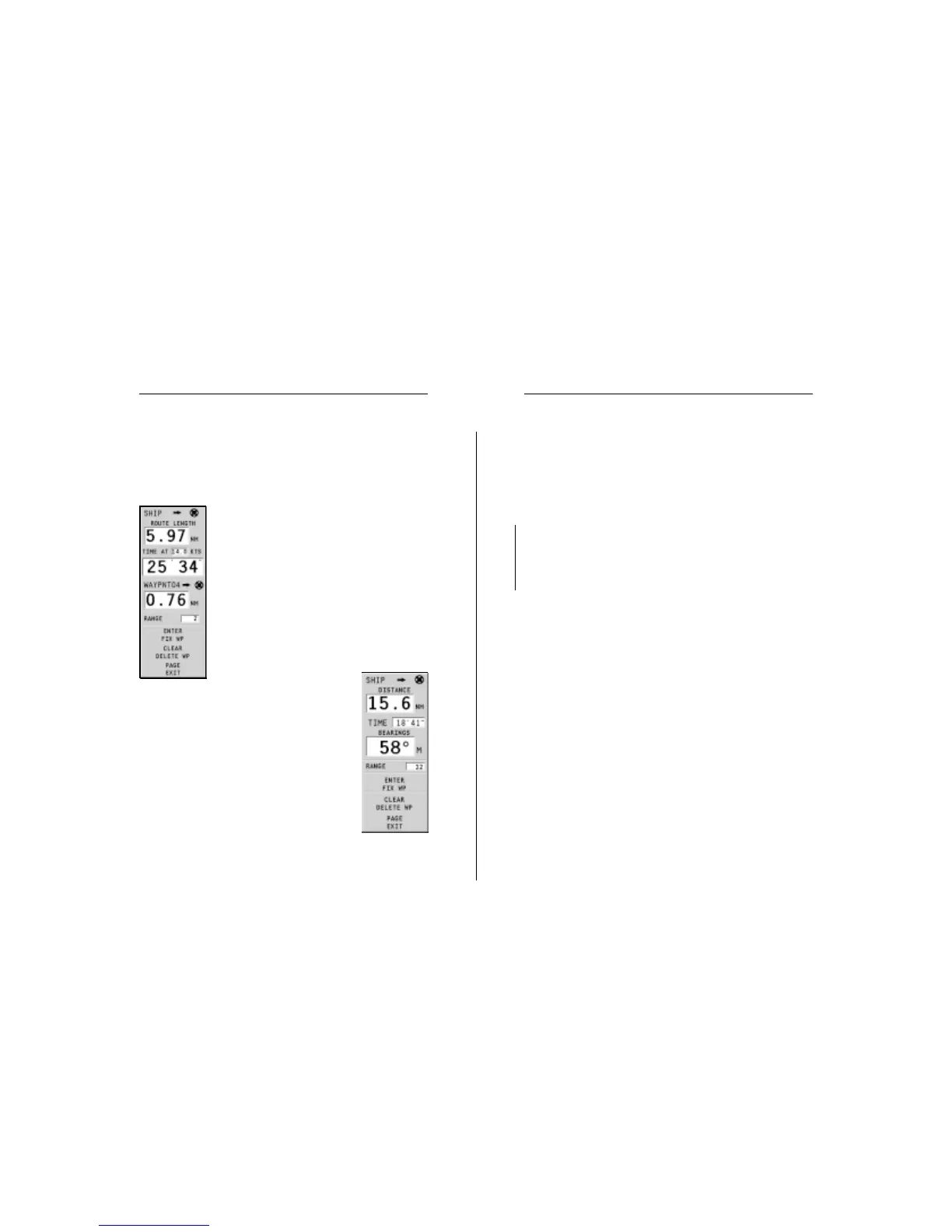
To plan a new route, or to append waypoints
to the existing route, move the cursor by us-
ing the joystick and press ENTER. The
GEONAV will display the following data:
• Route total length
• Time to the end of the route (estimated on
the speed value manually entered in the
ROUTE INFO menu; see the Route Section)
• Distance from the last waypoint to the cur-
sor
• Chart range
To edit the existing route,
move the cursor by using the joystick. The
GEONAV will display the following data:
• Distance from the boat’s position to the cur-
sor
• Time to arrive to the cursor
• Bearing from the boat’s position to the cur-
sor
• Chart range
Now it will be possible to move the cursor on a
route item to edit it, or press ENTER to lengthen
the route by appending new waypoints.
Operating Modes


 To Next Page