44 45
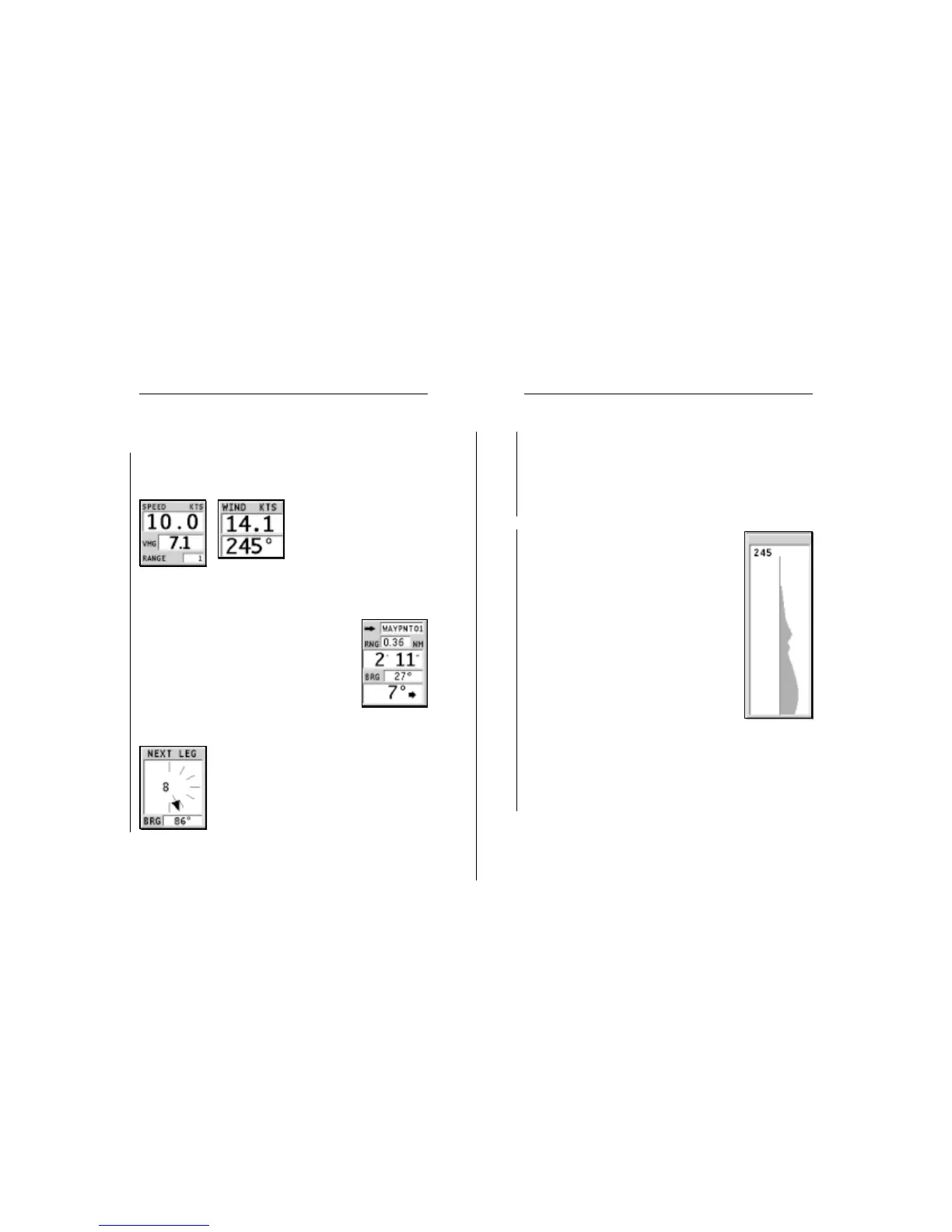
next leg, the arrow will indicate the direction of apparent
wind on the first beat of the next leg, whilst the direction of
apparent wind on the waypoint will be represented by a single
line.
The wind graph on the right-hand side of the screen shows
the true wind variation diagram with respect to the reference
direction, as recorded in the last hour.
The reference direction, set in the Setup menu,
can be dynamic or fixed; to fix it, press the
PAGE key to display the menu bar, select SETUP,
SET WIND and ON.
The default reference value will be the wind
current direction. If necessary, change the
value by using the joystick, then press ENTER
to confirm.
The graph scale will show the wind varia-
tions within the range of ±45° with respect to
the reference direction.
When the value of the true wind direction is
greater, the user is prompted to update the
reference value, and the latest value recorded
is suggested. Press ENTER to confirm the value
suggested, or CLR to cancel the updating and
keep the previous value.
If the SET WIND option in the Setup menu is set to OFF, the
reference direction becomes dynamic, thus varying automati-
cally to keep the variation graph within the range of ±45°.
The reference direction value is shown in the top left-hand
corner of the graph.
Sailing
Sailing
Advanced
SAILING WINDOWS
These windows, automatically enabled as soon as the GPS
receiver has obtained a valid fix (FIX OK) and data is received
from wind instruments, display the following information:
• Boat’s speed
• VMG
• Chart range
• True wind speed
• True wind direction (mag-
netic)
If a route is present, the following data will be displayed:
• Target waypoint name
• Distance from the boat’s position to the
target waypoint
• Time to arrive to the target waypoint
• Bearing between the boat’s position and the
target waypoint
• Angle to steer
If more waypoints are present, besides the target waypoint, a
window will show the apparent wind data on
the next leg.
The apparent wind speed is given by the dig-
its in the center of the window. The bearing
to the next waypoint is shown at the bottom of
the window.
If a close hauled or a run are planned on the
Sailing
Sailing Windows



 To Next Page