28 29
range before activating the chart rotation. Confirm by press-
ing ENTER.
The northern direction will be indicated by the symbol
Autozoom
With the Autozoom function the GEONAV will always display
automatically the boat’s position and the target waypoint at
the best available chart range. This function is enabled pro-
vided that at least one waypoint has been previously entered.
NOTE: In this document, the functions enabled in Advanced and Sailing modes are
outlined in the text. Unless otherwise specified, functions are intended as common to
all the available modes.
Navigation mode (automatic)
At start-up, the GEONAV automatically enables the Naviga-
tion mode, as soon as the GPS transmits a valid fix; when in
Navigation mode:
• The manual cursor is not displayed
• The depth sounder window can be accessed
This mode is also called automatic because the unit automati-
cally updates the boat’s position on the screen.
Cursor mode (manual)
When in Cursor mode, the manual cursor is displayed. It is
possible to insert, delete and move waypoints, insert and delete
markers, display navaid information, etc., but it is not possible
to gain access to the depth sounder window.
To switch from Navigation mode to Cursor mode, use the
joystick. To go back to Navigation mode, press the PAGE key.
Chart rotation
Charts are traditionally displayed in north-up mode. This,
however, does not correspond to reality. For example, when
traveling southwards, the chart shows, on the right side of
the boat, what is actually located on the left side, and vice
versa.
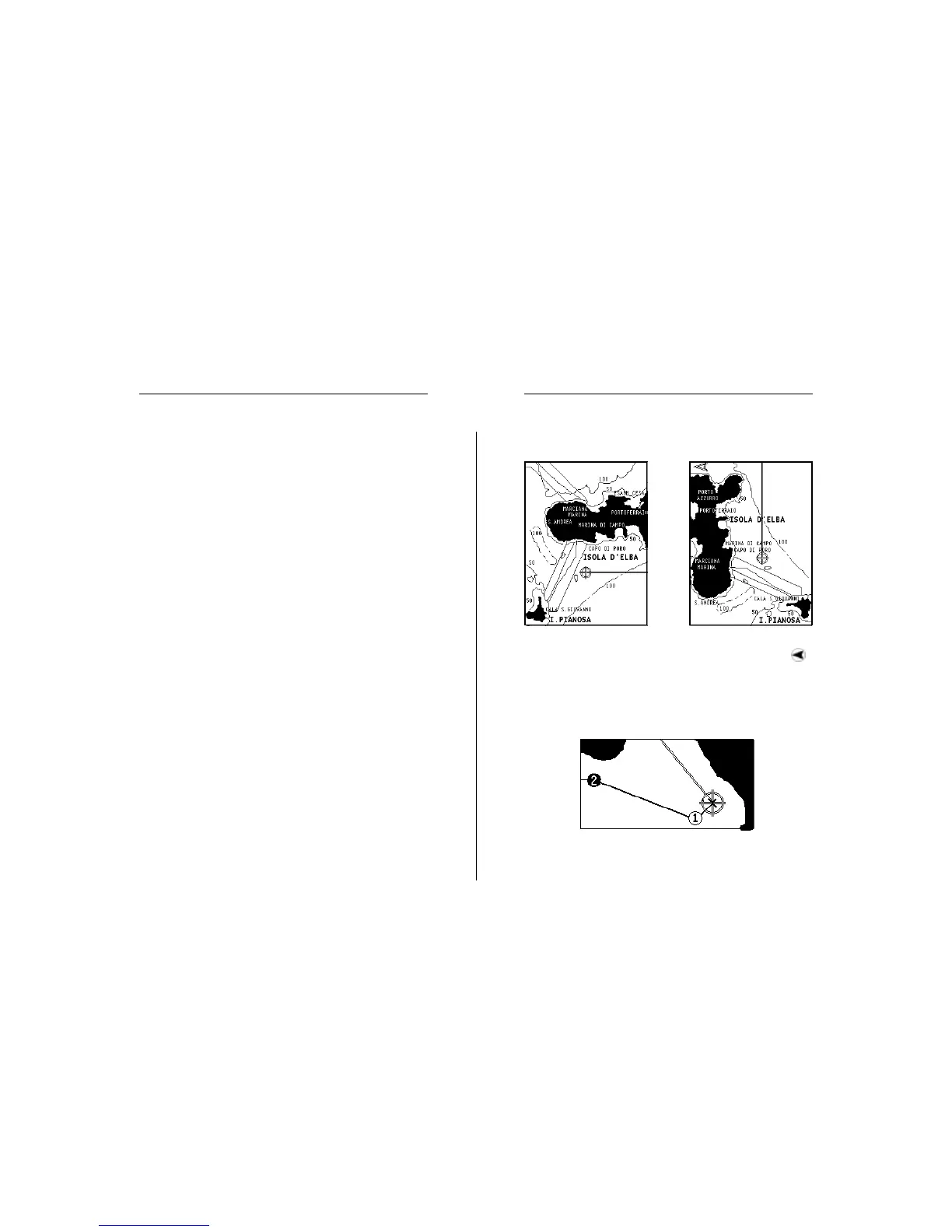
The Chart Rotation function allows rotating the electronic chart
displayed according to the plotted route (COG - Course Over
Ground), as detected by the GPS receiver. Since the COG value
varies continuously, a filter has been inserted to prevent the
chart from bouncing.
The Chart Rotation function is enabled at a speed greater than
1 knot. To enable the Chart Rotation function, press PAGE to
display the menu, select SETUP, then CHART ROTATION
and ON. A message will prompt the user to select the chart
Without Chart Rotation With Chart Rotation
Functional Characteristics


 To Next Page