58 59
• Water temperature
• True wind direction
• True wind speed
Wind and depth values are displayed only if available.
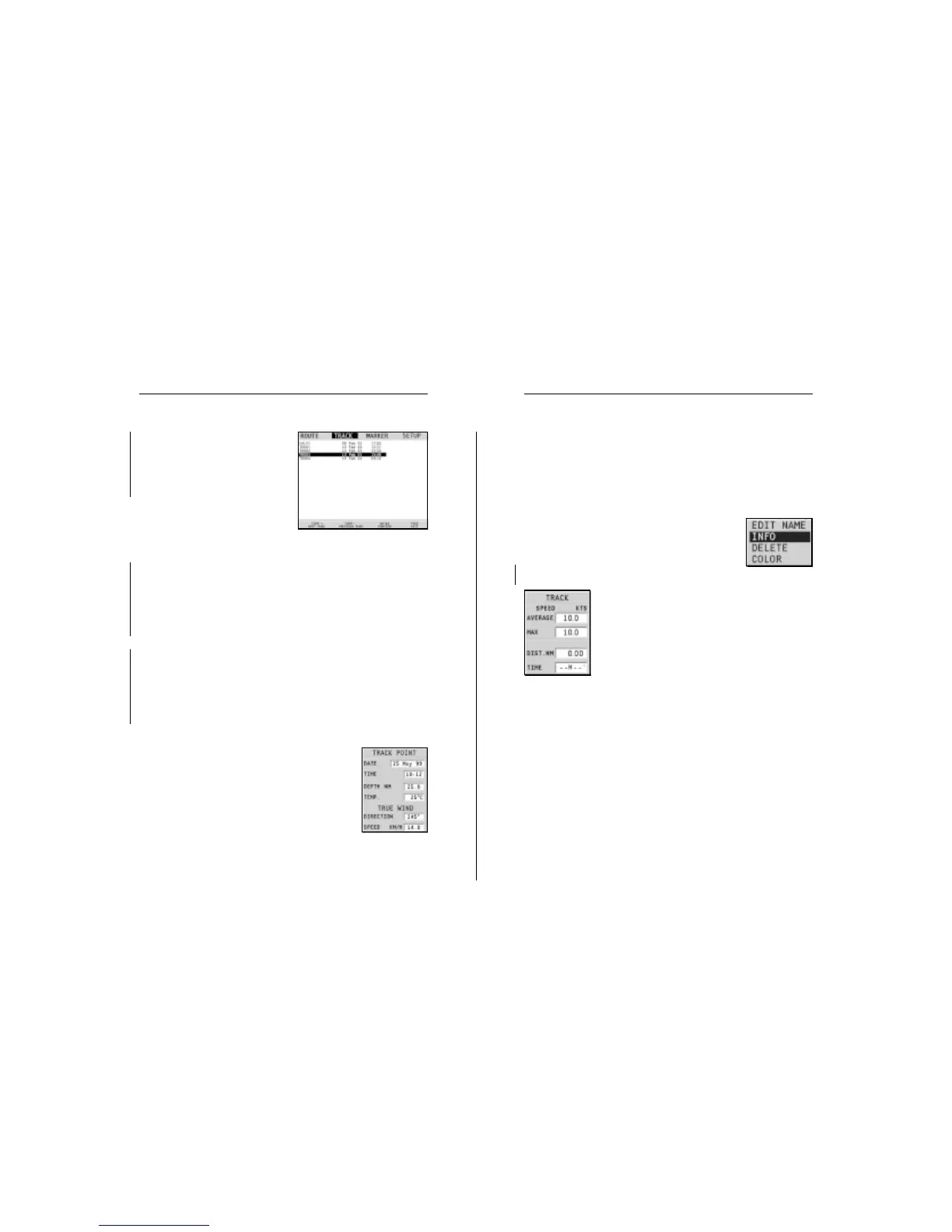
By positioning the manual cursor on the start-
ing point of a track segment, a menu will al-
low changing the segment name, displaying
average/maximum speed data, trip length/
time, deleting the single segment as well as
changing the single segment color.
When the menu pops up, press ENTER to ac-
cess the options, then move the joystick to
select the desired option and press ENTER to
confirm.
The data entered is also displayed in the win-
dow enabled by the GOTO TRK menu.
Route to a track segment
See the GOTO functions.
Flash
Sunshine
then RECALL to open the track
catalog.
Select the track desired, then
press ENTER to confirm the opera-
tion or PAGE to exit.
Deleting a track
Press the PAGE key to display the
menu, select TRACK, DELETE
and press ENTER to confirm.
The catalog that lists the tracks stored in the CompactFlash™
will show the CURRENT item indicating the track currently
displayed.
Select the track to delete by the joystick, then press ENTER to
confirm. By selecting CURRENT, the track currently displayed
will be deleted.
Setting the track color
The track color can be selected from the menu; press the PAGE
key to display the menu bar, select TRACK, COLORS, choose
a color by the joystick and confirm. The selected color will be
stored together with the track.
NOTE: The track color cannot be changed while the recording is active.
Displaying and changing track segment data
Position the manual cursor on a point in the
track segment.
A window will show the navigation data re-
corded in that position.
• Recording date
• Recording time
• Sea depth
Advanced
Advanced
Flash
Sunshine
Track


 To Next Page