64 65
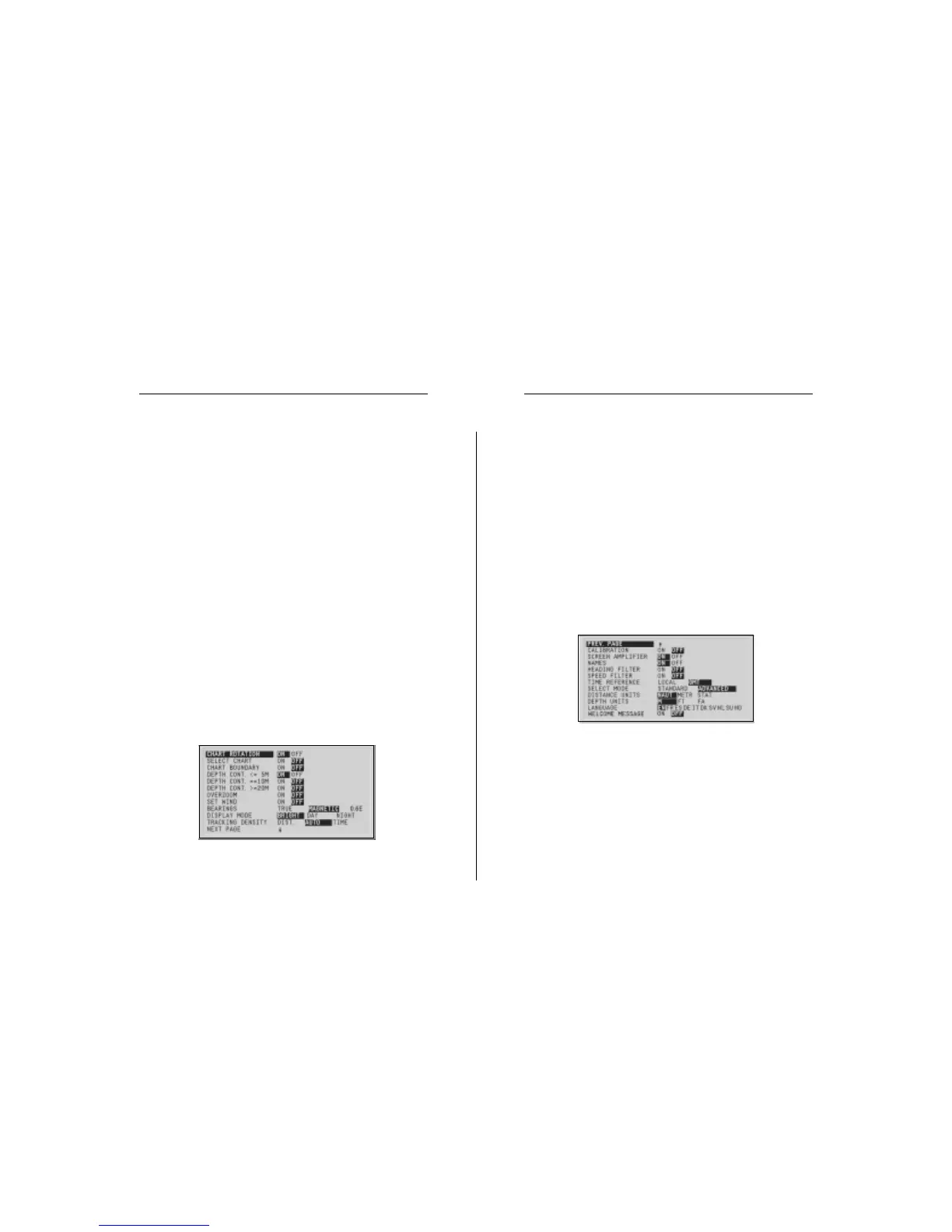
• Depth Contours (ON/OFF equal to/below 5 meters; equal
to 10 meters; equal to/above 20 meters)
Enables/disables the display of depth contours.
• Overzoom (ON/OFF)
Enables/disables the Overzoom function.
• Set Wind (ON/OFF)
Allows setting the reference direction in wind graphs.
• Bearings (TRUE/MAGNETIC)
(the number on the right indicates the magnetic variation)
Allows setting the magnetic mode for all bearings.
• Display Mode (DAY/NIGHT/BRIGHT)
Allows selecting colors suitable for the environment.
• Tracking Density (DIST/AUTO/TIME)
Allows selecting the tracking interval between fixed dis-
tance, fixed time or automatic (in such case, the track is
automatically smoothed to save memory).
• Calibration (ON/OFF)
Allows entering the position calibration offset.
• Screen Amplifier (ON/OFF)
Enables/disables the display of geographical names.
• Names (ON/OFF)
Enables/disables the Screen amplifier function.
• Heading Filter (ON/OFF)
Enables/disables the heading value filtering.
• Speed Filter (ON/OFF)
Enables/disables the speed value filtering.
• Overzoom (ON/OFF)
Enables/disables the Overzoom function.
• Calibration (ON/OFF)
Allows entering the position calibration offset.
• Time Reference (LOCAL/GMT)
Allows entering local time.
• Bearings (TRUE/MAGNETIC)
(the number on the right indicates the magnetic variation)
Allows setting the magnetic mode for all bearings.
• Distance Units (NAUT/METR/STAT)
Allows selecting distance units.
• Depth Units (M/FT/FA)
Allows selecting depth units.
• Language (EN/FR/ES/DE/IT/DK/SV/NL/SU/NO)
Allows selecting the language.
• Display Mode (BRIGHT/DAY/NIGHT)
Allows selecting colors suitable for the environment.
• Select Mode (STANDARD/ADVANCED)
Allows switching between standard and advanced mode.
ADVANCED MODE
• Chart Rotation (ON/OFF)
Enables/disables the chart rotation.
• Select Chart (ON/OFF)
Allows selecting the chart to load from the CompactFlash™.
• Chart Boundary (ON/OFF)
Enables/disables the drawing of the boundary of the chart.
Setup


 To Next Page