Comander Perimeter Security System
Engineering and Installation Manual
Page 25 of 72
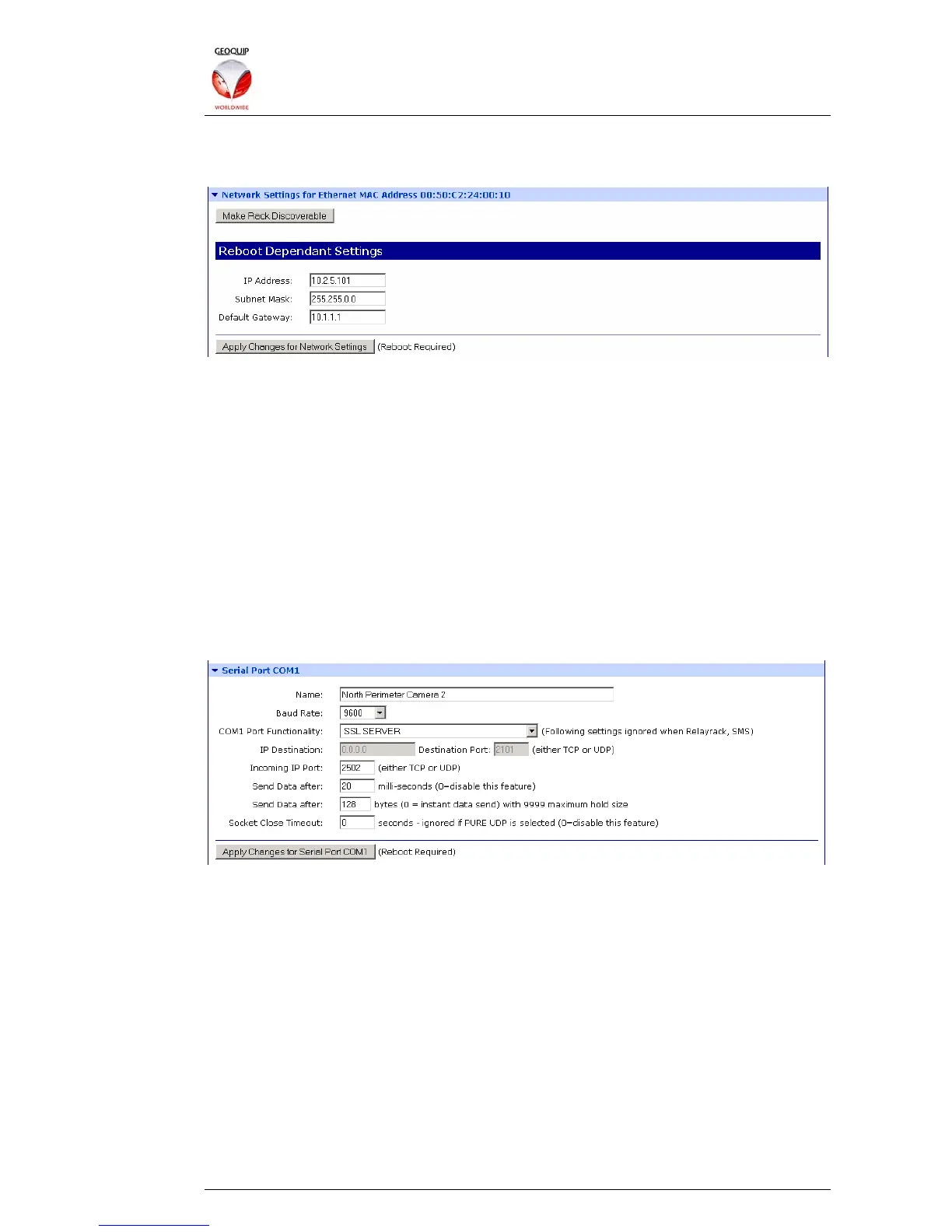
2.5.2 Network Settings
This section controls the Rack's IP network settings:
2.5.2.1 Make Rack Discoverable
This button enables the Rack to be reconfigured by the Digi Discovery program (see
section 7 below). The reconfiguration is enabled as soon as the button is clicked, but
reverts to being disabled as soon as the Rack is rebooted.
2.5.2.2 IP Address, Subnet Mask, Default Gateway
These are standard IP address settings. All devices on a Comander network should
have compatible addresses and addressing schemes – see section 1.2 above for more
information.
2.5.3 Serial Ports COM1-COM8
The eight serial ports can be configured individually for a variety of different devices
and functions. Each COM port configuration page has the same options:
The Name option is a local label, which is only visible in the local rack's Configurator
pages.
The Baud Rate option sets the speed of the serial communications on the port - baud
rates from 50 baud to 230 Kbaud are supported. (By default, Geoquip serial devices
use 9600 Baud.)



 To Next Page