Comander Perimeter Security System
Engineering and Installation Manual
Page 26 of 72
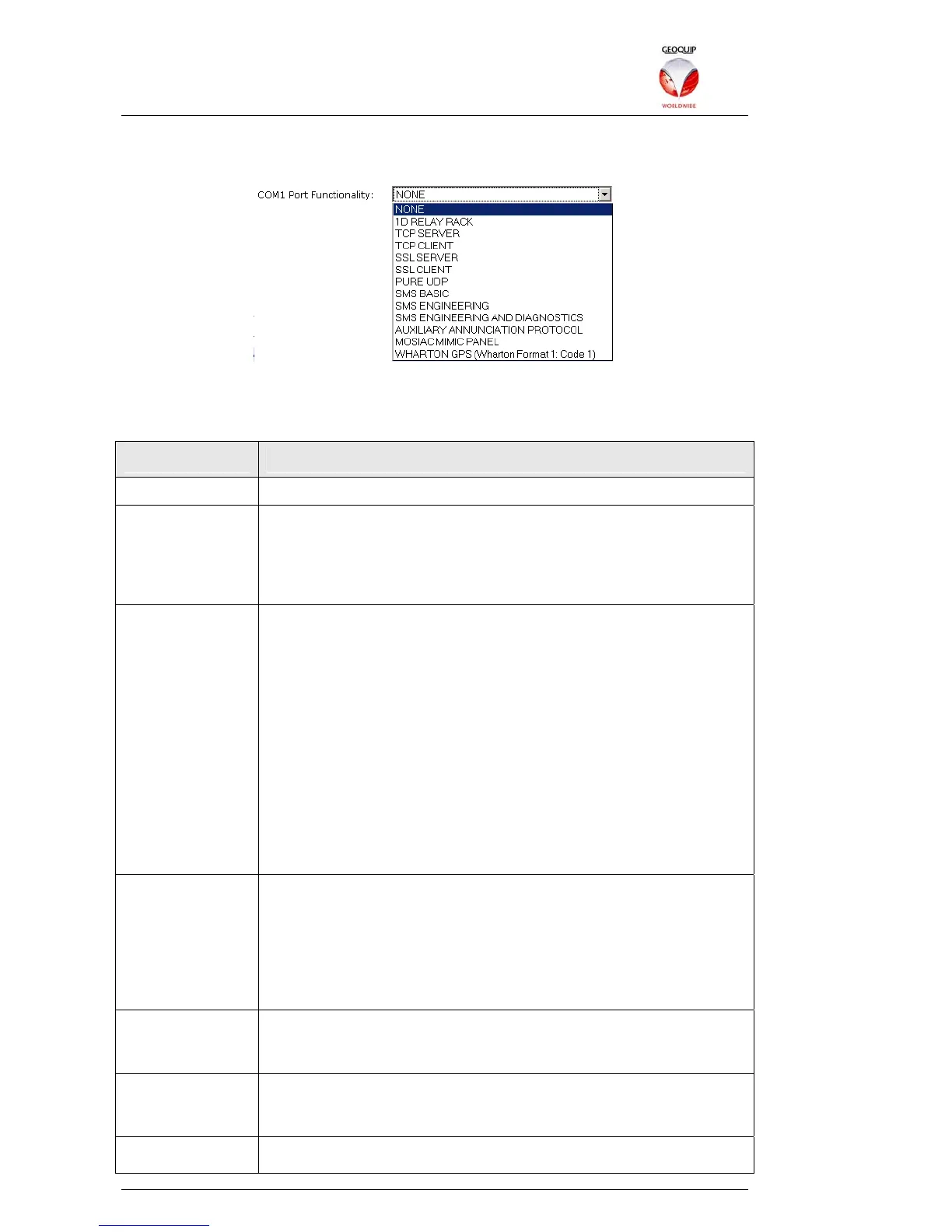
The Port Functionality list provides options for using the port to connect specific
devices, or to set more general functions:
These settings are explained in the table below. The other options in this section may
be enabled or not, depending on the Port Functionality setting.
Name Function
None The COM port is disabled.
1D Relay Rack Connect to a Geoquip Comander or CentrAlert Relay Rack. If this
option is selected on any of a Comander's COM ports, the
corresponding Relay Rack enumeration option must also be set on
the General Hardware Settings page of the Configurator – see
section 2.5.4.3 below.
TCP Server In this mode, the port waits for an incoming TCP connection on the
port number specified in the Incoming IP Port option. Once an
incoming connection has been made, the port acts as a
transparent link between the network device which established the
link, and the unit which is connected to the COM port.
This is the usual setting for PTZ control of older CCTV cameras,
where PTZ control is implemented via an RS232 link. Typically a
camera Matrix can be configured to send serial PTZ data via the
Comander Ring to the IP address of a specific Comander Rack,
and using a specific port number to control a particular camera
attached to a COM port on that Rack. In this scenario the COM
port should be configured as TCP Server, with the incoming port
number (see below) set to the port number allocated for that
camera in the Matrix.
TCP Connector In this mode, the port initiates a TCP connection to the server
specified in the IP Destination and Destination Port boxes, and
thereafter acts as a transparent communications channel between
the server and the serial device.
Pure Connector is the more common setting for monitoring devices
which are not controlled directly by Geolog Vision or other
software, such as weather monitoring stations or utility meters.
SSL Server This mode is similar to the TCP Server mode described above, but
uses an SSL transport layer to encrypt the data passing through
the connection.
SSL Connector This mode is similar to the TCP Connector mode described above,
but uses an SSL transport layer to encrypt the data passing
through the connection.
Pure UDP In this mode, data from the serial device is transmitted over the
Comander Ring network using the UDP protocol. The broadcast



 To Next Page