Comander Perimeter Security System
Engineering and Installation Manual
Page 31 of 72
2.5.5 Configuring Interceptor Circuits
The next two sections in the Configurator's Comander Rack menu allow configuration
of each individual Interceptor channel. The first page manages channels 1-12, and the
second page channels 13-24, but the settings for each channel are the same on both
pages.
2.5.5.1 What is an Interceptor Circuit?
Geoquip's unique Interceptor cable is a microphonic cable designed to work as a
fence-mounted sensor. Activity such as movement or vibration on the fence are picked
up by the cable, and create electrical signals which the Comander can analyse.
Different types of analysis can distinguish between different types of activity – for
example, the pattern of signals generated from a chain-link fence being cut is very
different from the pattern of signals generated when someone tries to climb the fence.
2.5.5.2 Detection Channels
Each Interceptor circuit has three "channels", which are really three different types of
analysis which the Comander Rack performs on the signal arriving from the cable. The
configuration screen allows you to adjust the parameters used for each channel, to
provide optimum detection while ignoring signals created by harmless factors such as
wind or traffic vibration. The channels are called A, B and C.
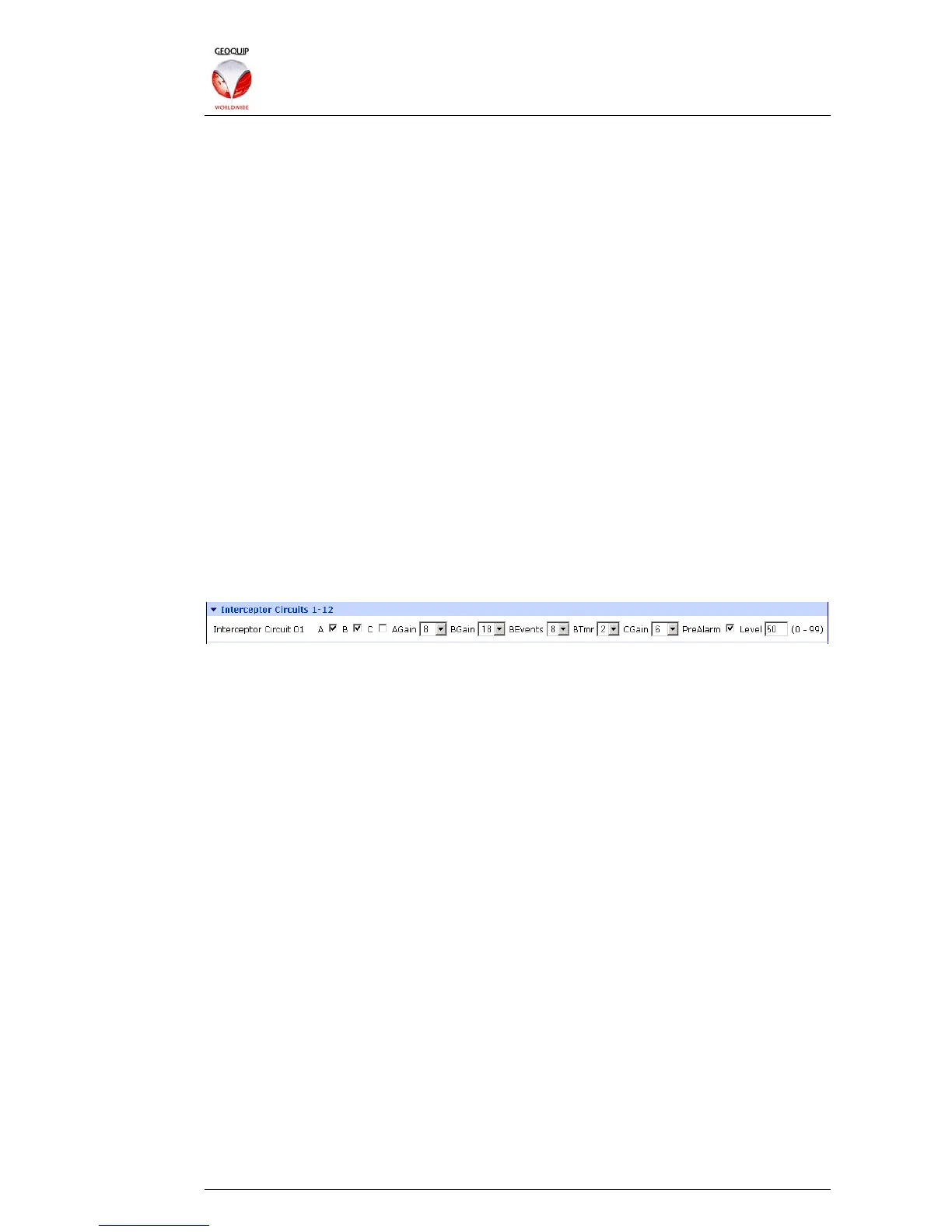
On the two Interceptor Circuits pages in the Configurator, each channel can be
enabled or disabled for each Interceptor circuit using by checking the boxes beside the
channel name:
In this example, Interceptor Circuit 1 has channels A and B enabled, but channel C is
disabled.
Each channel has a Gain control, which sets the level of signal required for the circuit
to trigger an alarm. If a channel in the circuit is triggering spurious alarms because of
wind or environmental factors, you can reduce the gain on the channel until the
spurious alarms are no longer generated.
The channels themselves work as follows:
Channel A is the Climb Channel, and is designed to detect the characteristic response
caused by someone climbing the fence to which the Interceptor cable is attached.
Since this channel is triggered by vibrations, it is the most likely channel to generate
spurious alarms due to wind or vibration.
Channel B is the Impact or Cut channel, and is designed to detect impacts on the
fence, or attempts to cut through it. In addition to a Gain control, it has two further
controls which provide better filtering of one-off small impacts which might be caused
by animals or other factors. The BEvents control sets the minimum number of
individual impacts which can trigger an alarm on the channel, and the BTmr sets the
maximum time period during which multiple events must occur before an alarm is
triggered. The time period can be set to 1-9, with each number representing an interval
of 30 seconds - so a setting of 2 gives a timer period of 60 seconds.
Channel C is the Saw channel, and is a very sensitive vibration detector. In
installations with a rigid fence which is well protected from the weather, channel C can
detect subtle attempts to create a break in the fence with repeated light saw attacks
over a long period.



 To Next Page