Comander Perimeter Security System
Engineering and Installation Manual
Page 44 of 72
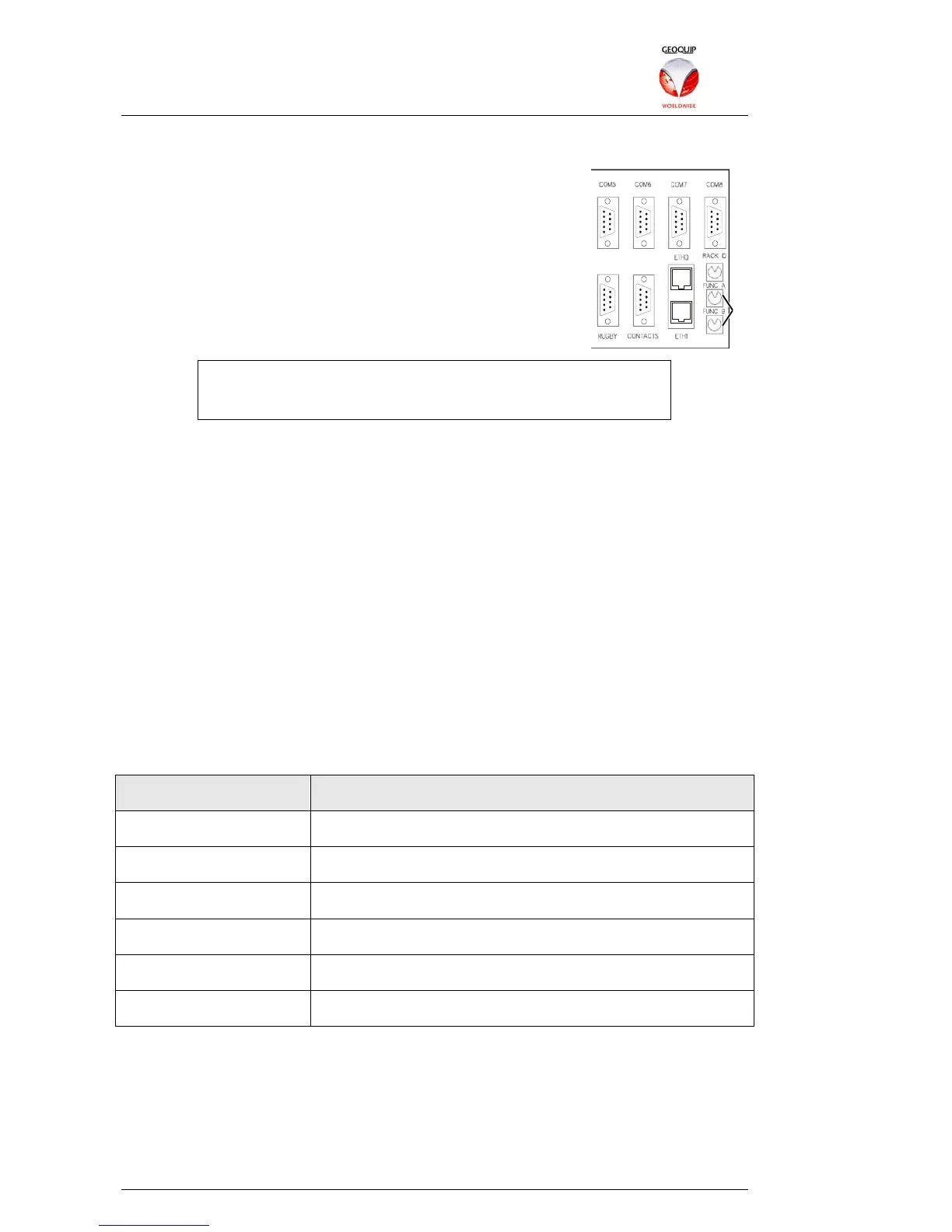
3.1.3 Special Operation Modes – The Rear Panel FUNC Switches
During normal operation, the two FUNC switches on the
Comander rear panel are set as follows:
• FUNC A: 0
• FUNC B: 9
Other FUNC switch settings are used to place the Comander
Rack into one of its Special operating modes, as described
below.
Whenever you change the FUNC switch settings, you MUST
reboot the Comander Rack for the new operating mode to be
initiated.
3.1.3.1 System Debug Information
In rare circumstances you may need to access a Comander's System Debug
information, which is normally reserved for use by Geoquip engineers. The Debug
data stream can be routed over the network using TCP/SSL, or streamed to one of the
local serial ports so that it can be accessed using a serial terminal program.
The Debug stream is normally disabled - to enable it on a particular Comander, go to
the Comander Rack Information page of the Configurator, and select the General
Debug Enabled checkbox. The debug data can be sent over the network via TCP
(unencrypted) or SSL (encrypted).
Once the General Debug is enabled, you need to configure how it is accessed. The
output destination of the Debug data is controlled using the rotary "FUNC A" switch on
the rear panel of the Comander Rack unit. It can be accessed via one of the first three
COM ports, or over the network via TCP (Telnet) or SSL (TELNETS).
Debug data can also be accessed via a JTAG connector on the Comander system
board, but use of the JTAG connector is reserved for Geoquip engineers only, and is
beyond the scope of this manual.
Switch A Position Debug Available On...
0 JTAG
1 COM1
2 COM2
3 COM3
4 TCP / SSL (Telnet / TELNETS)
5-9 Debug not available
FUNC
Switches



 To Next Page