19
EN SmartFan
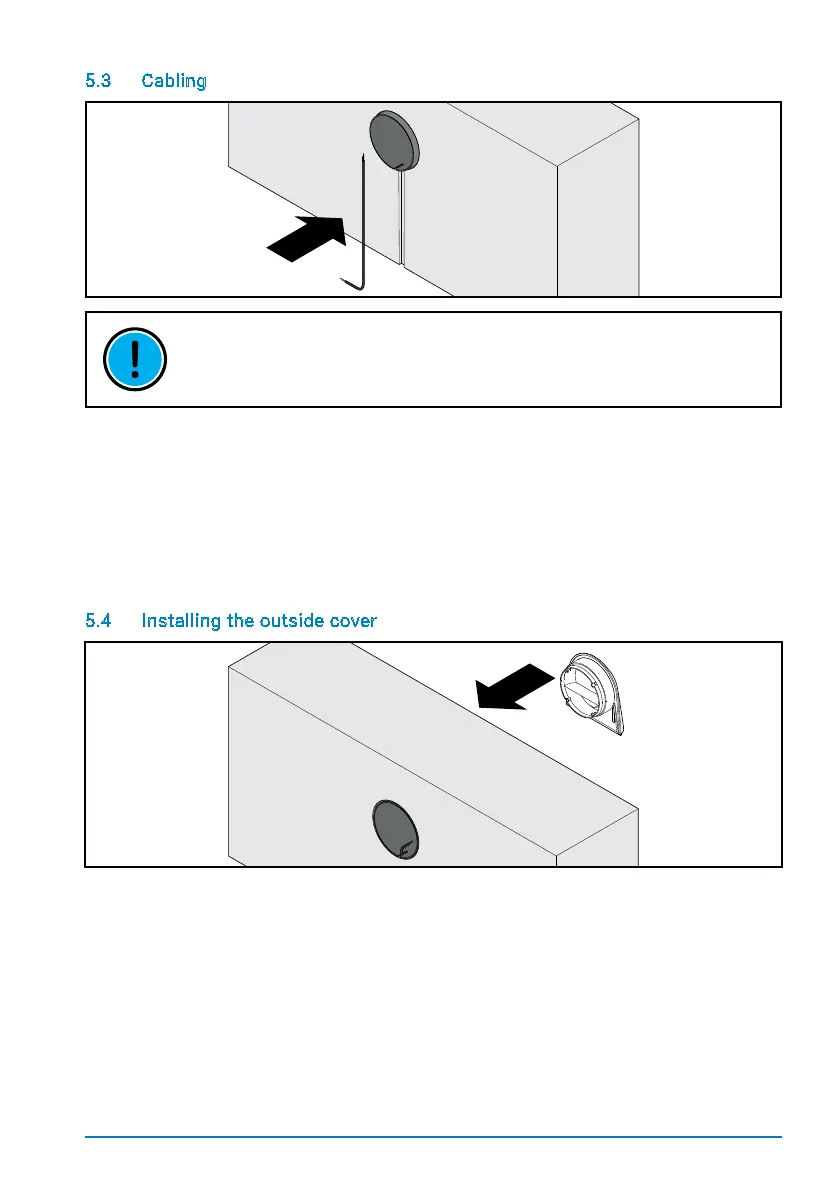
5.3 Cabling
THE LENGTH OF THE CABLE IN THE MOUNTING TUBE IS DEPENDENT ON
STRUCTURAL CONDITIONS. MAKE SURE THAT THE FAN UNIT CAN BE EASILY
CONNECTED UP AND THAT THE CABLE DOES NOT UNNECESSARILY BLOCK THE
AIRFLOW.
Use slits in the wall or cable ducts to lead the cables to the hole in the wall. Make sure
that the length of the cable in the mounting tube corresponds to the thickness of the wall
minus 150 mm. Wire the plug for connecting up the fan unit (see Electrical installation).
Should cables with a diameter > 6.1 mm be used, the top layer of insulation will need to be
removed to prevent problems with the further installation.
5.4 Installing the outside cover
Onceallworkonthebuilding‘sfacadehasbeennished,theoutsidecovercanbeinstalled.
Remove the plastering cover and insert the outside cover into the mounting tube. Make sure
that the outside cover is straight and points downwards (the air vent at the bottom). Due to
the special mounting slats, the outside cover can be installed without any tools and sits tight
in the mounting tube.


 To Next Page