22 SmartFan EN
6 Operating the system
6.1 SmartFan
The inside cover can be shut, should you not use the system over a longer period or
should you want to prevent smoke for instance entering the room.
WHEN IN USE, THE INSIDE COVER MUST BE OPEN!
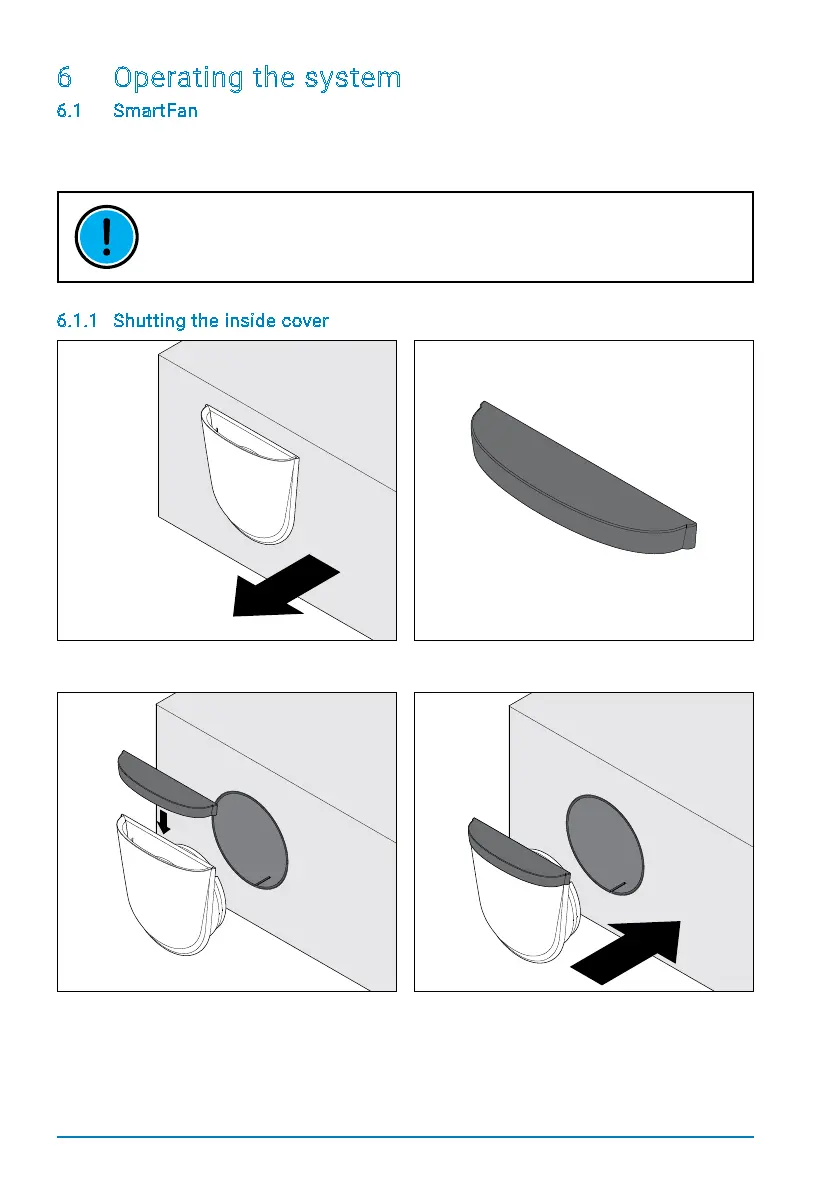
6.1.1 Shutting the inside cover
Step 1: Pull the inside cover out of the
mounting tube.
Step 2: Use the cap supplied with each
SmartFan.
Step 3: Place the cap over the air intake. Make
surethatthecaptstightlyandcompletely
closes the air intake.
Step 4: Re-insert the inside cover into the
mounting tube.


 To Next Page