5.4 Test program
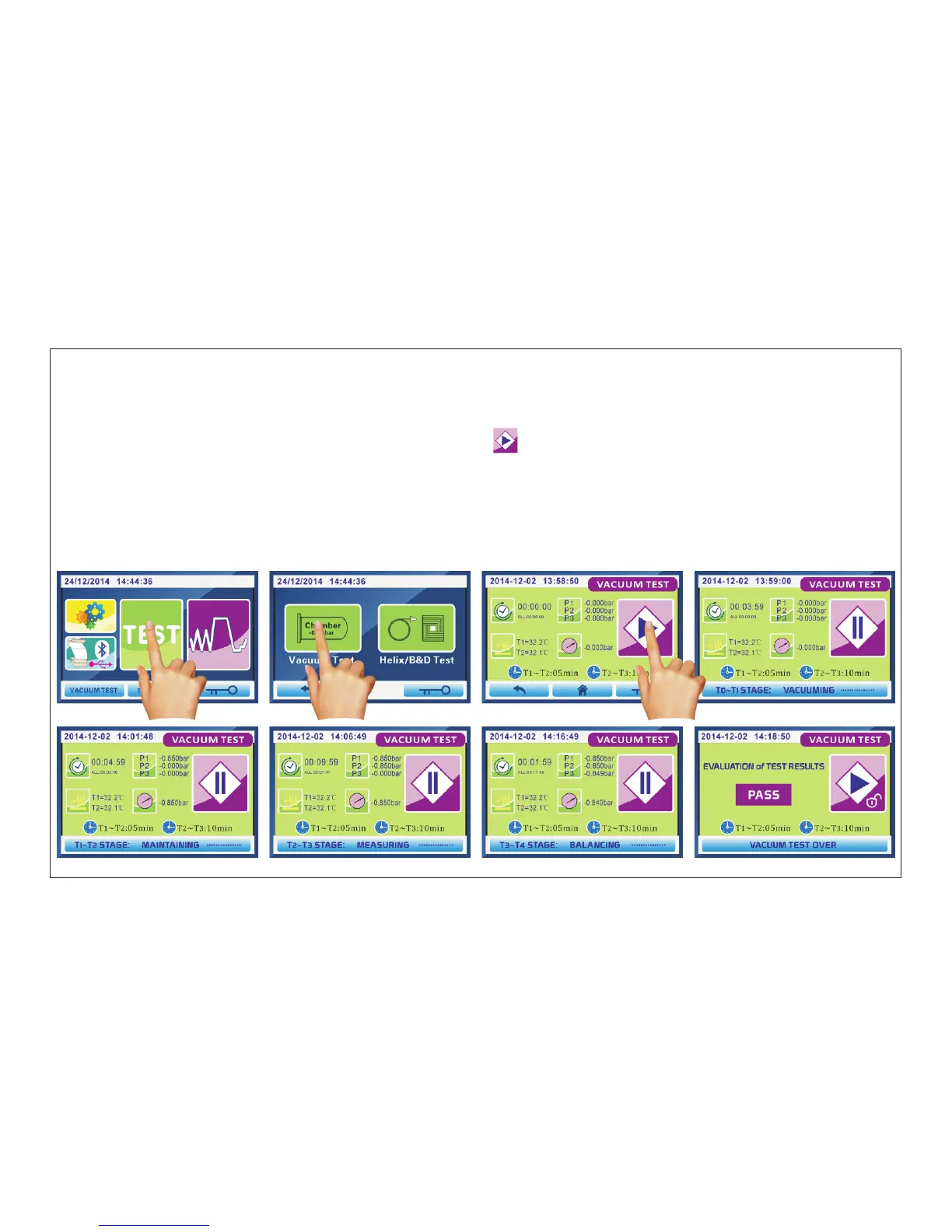
When LCD shows main interface,Click “TEST”(Fig.5.4-1) enter into interface Fig.5.4-2.
Click “Vacuum Test”enter into interface Fig.5.4-3.Then press “ ”buttom to start vacuum test.
5.4.1 the “vacuum test” program following steps:
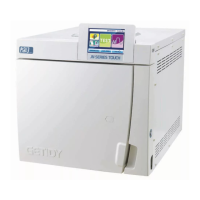
This test is performed in order to check the performance of the unit,particularly:
-the efficiency of the vacuum pump;
-the seal of the pneumatic circuit.
Fig.5.4-1 Fig.5.4-2 Fig.5.4-3 Fig.5.4-4
(1)T0~T1 STAGE:the vacuum pump starts evacuating,the operation display appears 4 minutes countdown(Fig.5.4-4).If the
pressure inside chamber reaches -0.850bar(P1) ahead of time,go to the next step in advance.
(2)T1~T2 STAGE:when the pressure reaches -0.850bar,the vacuum pump stops work.This pressure will maintain for 5 minutes and
then measure P2.(Fig.5.4-5)
(3)T2~T3 STAGE:this pressure maintain for 10 minutes and then measur P3.(Fig.5.4-6)
(4)T3~T4 STAGE:this pressure in chamber will be balance.After 2 minutes,time countdown is over.(Fig.5.4-7)
LCD shows evaluation results“PASS”or “FAILURE”(Fig.5.4-8 or Fig.5.4-9).Press “start lock”button exit to Fig.5.4-3 interface.
If evaluation results is “FAILURE”,please check the leakage of seal and leakage of pipeline.
Fig.5.4-5 Fig.5.4-6 Fig.5.4-7 Fig.5.4-8
Page 36 of 58



 To Next Page