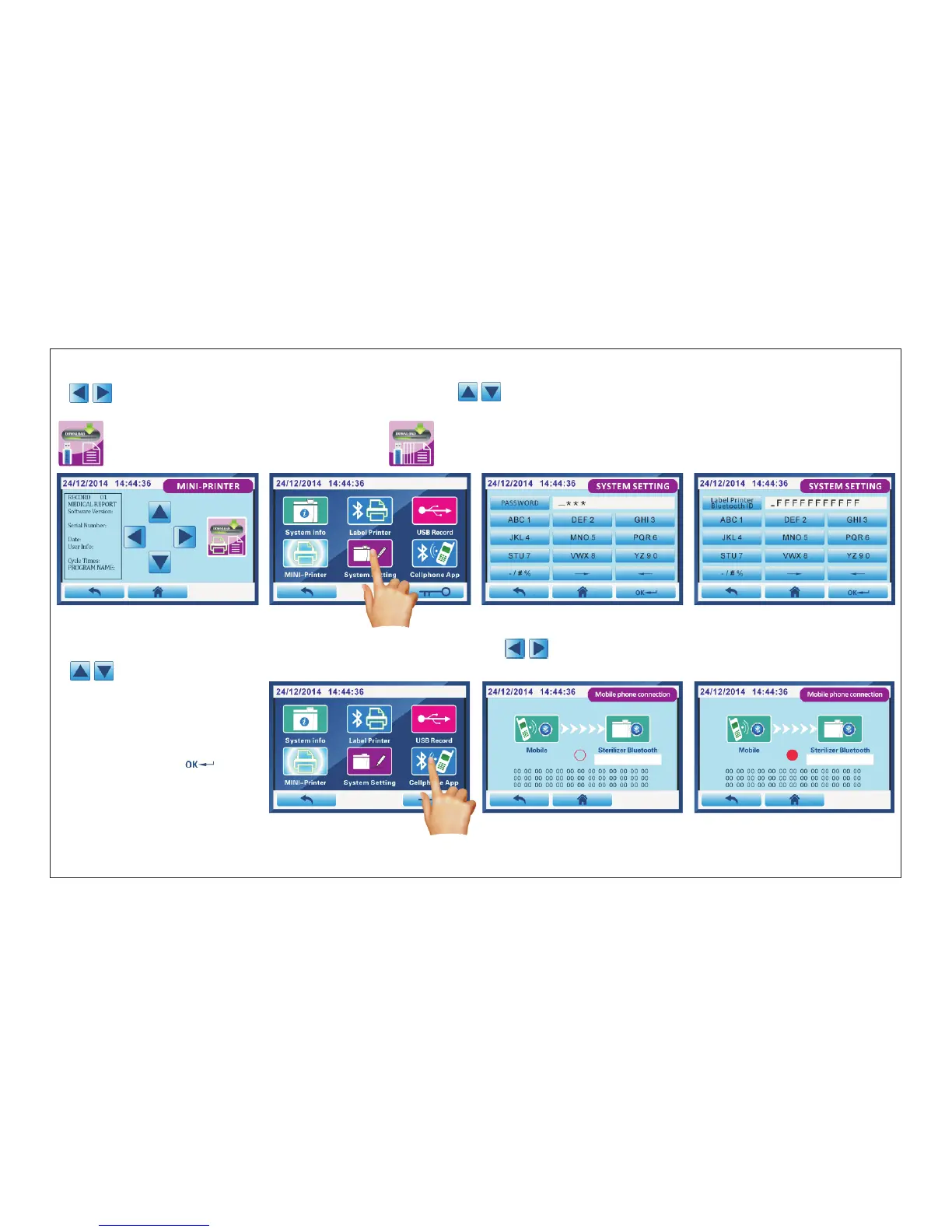
Fig.4.5-13 Fig.4.5-14 Fig.4.5-15 Fig.4.5-16
Fig.4.5-17 Fig.4.5-18 Fig.4.5-19
If you want to check the sterilization reports, please press “USB Record”(Fig.4.5-10) enter into interface Fig.4.5-11.
“ ”: select the different cycle reports from 1~128; “ ” : move the page up/down.
You can insert U disk to download the sterilization reports .
4.5.3. USB Record
Download the current a record Download all the records
4.5.4 ( ). MIN-Printer External printer
Click “MIN-Printer”(Fig.4.5-12) enter into interface Fig.4.5-13.“ ”: select the different cycle reports from 1~128;
“ ” : move the page up/down.Select sterilization reports you want,click “DOWNLOAD”buttom to print.
4.5.5. System Setting
Click “System Setting”(Fig.4.5-14)
enter into interface Fig.4.5-15.
A f t e r y o u e n t e r p a s s w o r d
“3335” ,click “ ”into
interface Fig.4.5-16.
Then enter 12 words Bluetooth
ID of label printer.
4.5.6. Cellphone APP(Optional)
Click “Cellphone APP”(Fig.4.5-17) enter into interface Fig.4.5-18.First, confirm that the control panel is inserted with Bluetooth
module.Second,you open cellphone APP software,click “Bluetooth Connection”in the top right corner.
Page 25 of 58



 To Next Page