Page 40
FUNCTION DESCRIPTION
Software Update
For software updates TS 981 have a MMC/SD card slot available. With this function the
software can be updated respectively in external places saved. For that purpose the new
program can be taken from a PC with special card reader function for GfA cards, following
the card could be guided into the control panel existing slot.
Attention!
Before loading the new program check the existing program is saved.
Menu item 9.7 MMC/SD card program can be uploaded. If this function is selected the display
appears 0.
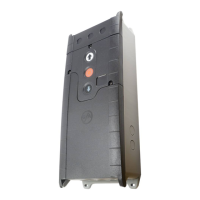
When pushing the integrated open and close button the display appears all existing software
versions on MMC/SD card. To start the uploading mode the stop-button shall be pushed for
three seconds. As long the loading has not started the mode may be interrupted if pushing
the selector switch.
With Menu item 9.8 present up to date programs could be saved onto MMC/SD card.
Down load initialising: Insert MMC/CD card, select Menu item 9.8 and push selector switch.
Short circuit / overload monitor
The TS 981control panel delivers 2 supplies for external devices.
230 V AC; max. 1,6 A
24 V DC; max. 1000 mA
At a short circuit or overload at the 24 V DC supply, the display is o.


 To Next Page