Routes
Neostrack provides 3 ways for you to create tracks: 1. Plan routes via Neostrack App. 2. Use
previous rides from History. 3. Download .gpx tracks online. With turn by turn navigation
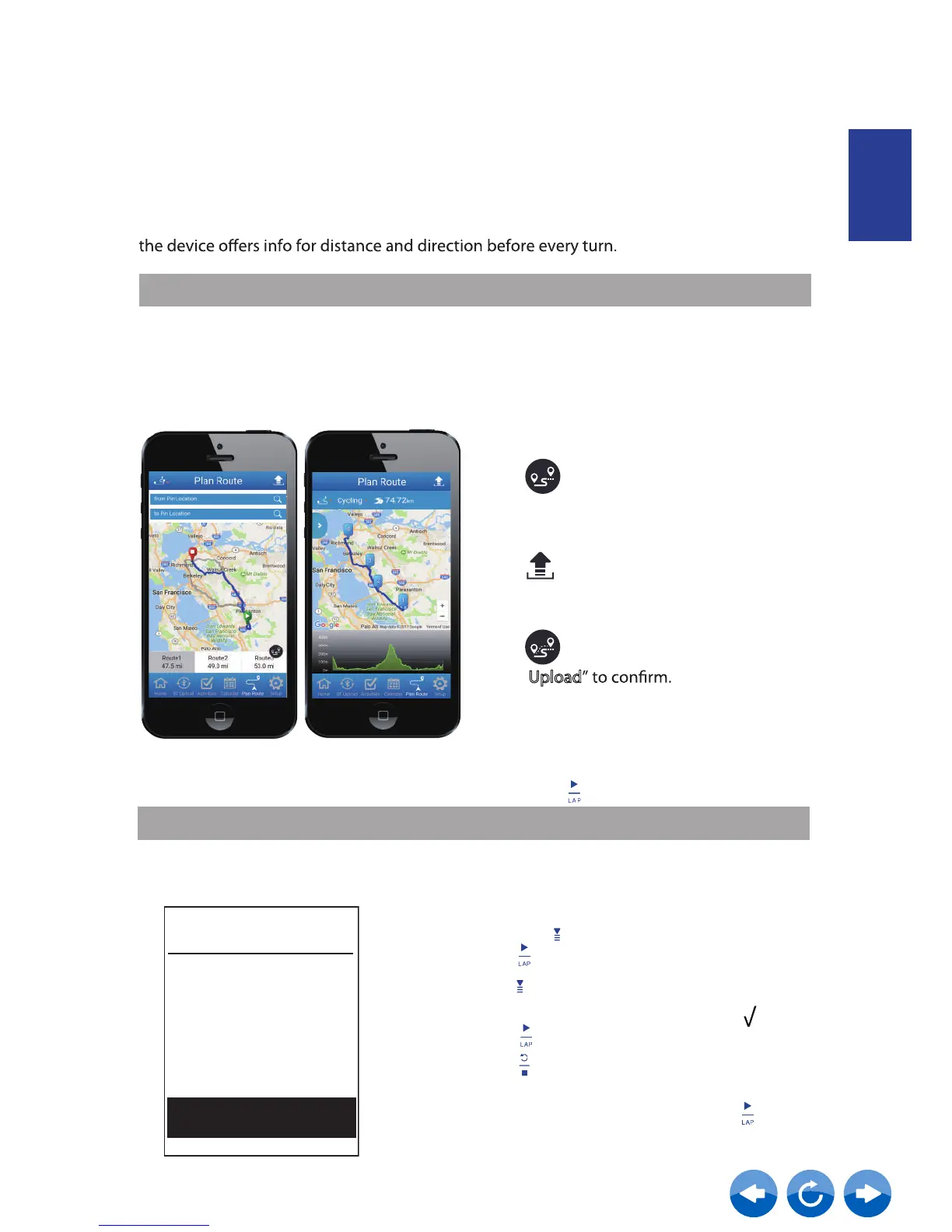
Plan Routes via Neostrack App
From Device History
1. In the Main Menu, select History > View
and press to select the desired tracks and
press to confrim selection.
3. Enter a name of the track and select “ ” and
press
to save it.
4. Press to be back to the Main Menu.
Note:
Please refer to page 6~17 to learn how to download planned trips via Sync(WLan).
Note: Turn by turn navigation function only supports trips planned by Neostrack App.
View
Summary
Detail
Lap
Analysis
Create Routes
5. In Main Menu, select Routes > View
and select the saved route and press
to start following the route.
Create Routes
ENGLISH
2. Press to select Create Route
1.
city, location or street name to start
search.
On Neostrack APP, tap “Plan Route” and
enter
2. Tap” “ , Neostrack App will begin to plan
starting from your location to destination.
If you would like to change starting point,
tap From Your Location to edit.
6.
3.
Download the planned trips to the device
via Sync(WLan).
Tap “ ” to upload planned trips to server.
7. In the device Main Menu, select
Routes > Route
start following the track.
4.
If you would like to edit the name of your
trips, tap the default name to edit.
5.
Tap “Upload
and select the planned trip
and press to
Tap” ”to customize your route.



 To Next Page