ENGLISH
/ to select the desired setting, then
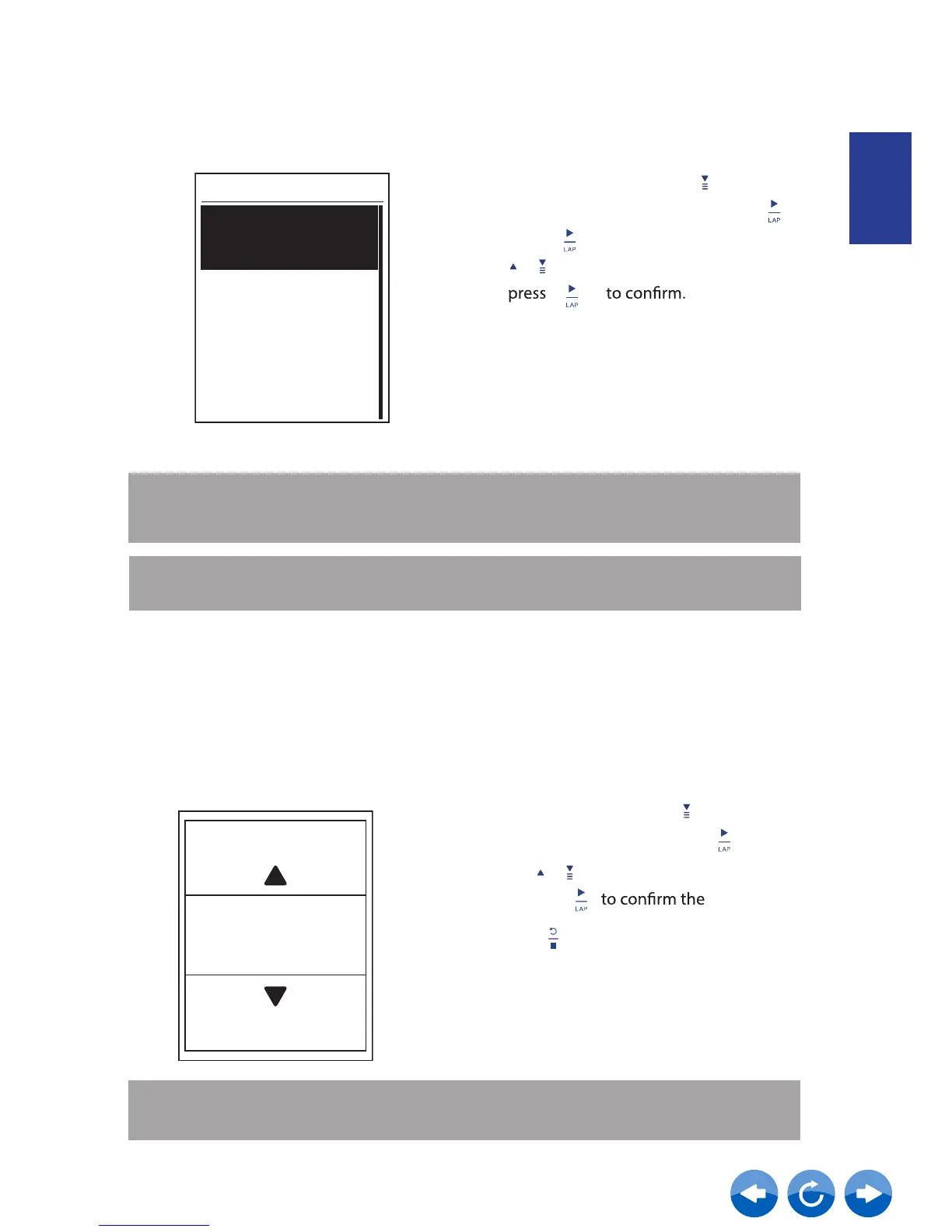
Set ODO
Altitude
Current Altitude
ODO Setup
ODO Setup
1. In the Setup menu, press to select
System > ODO Setup and press .
2.
Press to enter its submenu and press
All
NOTE: "All" means the odometer would show the cumulative distance of all trips;
"Recorded"
would only show the cumulative distance of recorded trips.
NOTE:
If you would like to reset ODO, please refer to page 17: Reset ODO.
You can set the altitude setting for the current location and four other locations.
1. In the S
etup menu, press
to select
System > Altitude
and press
2. Press / to adjust the desired altitude
and press
setting.
3. Press
to exit this menu.
Altitude
M
31
Note: The value of altitude on the meter mode will be changed once current altitude
is adjusted.



 To Next Page