Reset Data
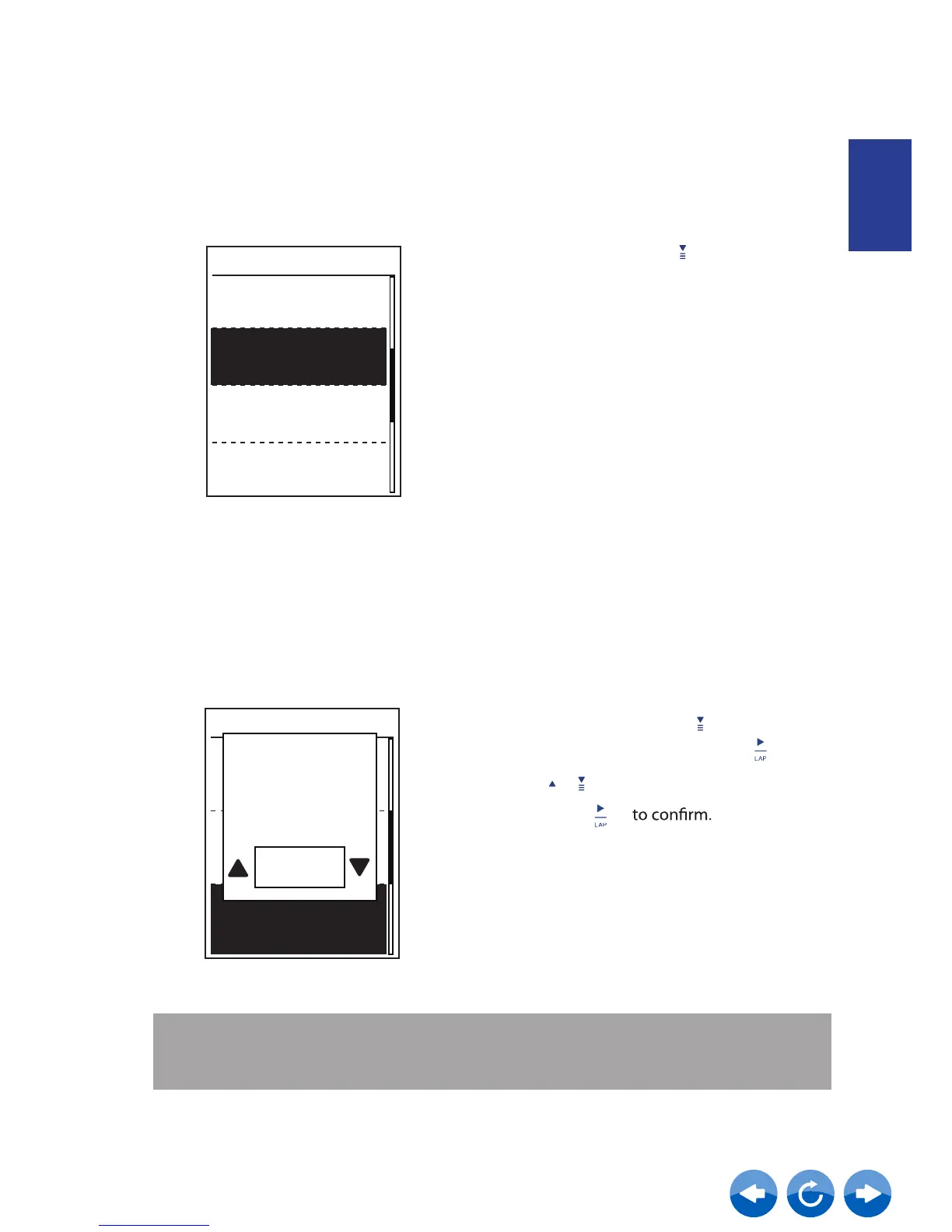
You can restore your Neostrack to factory settings.
System
Data Reset
Once
1. In the Setup menu, press to select
System > Data Reset and press .
2.
Press
to adjust the desired setting
/
Perform
factory
reset ?
Yes
and press
ENGLISH
View Memory Usage
View the storage status of the device.
1. In the Setup menu, press to select
System > Memory % . The storage status
is displayed next to Memory %.
System
Language
Once
7%
Start reminder
Memory%
Data Reset
NOTE: Factory reset operation will restore the device to factory default settings. In addition
to deleting all the activities, it will also delete pre-paired sensors and pre-loaded
Tests but will not remove UUID from the account you added in.



 To Next Page