ENGLISH
Riding Display
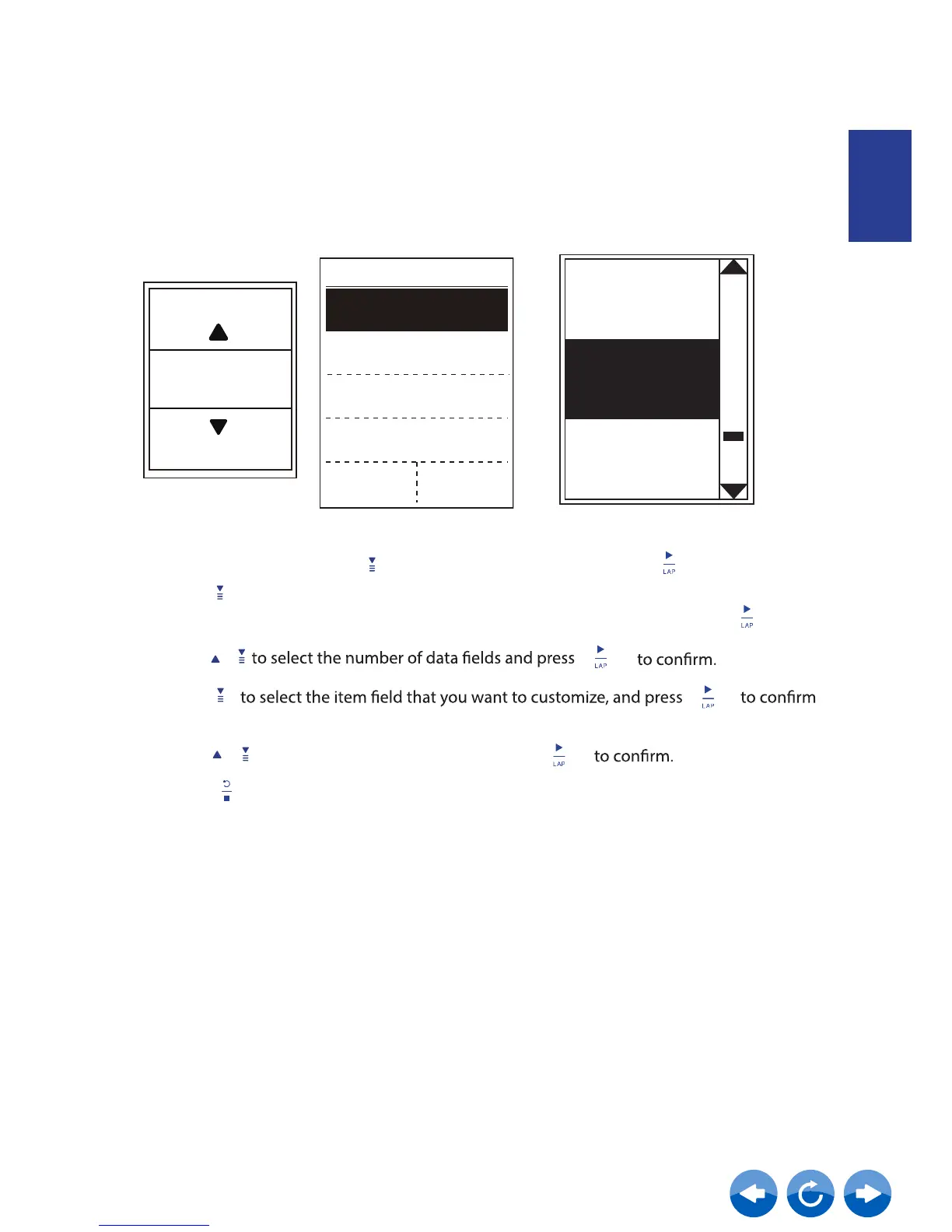
You can set the display settings for Meter and Lap.
Meter Display
6-grid display
Ride Time
Current
Time
Trip Time
Item selection
1.
2. Press to enter
Data Page
In the Setup menu, press
to select Riding Display
and press
> Riding Page 1, Riding Page 2, Riding Page 3,
Riding Page 4, Riding Page 5, Riding Page 6, Route and Altitude
and press
3. Press
/
4. Press
the selection.
5. Press / to select the desired setting and press
6. Press to exit this menu.
Riding Page
Speed
Grade
Ride Time
Distance
Max HR Max CAD
6
Data Fields



 To Next Page