ENGLISH
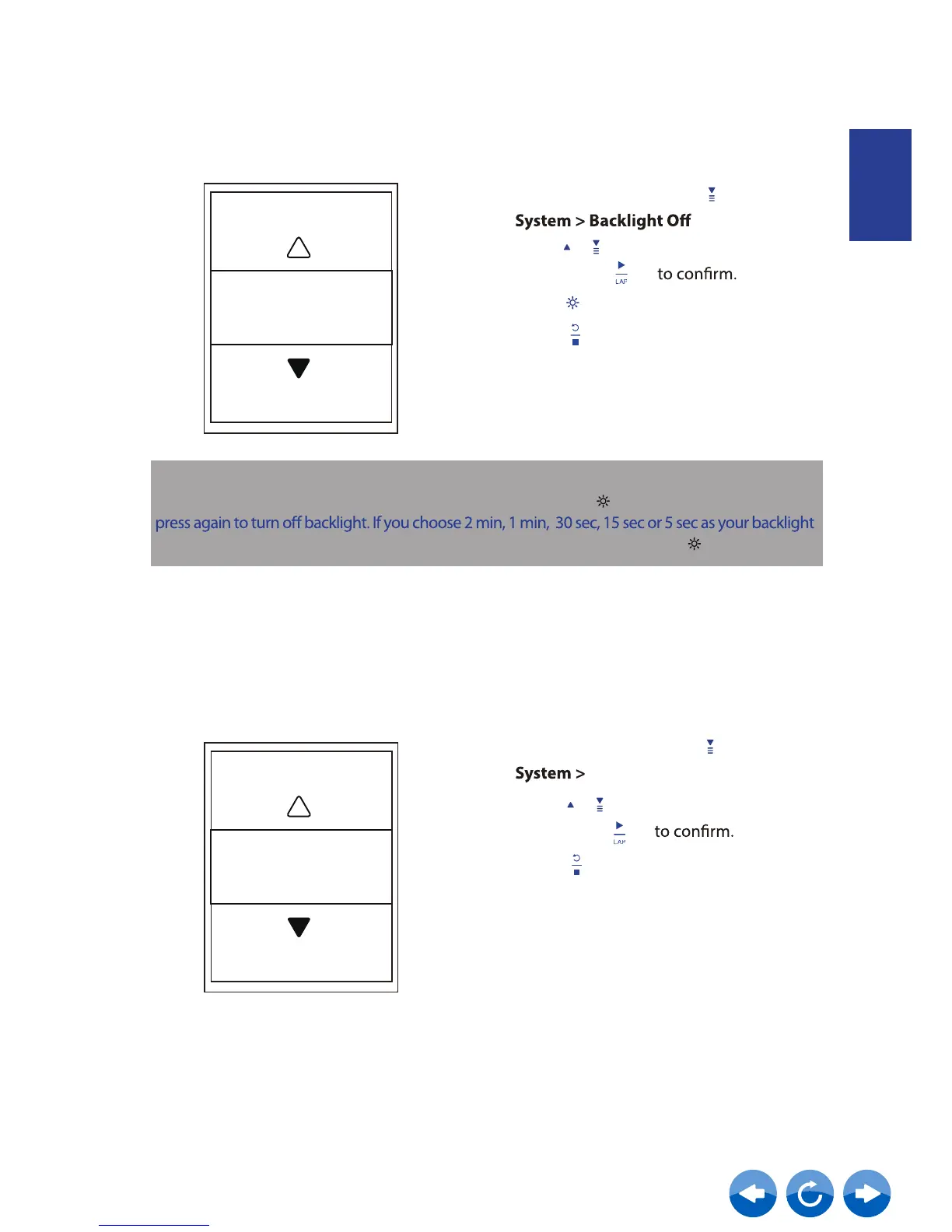
1. In the Setup menu, press
to select
and press .
2.
3. Press to activate backlight.
Press / to select the desired setting
and press
4. Press
to exit this menu.
Backlight Off
Auto
NOTE:
If you select Auto or Never as your backlight setting, after pressing to turn on backlight , you can
setting, you can extend another 2 min, 1 min, 30 sec, 15 sec or 5 sec by pressing again.
Backlight Off
Sound
2. Press / to select the desired setting
and press
3. Press
to exit this menu.
Sound
Sound
On
1. In the Setup menu, press
to select
and press .



 To Next Page