ENGLISH
View Activities/Training History
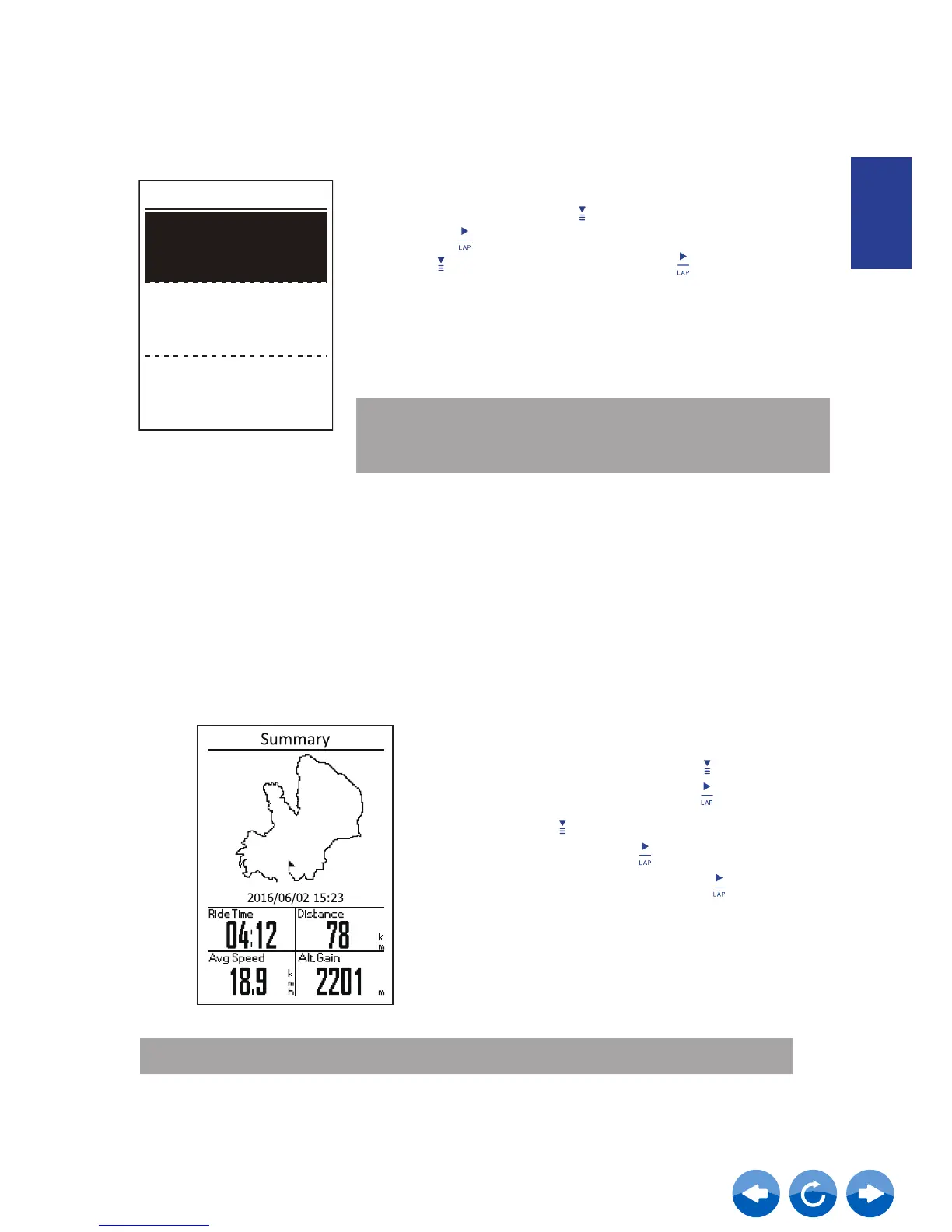
Neostrack provides graphical track summary, detailed workout data , lap data and graphical analysis
for you to have a better idea of your workout performance.
To view workout summary:
1. In the main screen, press to select
yrotsiH > View and press
.
2.
3. Select Summary and press to view
workout summary.
Press to select an activity history from
the list and press to enter.
NOTE:
You can also upload your history to Neostrack app to keep track all of your data.
Summary
Bike Select
History
Select Your Bike
1. In the main menu, press to elect Bike select
and press
2. Press to choose the bike and press
Note: Calibration will only display when the power meter is
activated and paired. Please refer to page 19 to learn how to
add bike data and pair sensors.
Bike Select
Bike 1 Set
Bike 2
PROPEL
TCR
Calibration



 To Next Page