micro balance Mod. E50S/3
Page 10 of 38
6 Operation
The balance has two main menus available: the configuration menu and the application menu.
The basic program of the balance is defined in the configuration menu. With this, you can either work with
the basic configuration programmed ex-works, or define and store a user configuration adapted to your
specific needs.
In the application menu, you may define an application program which is suited to the specific weighing
problem.
In addition, you may also define the parameters for the statistics program, check-reference weighing and the
user profile in the application menu.
6.1 Menu control operation principle
The configuration menu and the application menu each have several menu levels in which the parameters
for the different function programs of the balance are defined.
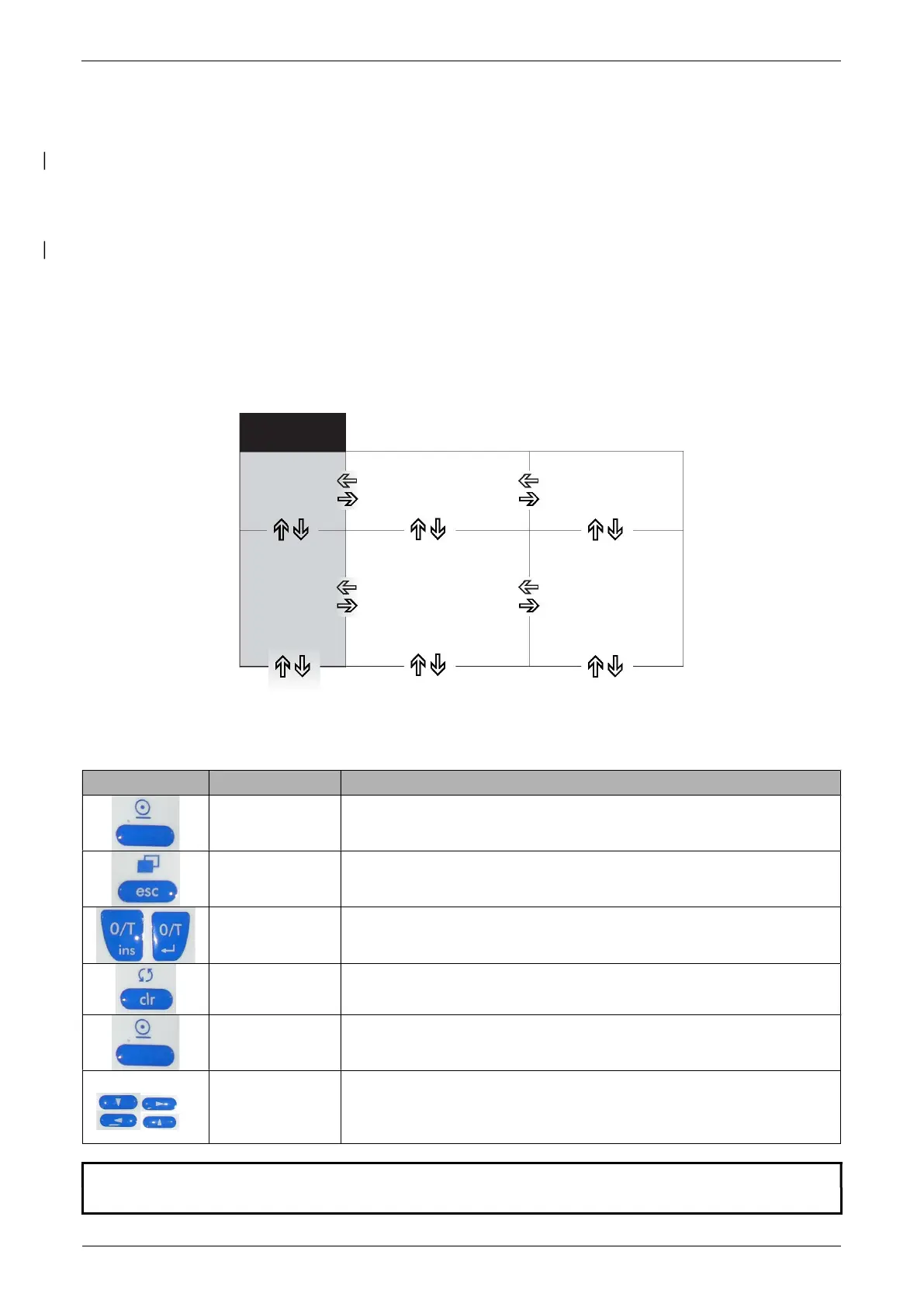
You can move within the menu with the cursor keys «», «», «» and «».
6.1.1 Operating in the Weighing mode
In the Weighing mode the light-grey background key symbols are applicable.
Keys Designation Function in weighing mode
«ON/OFF»
Switching the balance on and off
«ESC»
Calling up the Configuration Menu and the Application Menu
«T»
Initiate Tare Function and/or Calibration Function
«»
Switches between the Basic program and the chosen application
«PRINT»
Start print function
«»
«» «»
«»
Function keys. Start the functions in the info-line
NOTE
For the operation of the «T», «» and «PRINT» see chapter 6.4 "Special operating keys".


 To Next Page