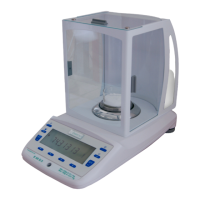
micro balance Mod. E50S/3
Page 20 of 38
7 Application
7.1 Units
UNITS UNIT-2 mg
- - - -
- - - -
OFF
UNIT-3 GN
- - - -
- - - -
OFF
UNIT-4 ct
- - - -
- - - -
OFF
Assigning the function keys:
Key Function
«g» Show measurement in unit 1, e.g. Gram
«mg» Show measurement in unit 2, e.g. Milligramm
«GN» Show measurement in unit 3, e.g. Grain
«ct» or «STO»
Show measurement in unit 4, e.g. Carat or Statistics functions if the statistics-
program is active
NOTE
For basic operation, Unit 1 is defined in the Configuration menu (standard unit for all weighing
procedures, if the application program “UNIT” is not called up, see chapter 6.3.3 "Selecting the
weight unit").
+ 8.0700 g
«»
Press until “UNITS” appears.
+ 8070.0 mg
«»
The weight is displayed as milligrams.
By pressing the relevant function key the weight display is switched to the corresponding unit.
The weight is printed in the unit of measurement shown by pressing the «PRINT» key.
7.2 Count
KEY-1 5
KEY-2 10
KEY-3 25
KEY-4 50
With the aid of the “COUNT” program you can count items of uniform weight (screws, bearings, coins, etc.).
For this, you must first weigh a defined number of items (for example 5 items) and assign the reference
number of pieces to the reference weight so obtained by pressing the corresponding function key.
NOTE
Depending on the weight and tolerances of the objects to be counted, you should count a
representative number of items for the regulation of the reference-weight.


 To Next Page