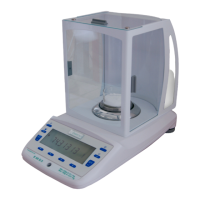
micro balance Mod. E50S/3
Page 28 of 38
10 User profiles (MUM, Multiuser Memory)
10 different user profiles can be saved. They can be protected against changes by means of a personal 4-
digit password. A profile consists of the configuration and application settings.
Anyone who does not wish to create a personal user profile can work with the balance as a “guest”. The
settings from the last user profile used are applied. If a “guest” works with the balance, device options and
settings can be changed, although they are not saved when the balance is switched off.
USER ttt…
NEW PASSWORD _ _ _ _
CLEAR USER 80.000 g
10.1 Activating a user
Press «ON/OFF» to switch on the balance.
Hold down «» constantly during the start-up process (approx. 10 seconds) until “NEW USER” appears
in the display.
A new user can be selected by pressing the «» key. The balance completes start-up and switches to
Weighing mode.
10.2 Creating a new user profile
If no user profile has yet been defined, the balance can be used normally. In order to work with different user
configurations, Work with Users must first be activated.
+ 0,0000 g
«ESC»
Start the application menu.
- - - - - - - -
«»
Press repeatedly, until “SET USER” is displayed
- - - - - - - -
«»
Switch into the user identification menu options.
- - - - - - - -
USER
«»
Activate the user name entry and enter the required name
using the cursor keys. A user name may be up to 20
- - - - - - - -
«»
Confirm the entry.
- - - - - - - -
«»
If you wish, protect the user setting with a four-digit
password.
- - - - - - - -
«»
The first digit of the password flashes and can be
changed.
- - - - - - - -
«»«»
Press until the first digit in the password is set.
- - - - - - - -
«»
The second digit flashes.
The password can now be entered fully.
- - - - - - - -
«»
Confirm the password.


 To Next Page