Gigaset IP BASE / SBG IE-UK-International en / A31008-M3037-S301-1-X119 / telephony_SBG.fm / 3/12/24
Template Module, Version 2.2, 15.11.2022 / Version - 07.07.2020
Making calls
15
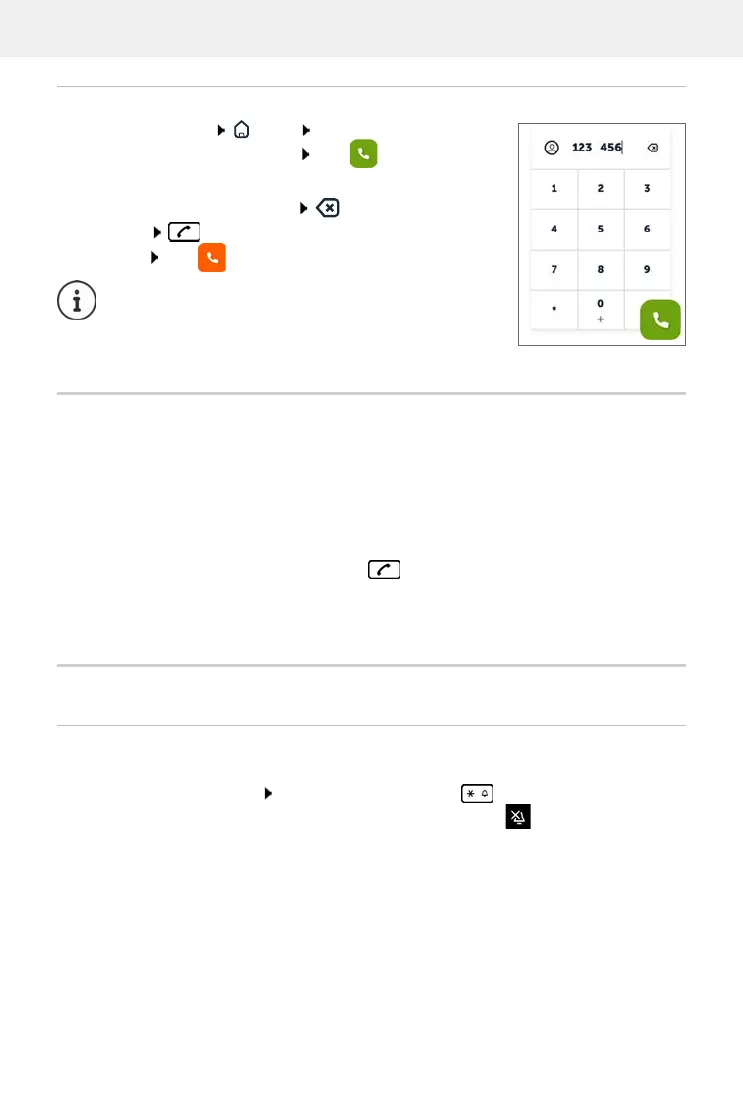
Dialling via the web interface
Open web interface Home on the screen Overview
enter the number via the keypad click . . . the call is initi-
ated on the default telephony device, the handset rings
Deleting numbers in the entry field:
Making a call: Pressing the talk key on the handset
Ending a call: click
Accepting a call
An incoming call is indicated by ringing, by a display on the screen and by the flashing Hands-
free key.
The display shows
• the caller's name if it has been stored in the directory
• the caller's number if it has been sent
Protection against unwanted calls
Switching the ringtone on/off
An incoming call is not signalled by ringing, but is displayed on the screen.
Switching the ringtone on/off: Press and hold the Star key
Ringtone is switched off: the following icon is shown on the display
Only one call can be managed at a time. Calls with
multiple participants (consultation calls, call swapping,
conference calls, . . . ) can be managed via the phone
display.
Accepting the call:
Press the Talk key
When Auto Answer is enabled:
Remove the handset from the charging cradle



 To Next Page