Template Module, Version 2.2, 15.11.2022 / Version - 07.07.2020
Gigaset IP BASE / SBG IE-UK-International en / A31008-M3037-S301-1-X119 / starting_SBG.fm / 3/12/24
8
Setting up the handset for use
If you want to register a DECT handset on the telephone:
Start using the handset as described in the corresponding user guide
Setting up the telephone for use
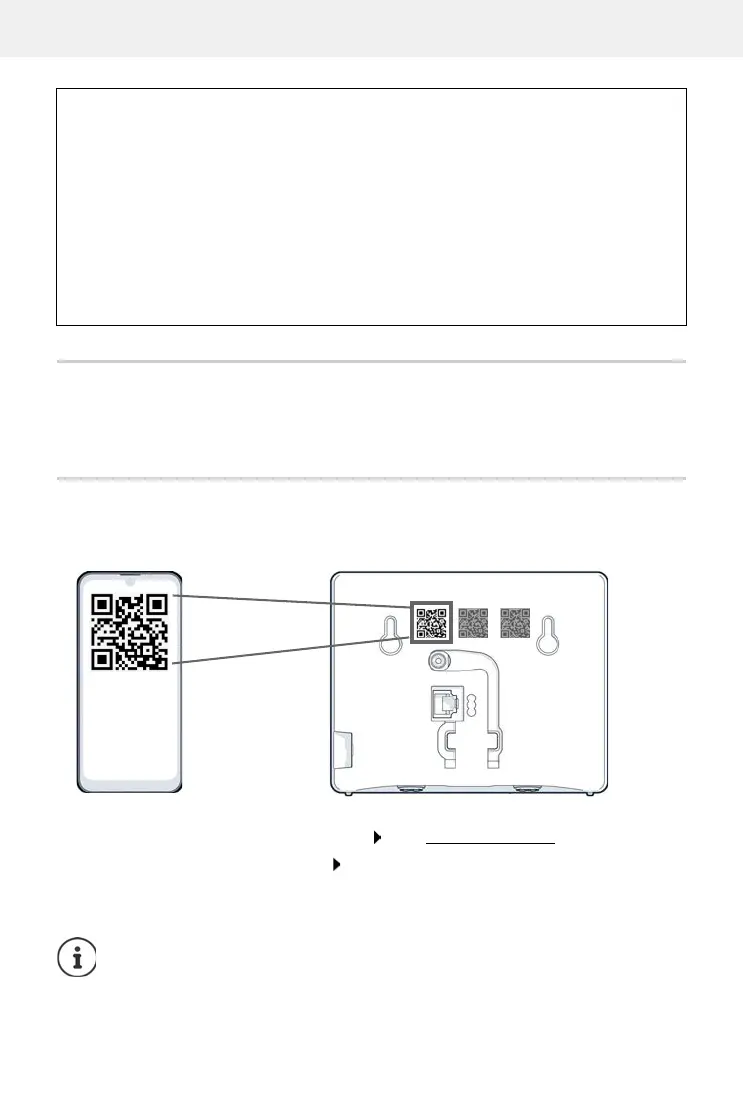
Scan the QR code on the left on the back of the device with a QR code reader on a smart-
phone or tablet.
or
Open the browser on a mobile device or PC Enter gigaset-config.com in the address line
If multiple Gigaset devices are displayed: Select Gigaset IP BASE
The telephone web user interface starts with the setup wizard, which takes you step-by-step
through the configuration process. Follow the instructions on the screen.
Data protection notice
When the device is connected to the router, it will automatically contact the Gigaset Support
Server. It will send the following device-specific information once per day:
• Serial number / item number
• MAC address
• Private IP address for the Gigaset in the LAN, its port numbers
• Device name
• Software version
On the support server, this information is linked to the existing device-specific information:
• system-related/device-specific passwords
You can end configuration after any step by pressing Finish. The overview page of the
web user interface is then displayed.



 To Next Page