11
First steps
Gigaset SL400-SL400A / EN for IM-Nord / A31008-M2103-R201-3-SM19 / starting.fm / 01.02.2011
Version 4, 16.09.2005
Connecting the base
Please note:
u The power adapter must always be connected, as the phone will not operate
without a mains connection.
u Use only the power adapter and phone cord supplied. Pin connections on tele-
phone cables can vary (pin connections
¢ page 85).
1
3
2
1
1
4
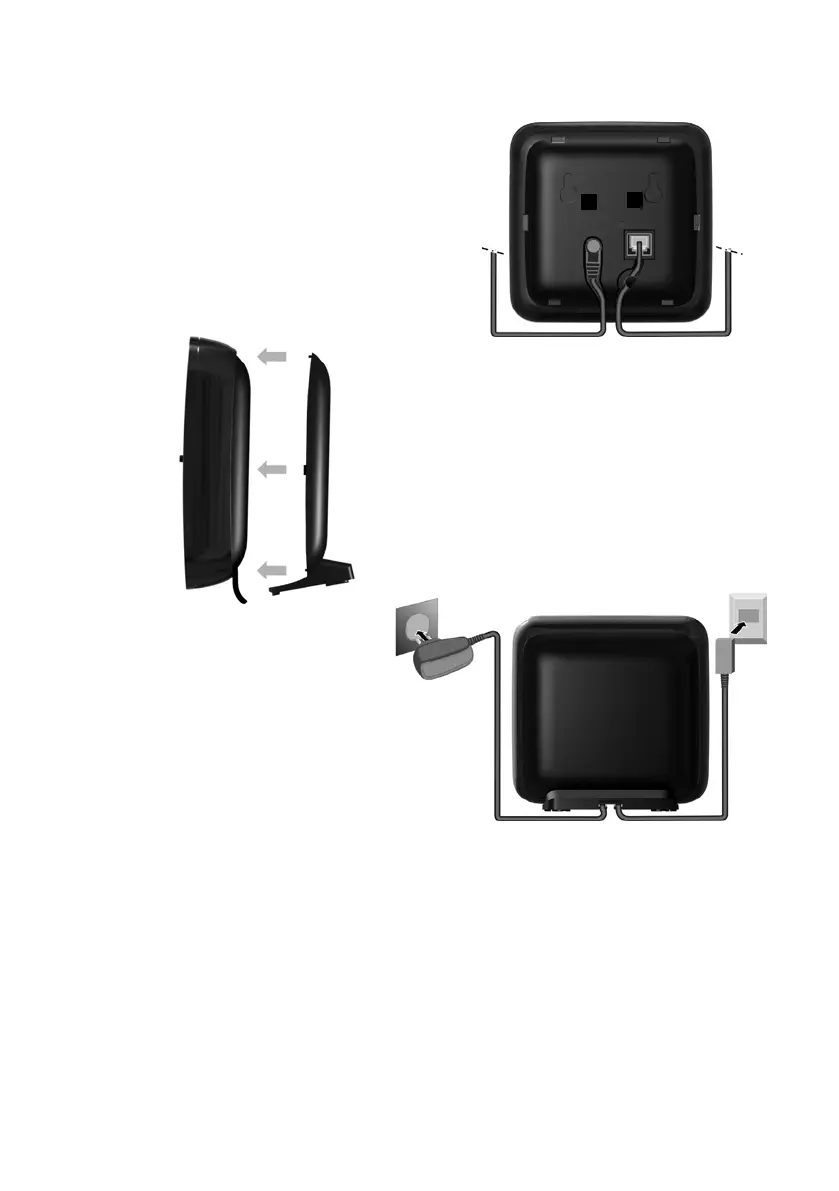
¤ Connect power adapter 1 and
phone jack 2 to the base and
place the cables in the cable
recesses.
¤ Place the cover in the notches on the
back of the base and click into place
(not if mounting on the wall).
¤ First connect the power
adapter 3.
¤ Then connect the phone
jack 4.



 To Next Page