31
Making calls
Gigaset SL400-SL400A / EN for IM-Nord / A31008-M2103-R201-3-SM19 / telefony.fm / 01.02.2011
Version 4, 16.09.2005
Accept the call by:
¤ Pressing the talk key c.
¤ Pressing the handsfree key d.
¤ Gigaset SL400: press the display key
§Accept§.
¤ Gigaset SL400A: press the display key
Ô to divert the call to the answering
machine (
¢ page 56).
If the handset is in the charger and the Auto
Answer function is activated (
¢ page 72),
the handset automatically accepts a call
when you remove it from the cradle.
To deactivate the ringtone, press the
§Silence§
display key. You can accept the call as long as
it is displayed on the screen.
Accepting a call on a Bluetooth
headset
Prerequisite: Bluetooth is activated; a con-
nection has been established between the
Bluetooth headset and the handset
(
¢ page 69).
Only press the talk key on the headset
when the headset rings; it can take up to 5
seconds.
The menu to set the earpiece and micro-
phone volume can be called up during a call
by pressing up on control key t.
For further details about your headset, see
the accompanying user guide.
Using Calling Line
Identification
When you receive a call, the caller's number
is displayed on the screen if the following
conditions are met:
u Your network provider supports CLIP, CLI.
– CLI (Calling Line Identification): the
caller's number is transmitted.
– CLIP (Calling Line Identification Pres-
entation): the caller's number is dis-
played.
u You have requested CLIP from your net-
work provider.
u The caller has requested CLI from the net-
work provider.
Call display with CLIP/CLI
If the caller's number is saved in your direc-
tory, the number is replaced by the corre-
sponding directory entry (
ä/ k/ l
symbol
and name/number). If you have assigned a
caller picture to that caller, this will also be
displayed.
or
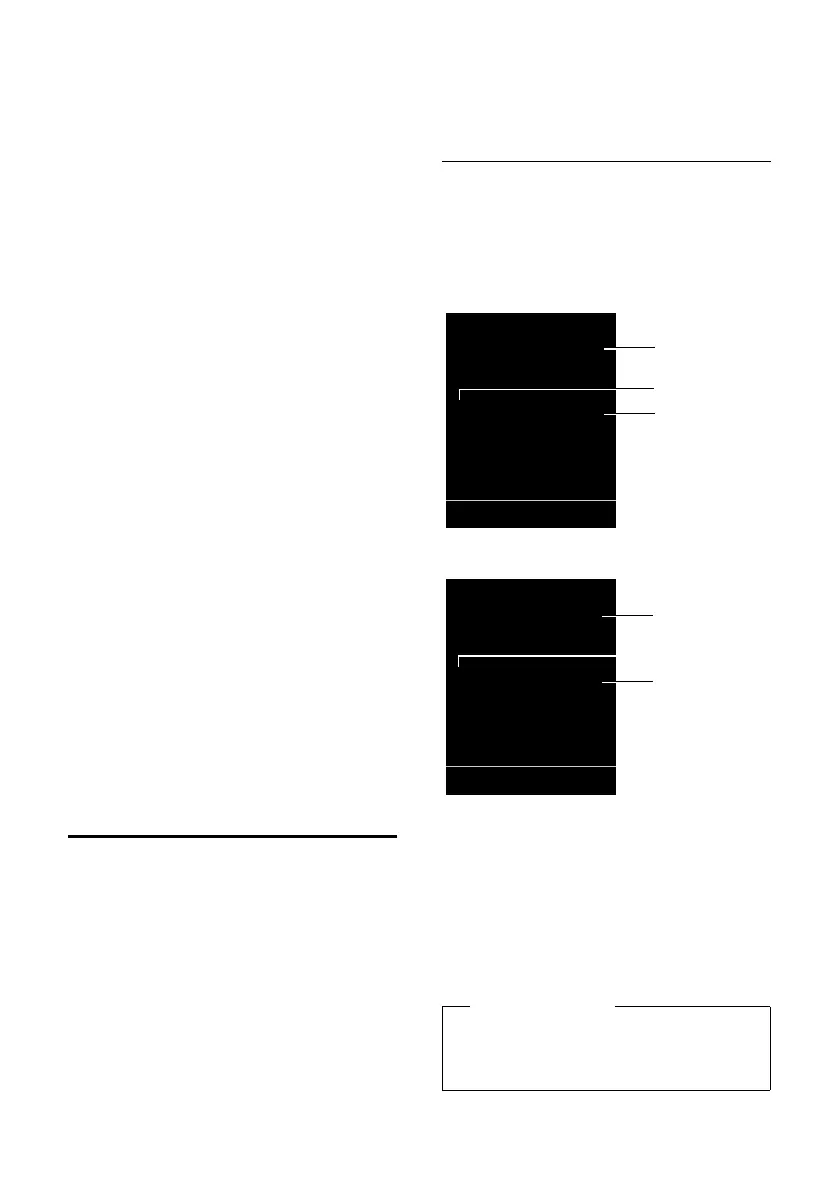
1Ringtone icon
2
ä/ k/
l
symbol from directory
3Number or name of caller
The following is displayed in place of the
number:
u External, if no number is transmitted.
u Unavailable, if the caller has not
arranged Calling Line Identification.
Please note
The ringtone can be switched off for
unknown calls (calls with Calling Line
Identification restricted) (
¢ page 74).
Ø«Ú
ä
1234567890
Accept Silence
1
3
Gigaset SL400
2
1
3
Gigaset SL400A
Ø«Ú
ä
1234567890
à
Silence
2



 To Next Page