18
First steps
Gigaset SL400-SL400A / EN for IM-Nord / A31008-M2103-R201-3-SM19 / starting.fm / 01.02.2011
Version 4, 16.09.2005
Display in idle state
Once the phone is registered and the time set, the idle state is shown as in this
example. If the answering machine is activated, the answering machine icon
Ã
is
displayed in the header.
Displays
u Reception between the base and the handset:
– Pood to good: ÒÑiÐ
–No reception: |
Green: Eco Mode (
¢ page 60) activated
u Battery charge status:
– { white: charged over 66%
– { white: charged between 33% and 66%
– y white: charged between 10% and 33%
– y red: charged below 10%
– yflashes red: battery almost empty (less than 10-minutes talktime)
– xyxyx{x{ white: battery charging
u INT 1
Internal name of the handset (
¢ page 66)
If Eco Mode+ (¢ page 60) is activated, the ¼ icon is displayed in the top left cor-
ner of the display.
Your answering machine is set with a pre-recorded announcement.
Your phone is now ready for use!
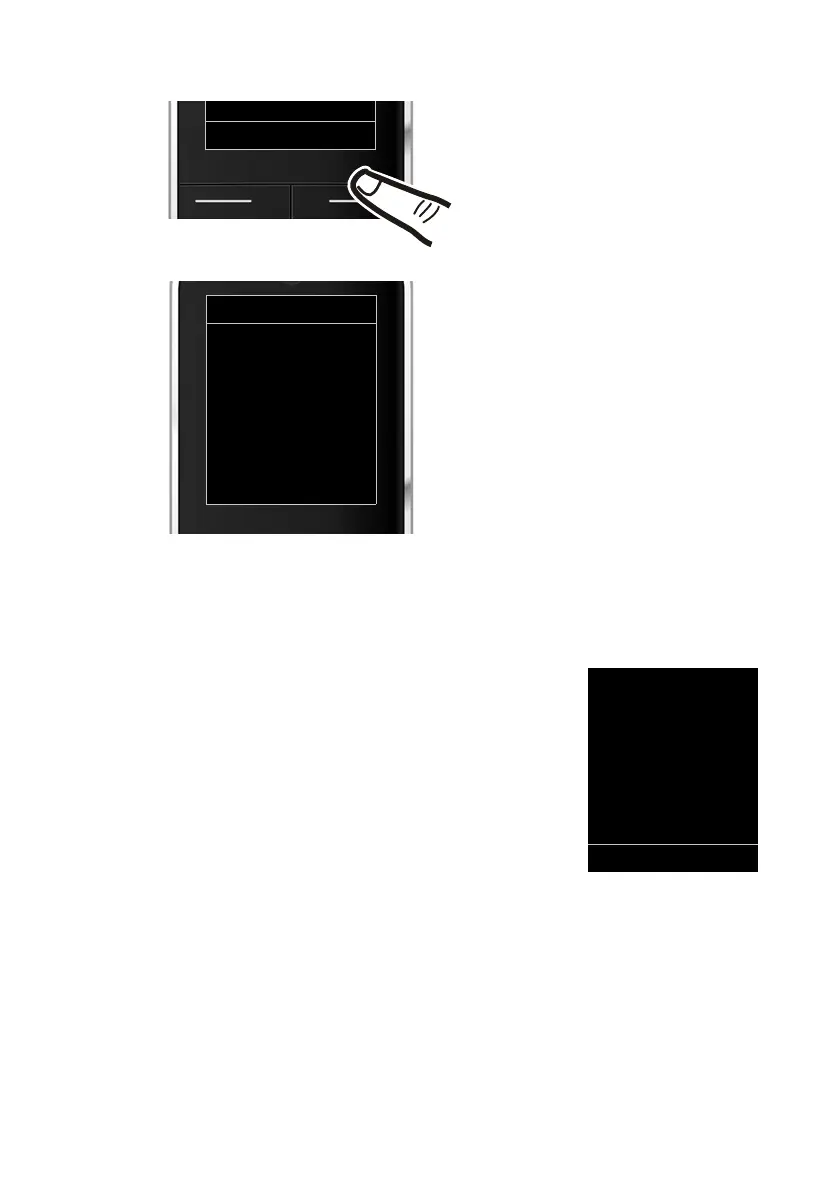
¤ Press the key below §Save§ on the dis-
play screen to confirm your entry.
The display shows Saved. You will hear a
confirmation tone and the handset will
automatically return to idle state.
ià V
07:15
INT 1 04 Apr
Calls Calendar



 To Next Page