EasyManua.ls Logo

Gigaset SL400A - Page 27

Gigaset SL400A
101 pages
Print Icon
To Next Page IconTo Next Page
To Previous Page IconTo Previous Page
Loading...
25
Using the phone
Gigaset SL400-SL400A / EN for IM-Nord / A31008-M2103-R201-3-SM19 / starting.fm / 01.02.2011
Version 4, 16.09.2005
The change is effective immediately
and does not need to be confirmed.
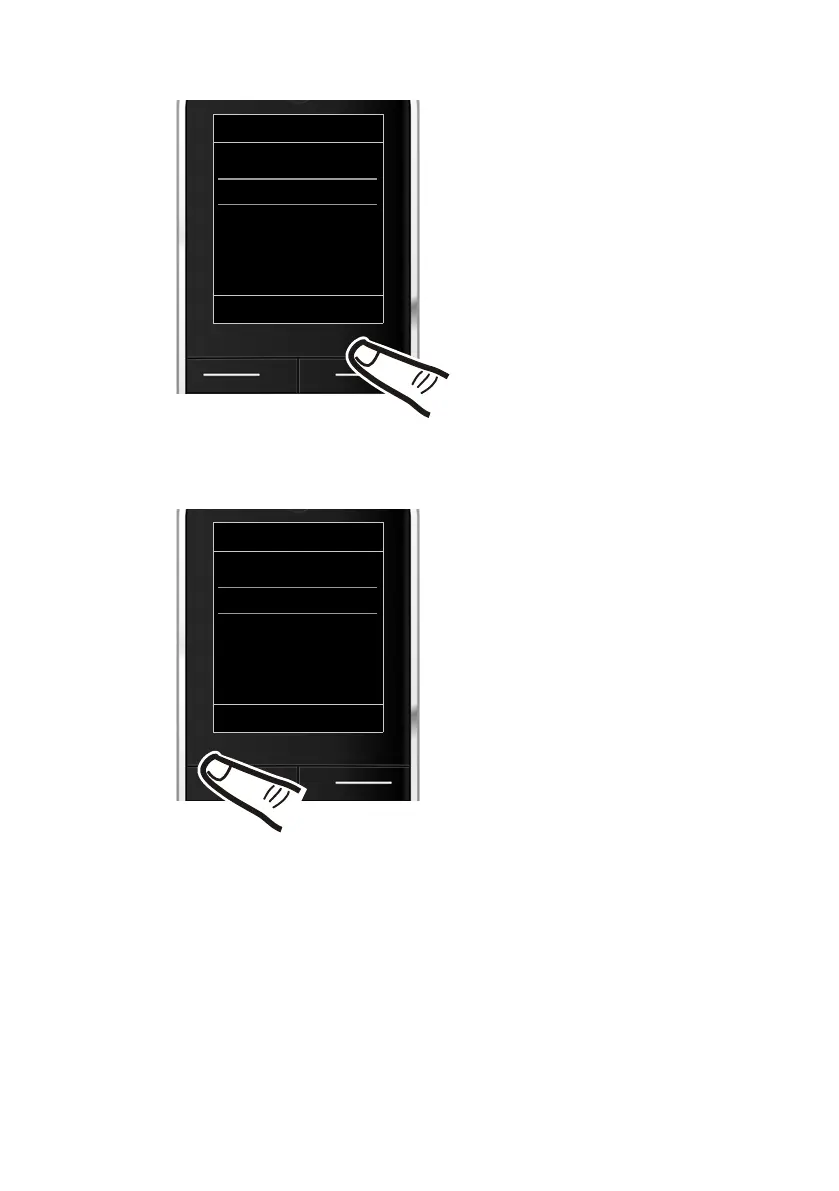
¤ Press down on the control key
s
until the Eco Mode+ menu option
appears on the display.
¤ Press the display key §Change§ to
activate/deactivate the function.
Eco Mode
Eco Mode
³
Eco Mode+
³
Back Change
Eco Mode
Eco Mode
³
Eco Mode+
´
Back Change
¤ Press the key below §Back§ on the dis-
play screen to jump back to the previ-
ous menu level.
Or
Press and hold the end call key a
to return to idle state.


Table of Contents

Other manuals for Gigaset SL400A

Related product manuals