To set the ARR analysis on or off:
1. Select "ECG ALM SETUP" item in the "ECG SETUP" menu, refer to the "ECG SETUP" for details;
2. Then select "ARR ALARM" to enter its interface, set the "ARR ANAL" to on or off.
10.8.2 ARR alarm setup
Select "ECG ALM SETUP" item in the "ECG SETUP" menu, input the initial password of alarm setup
"70808", click "ARR ALM SETUP"to modify the following items:
n ARR ANAL: Pick "ON" during monitoring. Default set is "OFF".
n PVCS ALM: pick "ON" to enable prompt message and data record when alarm occurs; pick "OFF" to disable
the alarm function, and there will be a beside PVCs parameter area.
n ALM LEV: selectable from HI, MED, LO. Level HIGH represents the most serious PVCs alarm.
n ALM REC: pick "ON" to enable the recording when PVCs alarm occurs.
n ALM HI: PVCs alarm is activated when the PVCs exceeds the set ALM HI value.
n ARR RELEARN: press this button to start a learning procedure.
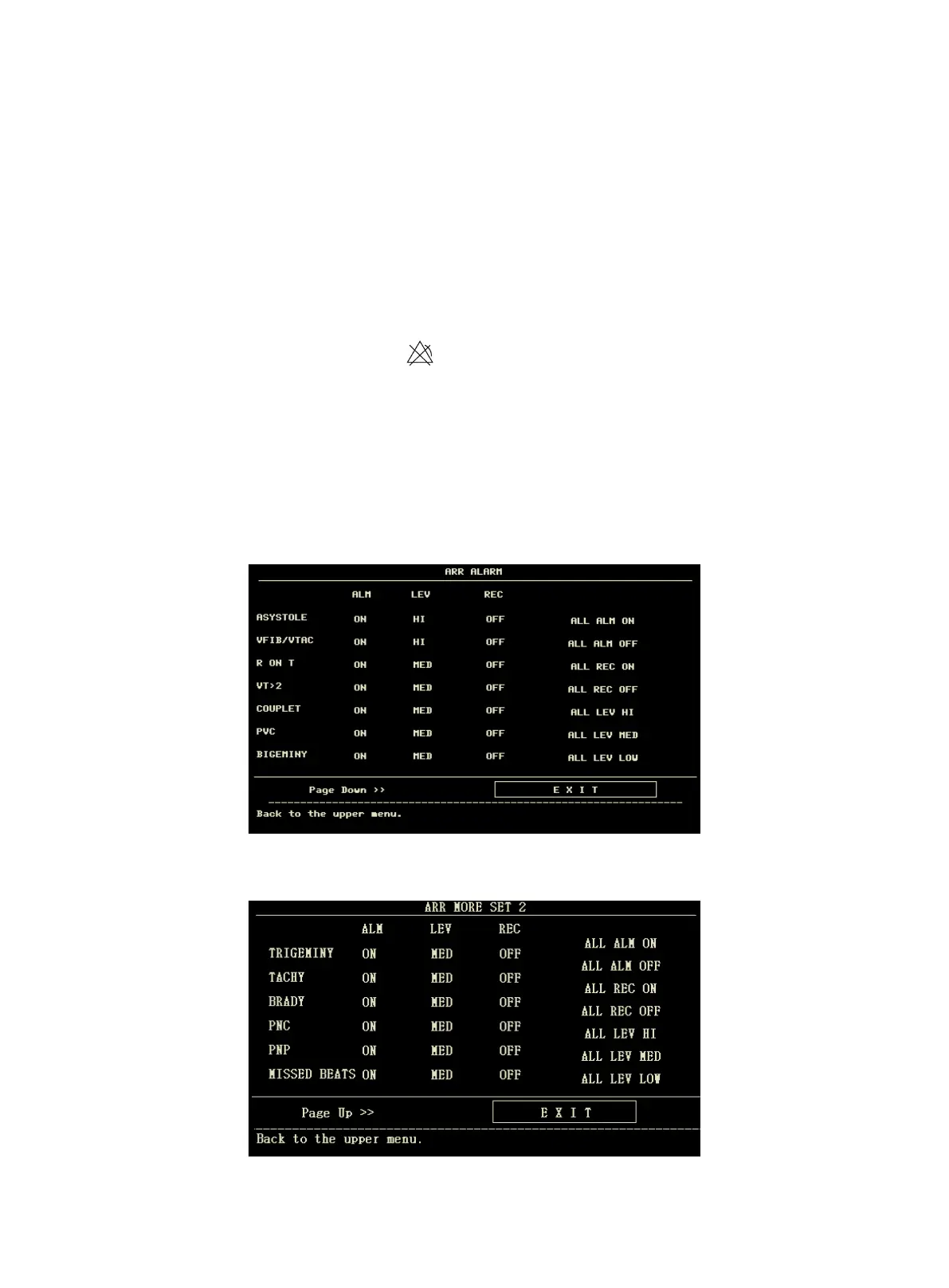
n ARR ALM SETUP: to set the arrhythmia alarm. In this menu, "ALM" is the alarm switch, "LEV" is alarm
level, "REC" is the switch of alarm recording.
Arrhythmia Alarm Setup
Select "Page Down" to enter the interface for following setup.
Arrhythmia Alarm Setup



 To Next Page