n SWEEP: set the scanning speed of the IBP waveform. Two selections: 12.5 mm/s or 25 mm/s.
n UNIT: mmHg / kPa / cmH2O
n FILTER:non filter, smooth, normal.
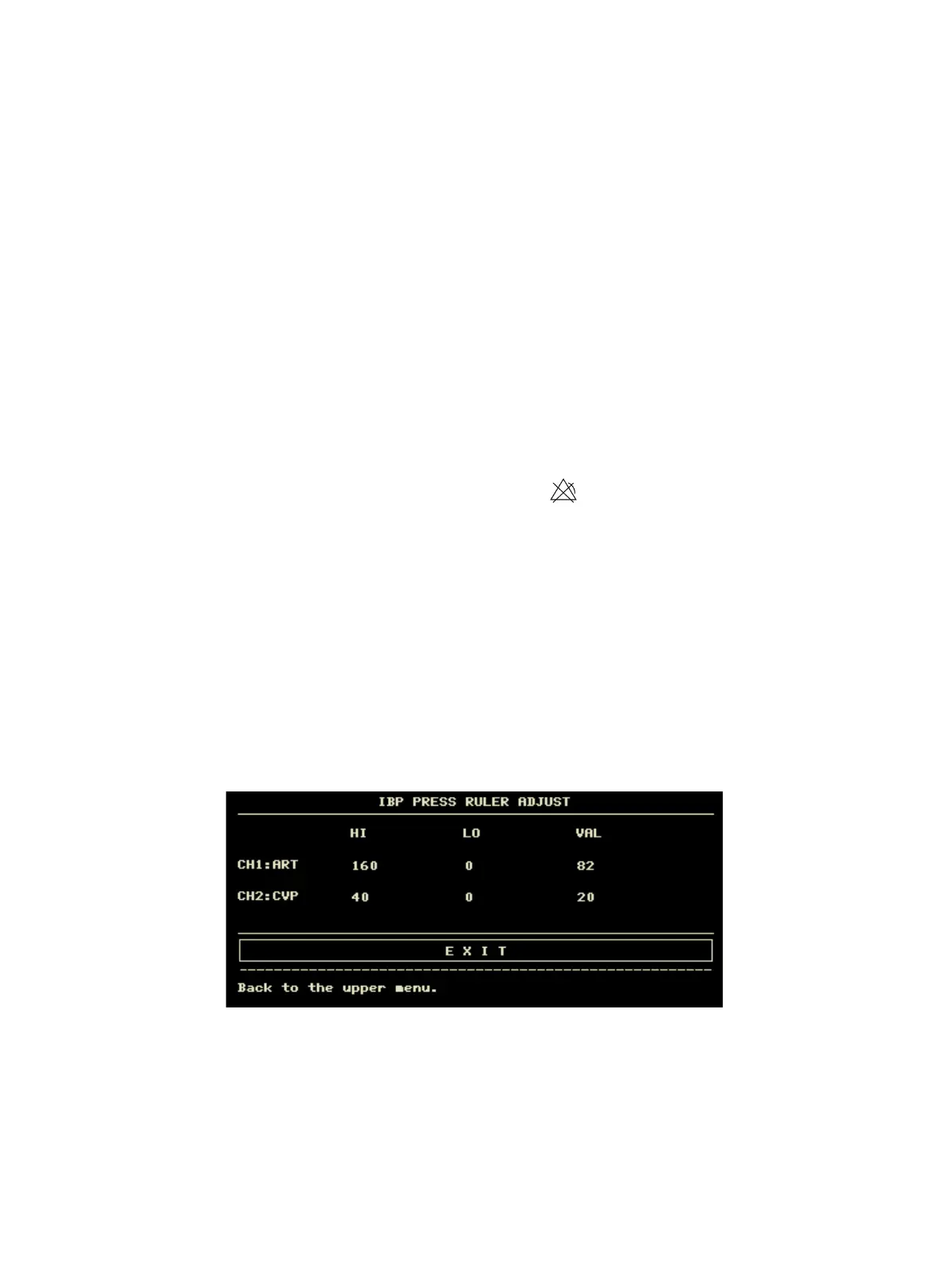
n SCALE ADJUST: select it to enter "IBP PRESS RULER ADJUST" menu, in which the user may adjust the
position of upper scale, lower scale and middle scale displayed on the screen.
n EXPAND PRESSURE: select it to enter "IBP EXPAND PRESS SET" menu, in which the user can set the pressure
type of P1 and P2.
n DEFAULT: select it to enter "IBP DEFAULT CONFIG" menu, in which the user may select "FACTORY
DEFAULT CONFIG" or "USER DEFAULT CONFIG". After selecting any of the items and exiting the dialog box,
the system will pop up the dialog box asking for the user’s confirmation.
n IBP Alarm SETUP:
Enter the initial password "70808" to set the following contents:
u ALM: when IBP alarm occurs, the system will prompt and store the alarm information after
selecting "ON", it will not alarm when selecting "OFF", and " " will appear in parameter area.
u ALM LEV: HIGH, MED and LOW.
u ALM LIMIT SET: select it to enter "IBP Alarm Limit Settings" menu. In this sub-menu, the user can
respectively adjust the upper and lower limits of systolic, diastolic and average pressure of channel 1
and channel 2.
In the case of the alarm switch is open, when the systolic blood pressure, mean pressure or diastolic blood pressure is
higher than the upper limit or less than the lower limit, the corresponding physiological alarm occurs. Alarm limit can
be adjusted (the step is 1), first select the name to be set, then set the systolic pressure alarm / diastolic pressure alarm /
mean pressure alarm.
15.6 IBP Scale Setup
The waveform scale displays in the IBP waveform area, the three dotted lines from top to bottom respectively represent
the upper scale, reference scale and lower scale of the waveform, which can be set, the steps are as followings:
1. Select "SCALE ADJUST" in "IBP SETUP" interface.
2. Select "HI", "VAL" and "LO" to set the appropriate scale.



 To Next Page