Chapter 17 Battery
17.1 Introduction
The device can configure the rechargeable battery(lithium battery), which can ensure that the device can be used
normally when the patient is moving in hospital or in the condition of power failure. The battery can be charged once
connecting to the AC, no matter whether the the device is powered on. When sudden power interruption appears, the
system will operate by the battery.
17.2 Battery status information
The battery status information displays the battery condition, which can be used to estimate the monitoring time.
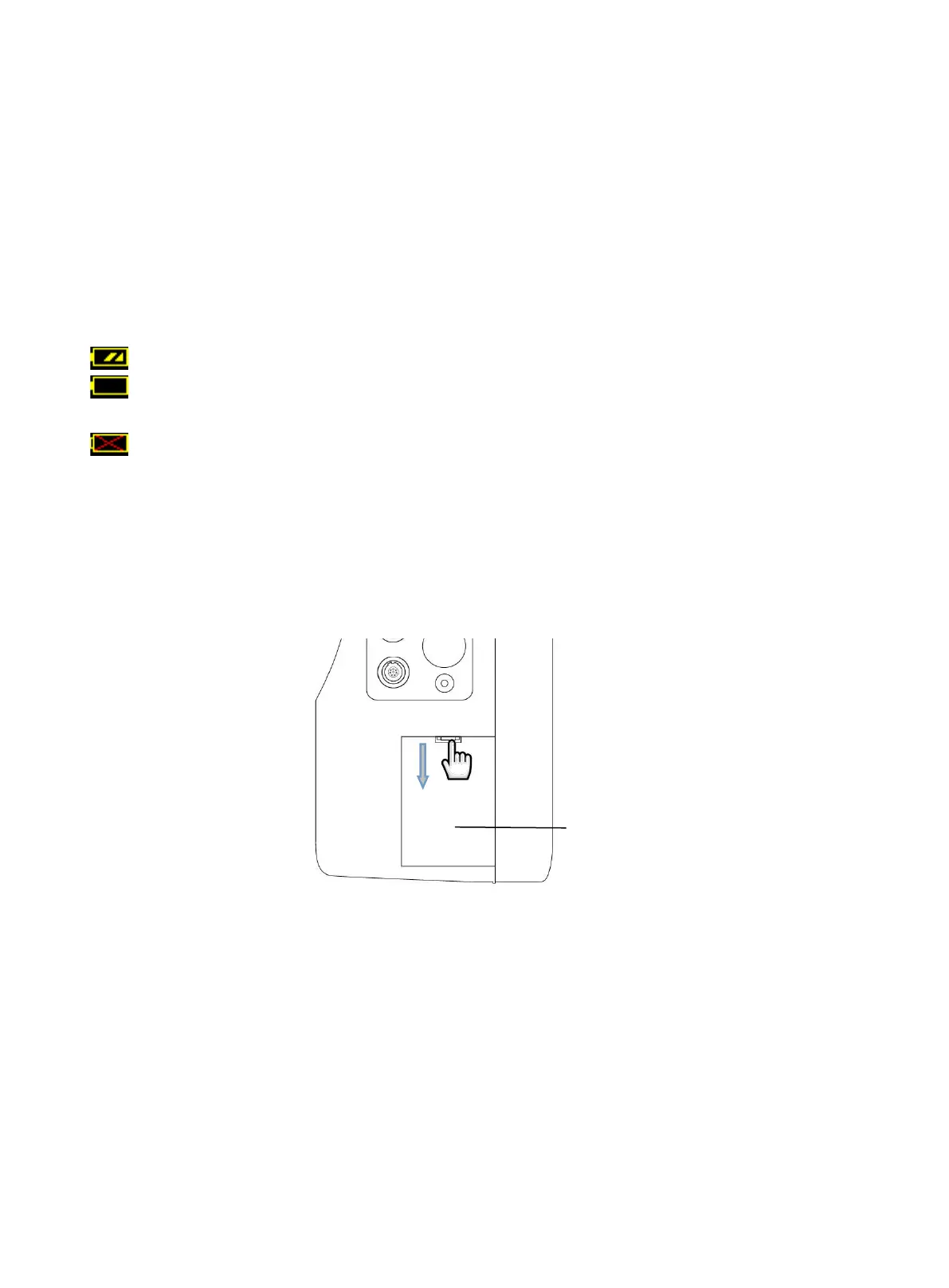
The battery works normally, and the solid represents the battery power.
The battery power is low and low-battery alarm appears, it indicates that the battery needs to be charged
immediately.
The battery is not installed.
Working by the battery can only maintain a period of time. Too low voltage will trigger high-level technical alarm "Low
battery", then you should charge to the battery, otherwise it will shut down after the first alarm (about 5 minutes).
17.3 Battery installation
Refer to the following contents to install or replace the battery:
1. Open the battery compartment cover.
2. Unscrew the screw (ST2.9*8) fixed the battery compartment cover with a tool, unplug the battery from the
connector, then take out the battery.
3. Connect the new battery to the connector, place the battery into the slot, then fix the battery compartment
4. Install the battery compartment baffle.
17.4 Check for battery performatnce
The battery performance may decrease with the increasing of use time. Please refer to the following steps to check the
battery performance.
1. Disconnect the connection between the device and the patient to stop all monitoring and measurement.
2. Connect the device to AC to continuously charge the battery for above 10 hours.
3. Disconnect the AC, use the battery to supply power for the device till shutdown.



 To Next Page