► If you want to use the SNMPv3 protocol features, simply enter a username in the
Username fields.
► Filling in the Password field automatically activates the password check on incoming
SNMPv3 requests. Then the server will only respond to the requests with valid
credentials. The password must be at least 8 characters. The control uses the algorithm
selected from the Authentication Protocol drop-down list.
► In addition, specifying the Privacy key field will automatically enable the encryption of
SNMPv3 exchanges. Then, the server will only respond to requests encrypted with the
same key. The key must be at least 8 characters long. Encryption uses the algorithm
selected in the Privacy Protocol drop-down list.
These 5 SNMPv3 settings must be the same in the SNMP client configuration as in the
server configuration.
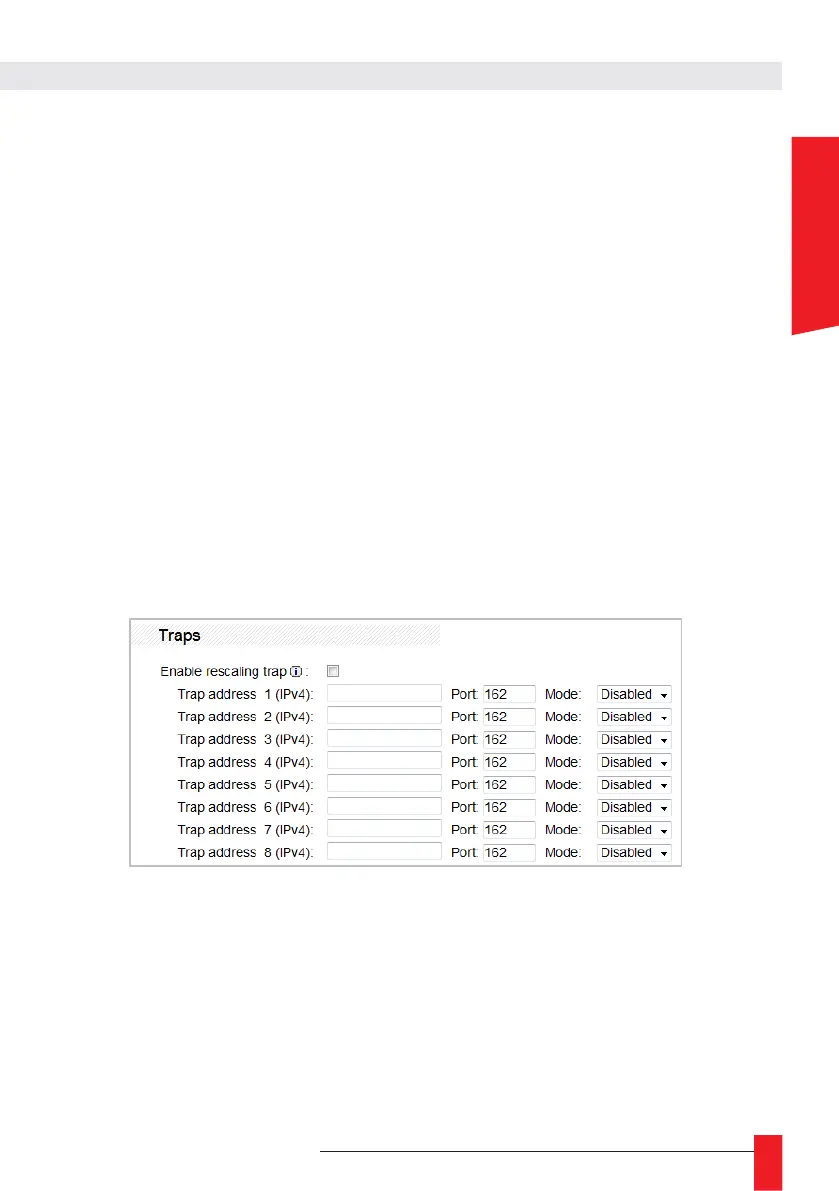
Traps
SNMP Traps are warning messages sent by the LEDI
®
Network TDS when an important
event occurs. This part of the SNMP page allows you to configure which addresses these
messages are sent to and in which format the traps will be sent.
► For each recipient, you can configure which combination of IPv4 address/port to send
the trap to. The Mode field allows you to choose if this recipient is used and, if so, which
version of SNMP to use.
► Please refer to the MIB for more information about the LEDI
®
Network TDS SNMP trap
messages.
☛ Changing the “Username”, “Password” and “Privacy Key” fields requires the
network interface to be restarted.



 To Next Page