17
Understanding the Keypad
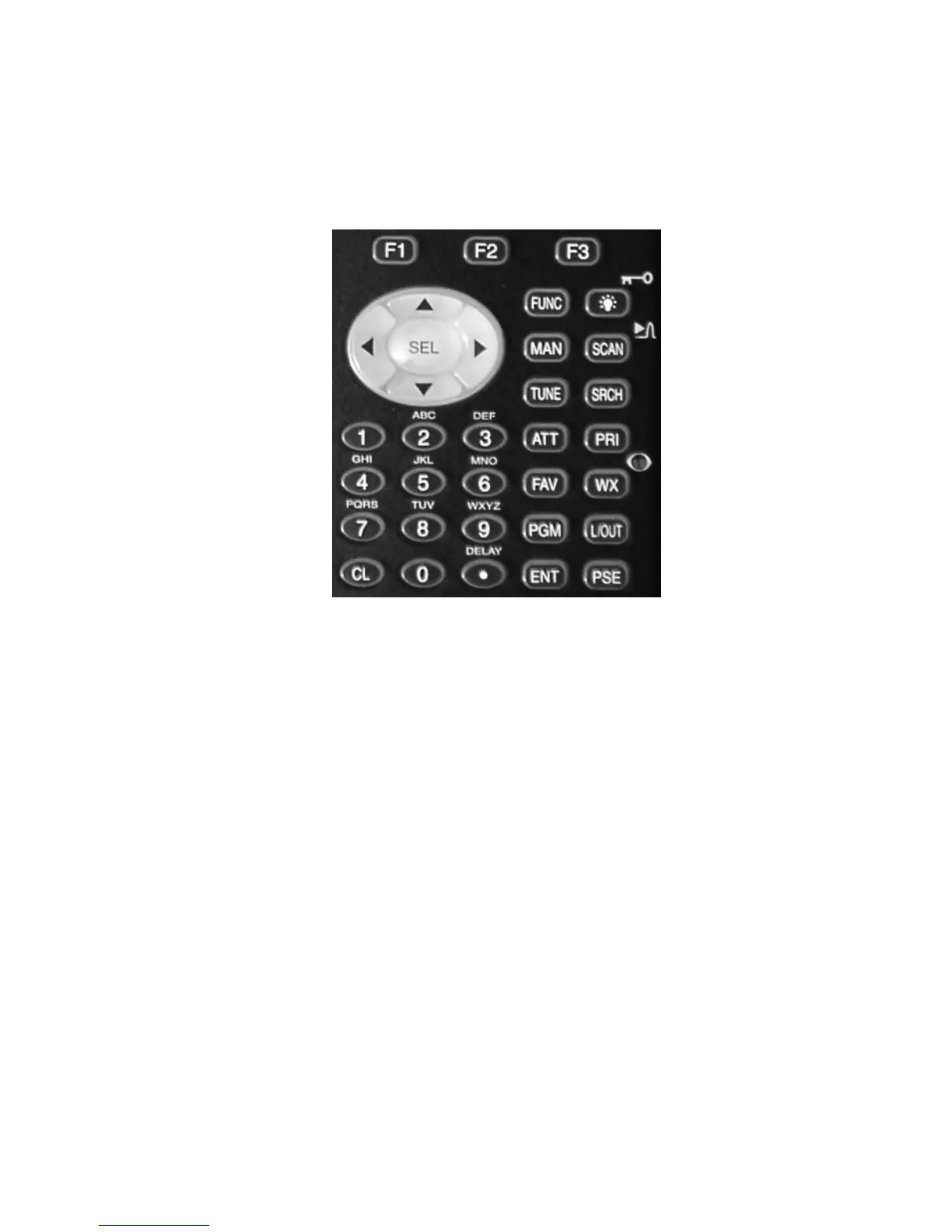
Your PSR-310 features an easy-to understand backlit keypad with 34 keys
that are used to control and program the radio. Figure 5 highlights the vari-
ous keys and their basic functions.
Figure 5 - Keypad layout
Softkeys
F1, F2, F3 - activate function shown in the LCD display immediately above
the softkey.
Five Way Pushbutton Pad
5
6
3
4
keys are used for navigation while browsing objects and menus.
SEL key activates data entry fields and toggles Scan List selection in object
menus. FUNC SEL activates context sensitive help in menus.
Numeric Keypad
Used for data entry of frequencies, talkgroup IDs and alphanumeric labels.
Used while scanning, 1-9 and 0 toggle Scan Lists 1-10 on and off. FUNC 1-9
and 0 toggle Scan Lists 11-20 on and off.



 To Next Page