58
• You have included a Spectrum Sweeper object in your scan configura-
tion so that you can find nearby strong transmitters while you are scan-
ning. You can use an Audible Alarm to alert you when the radio receives a
Spectrum Sweeper hit, and turn on the backlight so that you can read the
display and operate the keypad to save or lock out the new frequency.
This technique is also useful for TGRP wildcards.
• You wish to assign different LED colors to different types of public safety
agencies, i.e., red for fire, rescue and EMS, blue for law enforcement, yel-
low for emergency management, and so on. When there is activity you
can tell if it is related to law enforcement, fire/rescue and EMS or emer-
gency management at a glance, even if the transmission is short or dif-
ficult to copy.
The possibilities for the ALERT LED with Audible Alarm capability are limited
only by your imagination.
Dedicated search modes
In addition to its powerful ability to store different types of frequency search-
es as objects, your scanner provides fast access to dedicated frequency
search modes that allow you to execute searches or run the Spectrum
Sweeper without having to go through the process of setting up and sav-
ing a search object. This is handy for those times where you need to run a
search quickly. Dedicated search modes do not create new search objects
or use previously created search objects.
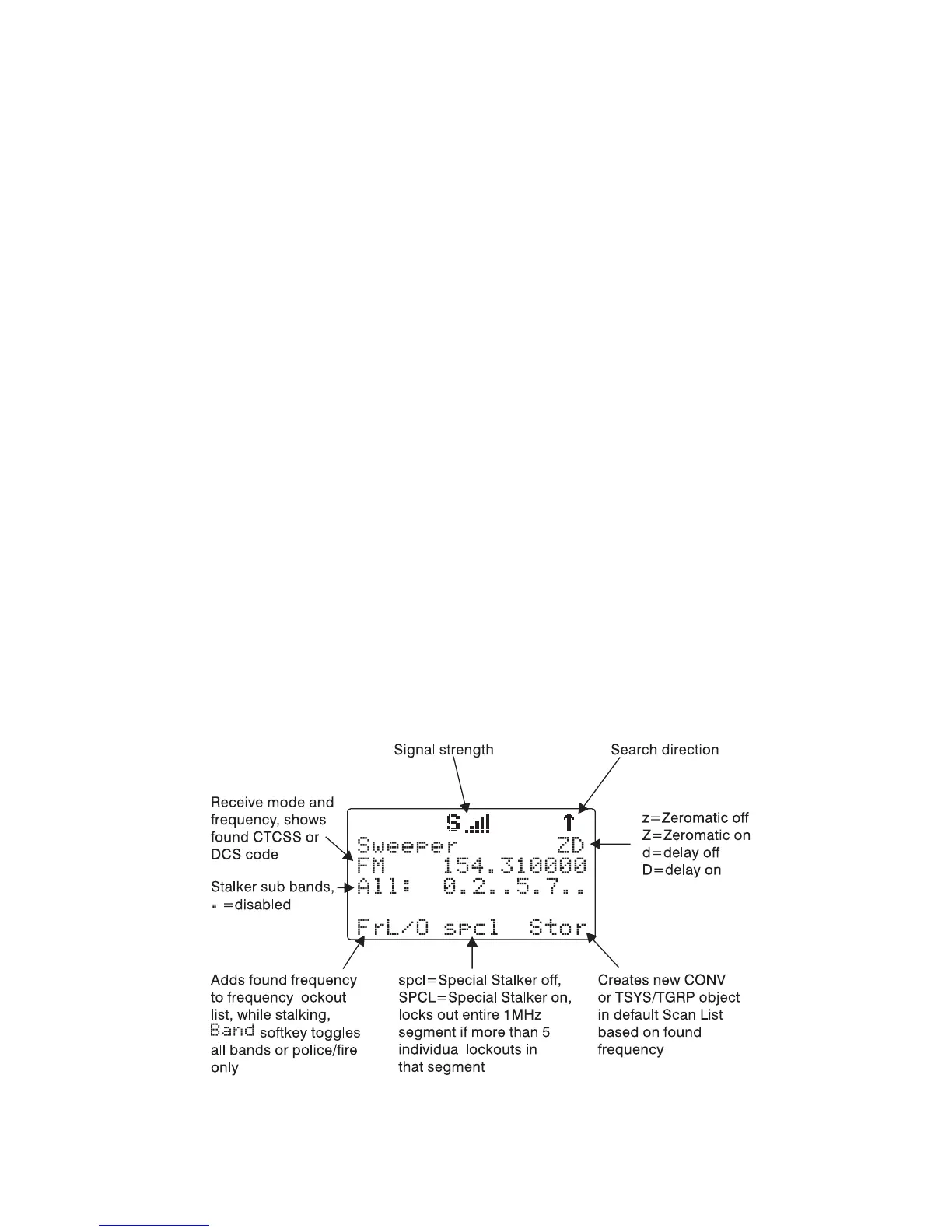
Using Dedicated Spectrum Sweeper (SWPR) Mode
Dedicated SWPR mode lets you access and run the Spectrum Sweeper eas-
ily and quickly. Press FUNC SCAN while in the Manual, Program or Scan
Modes to access the Spectrum Sweeper dedicated mode.
NOTE: When a signal is being received, the
Band
softkey (F1) changes to
FrL/O
. You can access the
Band
softkey by pressing FUNC F1 when the
F1 key function is
FrL/O
.



 To Next Page