Customer Help Line
TEL: 1300 886 649
22
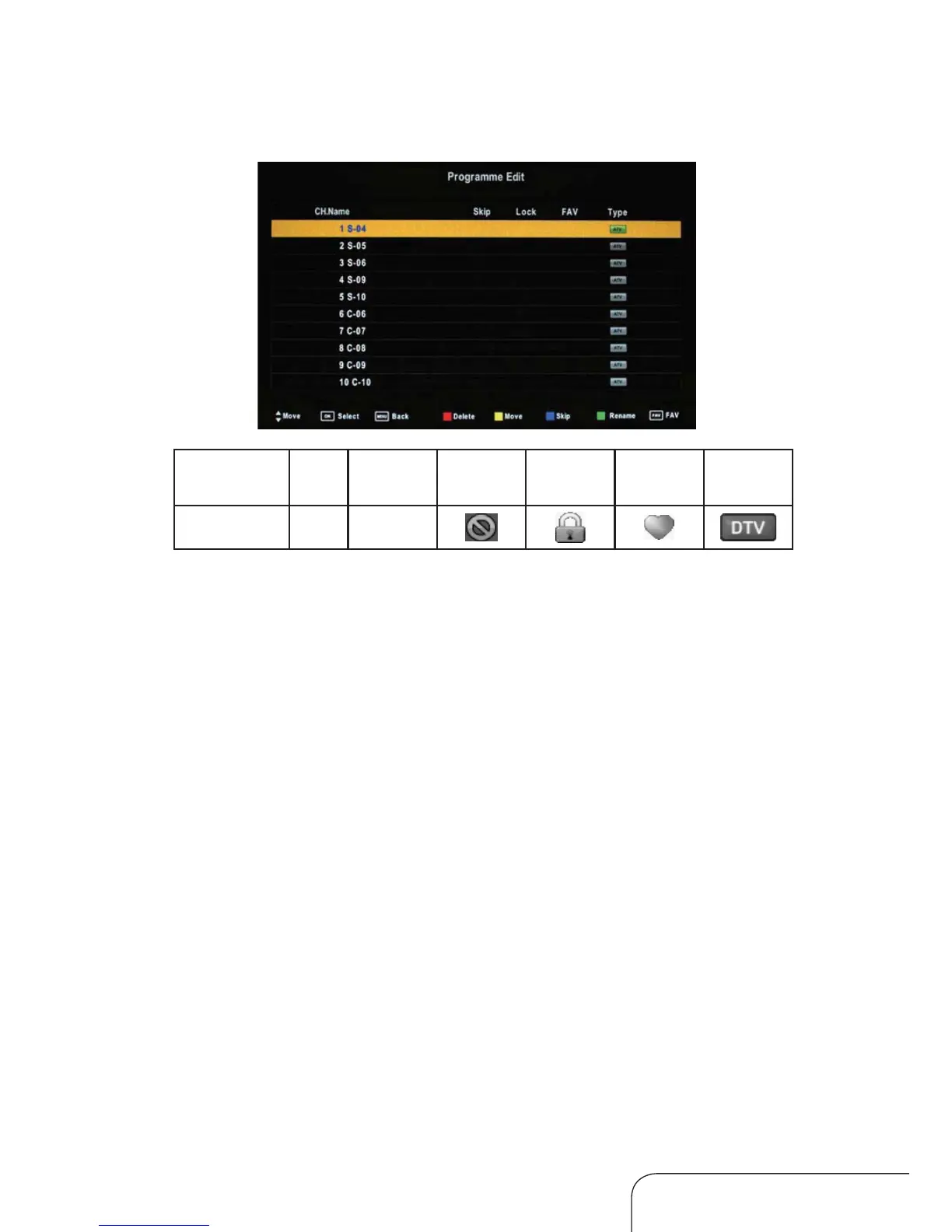
Program Edit
Encryption
Identity
LCN
CH
Name
Skip
Identity
Lock
Identity
Fav
Identity
System
S 21 ABC1
Operating the menus (Cont.)
In the Program Edit submenu, you have various options for setting up your
channels, including Delete, Move, Rename, Skip, Lock and Favourite.
NOTE: Skip and Favourite cannot be used together.
DELETE: Press the RED button to delete the current channel.
RENAME:Press the GREEN button to modify the current channel name
(only in ATV mode).
MOVE: Press the YELLOW button to move the position of the channel.
(only in ATV mode)
SKIP: Select a channel and press the BLUE button to skip that channel when
scanning channels with the CH+/- button.
FAV: Select a channel and press the FAV button to set it as a favourite
channel.
Signal Information
In DTV mode, this shows signal information including channel, network,
modulation, quality and strength.
Record Mode
In this mode you can set the PVR to record and check PVR specications.



 To Next Page