3-29
Connecting a DB9-to-RJ45 console cable
guidelines when you connect a DB9-to-RJ45 console cable:
Identify the mark on the serial console port and make sure you are connecting to the correct port.
The serial ports on PCs do not support hot swapping. To connect a PC to an operating switch,
first connect the
PC end. To disconnect a PC from an operating switch, first disconnect the switch
end.
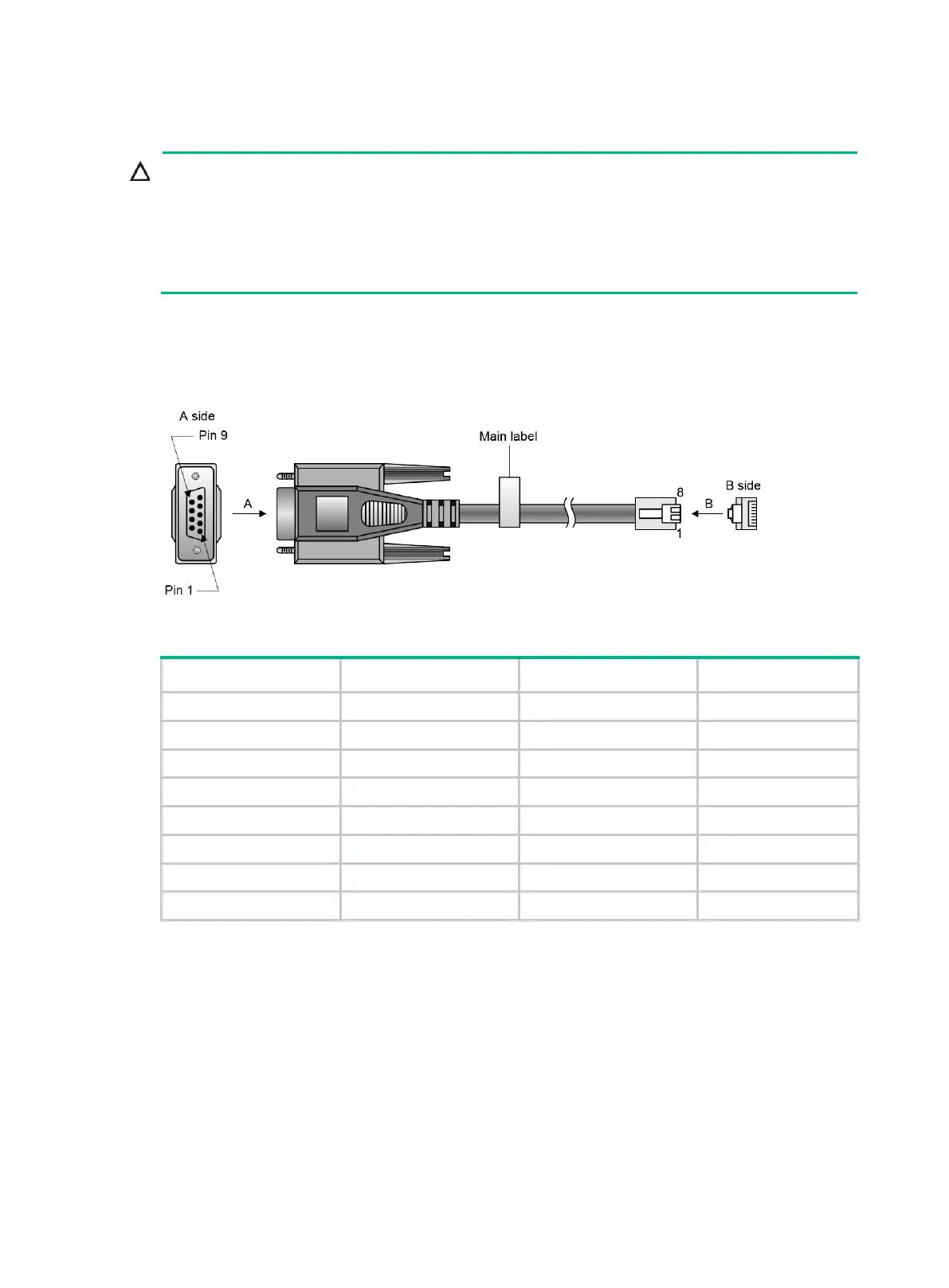
A DB9-to-RJ45 serial console cable is an 8-core shielded cable, with a crimped RJ-45 connector at
one end for connecting to the serial console port of the switch, and a DB-9 female connector at the
other end for connecting to the serial port on a configuration terminal.
Figure 3-2 DB9-to-RJ45 console cable
Table 3-2 DB9-to-RJ45 console cable signal pinout
RJ-45 Signal DB-9 Signal
1 RTS 8 CTS
2 DTR 6 DSR
3 TXD 2 RXD
4 SG 5 SG
5 SG 5 SG
6 RXD 3 TXD
7 DSR 4 DTR
8 CTS 7 RTS
To connect the switch to a configuration terminal (for example, a PC) by using a DB9-to-RJ45
console cable:
1. Plug the DB-9 female connector of the DB9-to-RJ45 console cable to the serial port on the PC.
2. Connect the RJ-45 connector to the serial console port on the switch.



 To Next Page
 Loading...