Chapter 4, Getting Started 41
Haemonetics
®
TEG
®
6s User Manual P/N 115191-IE, Manual revision: AB
Viewing Test Results
Test results are plotted on a continuously-updated results screen and on a
graph (tracing) to allow visual assessment of parameters. Numerical
parameters are determined over the course of a test (which can run for a
maximum of 90 minutes).
Test results
screen
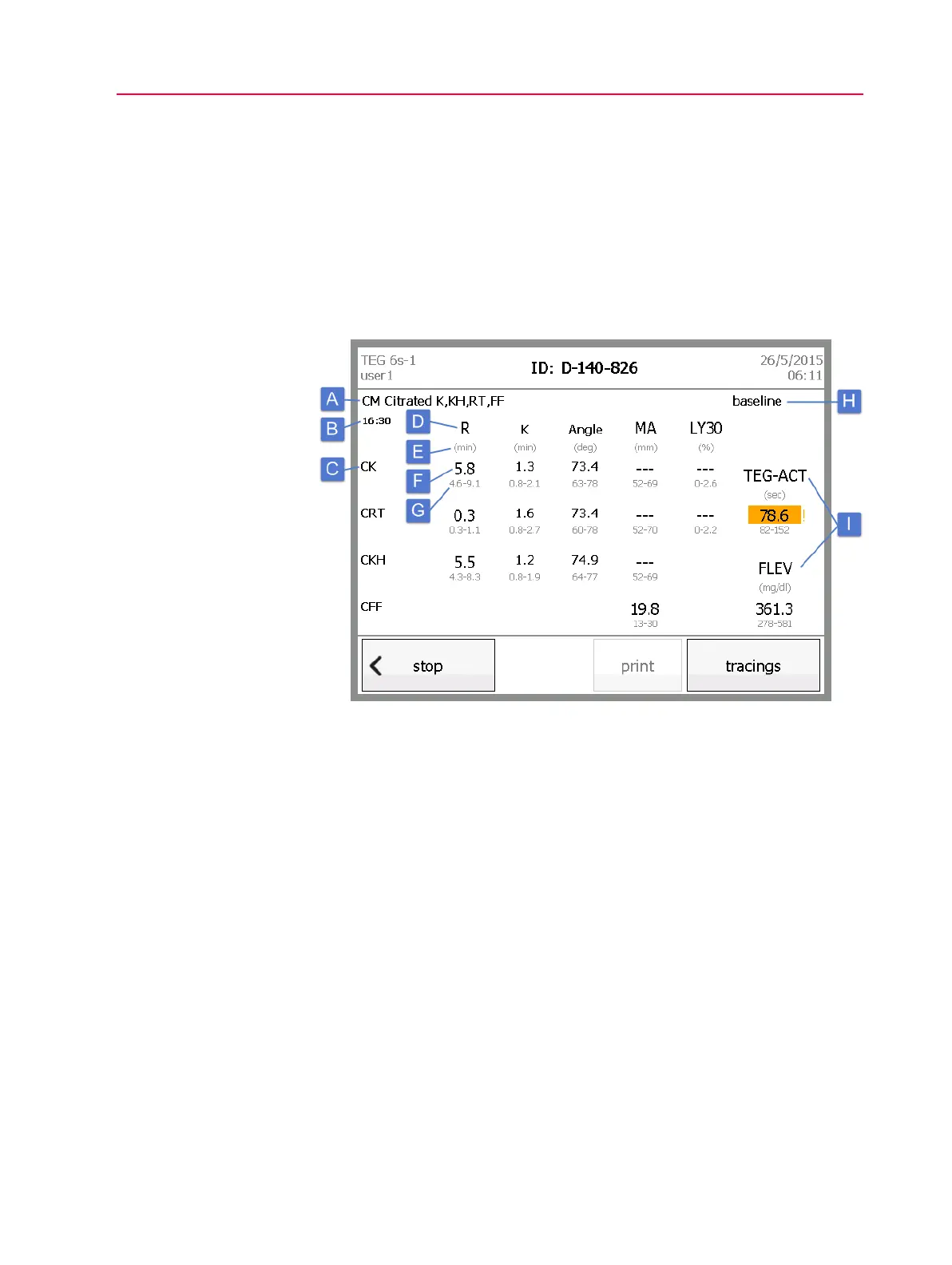
The following illustration identifies the information that appears on the results
screen for an in-progress four-channel test.
Figure 4-8, Test results screen - parameters
A. Cartridge name: This is the name that appears on the outside of the
cartridge.
B. Test timer: The timer begins when the test starts. Once the assay is
complete, the timer stops and is replaced by the date and time that the test
started.
C. Test name: Each test name – one per channel – is displayed in the left
column. You can touch the test name to display the tracing for the test.
D. Test parameters: The top row displays the primary parameters that are
being measured for each test.
E. Parameter units: The units of measure are displayed under each
parameter name.
F. Parameter values: The large numbers indicate the results of each test. A
parameter displays with dashed lines until it is finalized and a numerical
result appears. Any parameter that is not used for a test remains blank. If a
finalized parameter falls outside of the expected range, it is highlighted in
orange and an exclamation mark appears next to the number.



 To Next Page