Chapter 4, Getting Started 45
Haemonetics
®
TEG
®
6s User Manual P/N 115191-IE, Manual revision: AB
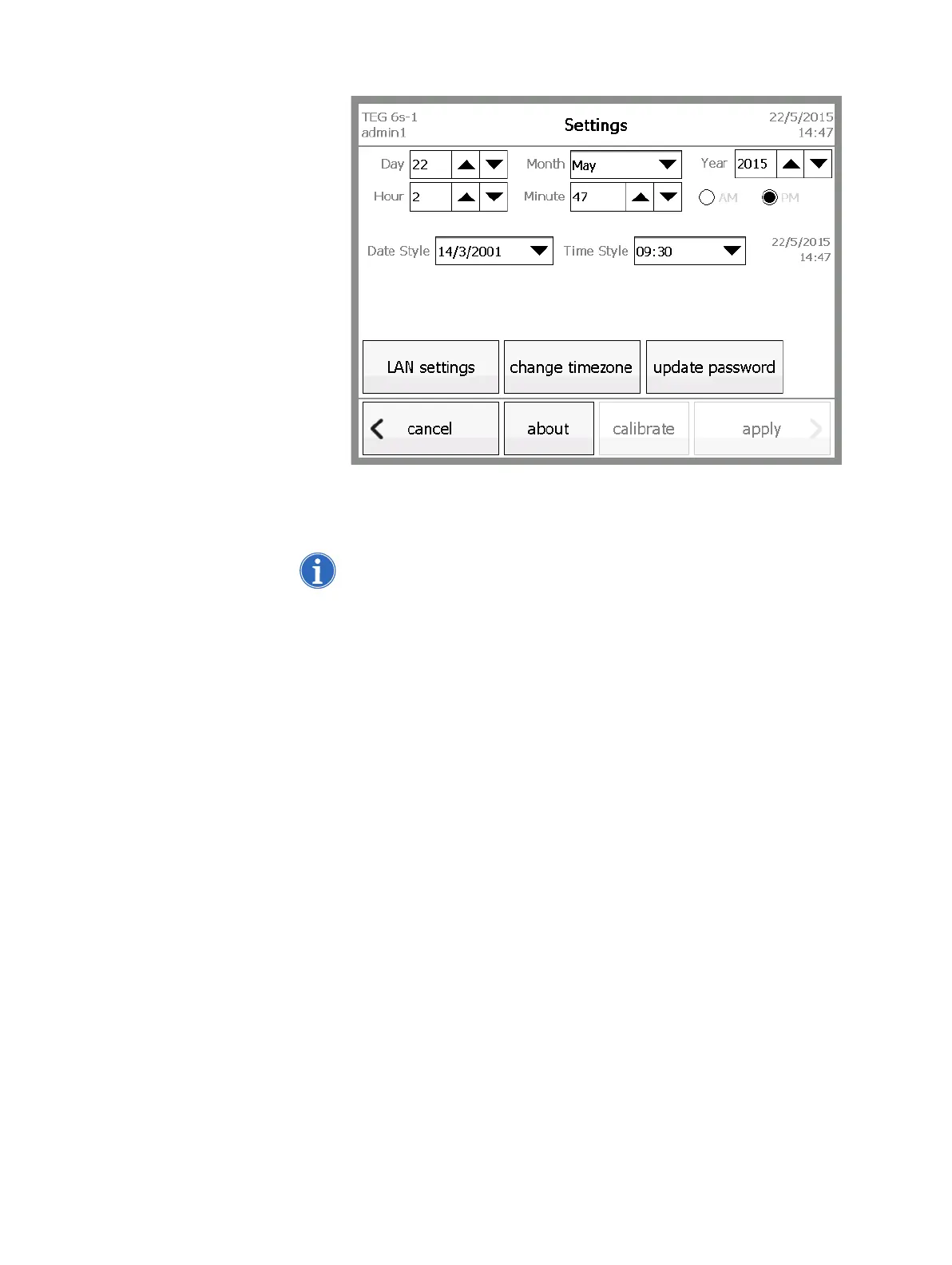
Figure 4-12, Settings screen
2. On the Settings screen, touch the up or down arrows for the Day, Month,
Year, Hour, and Minute boxes until the desired setting is displayed.
Note: Each touch of the arrow increases or decreases the value by one.
3. Touch the down arrow for the Date Style and Time Style boxes and
select the desired style for each. An example of the currently selected
styles is displayed to the right of the Time Style box.
4. Touch apply.
5. From the Home screen, touch logout.
6. Turn the analyzer off and then back on again. Ensure that the system
date in the top right corner is correct.
Change the time
zone
If necessary, you can change the time zone for your region.
To change the time zone:
1. From the Settings screen, touch change timezone. The Change Time
Zone screen displays.



 To Next Page