Chapter 5, Operating the TEG
®
Analyzer 55
Haemonetics
®
TEG
®
6s User Manual P/N 115191-IE, Manual revision: AB
Running a Patient Test
Quick guide for
running a
patient test
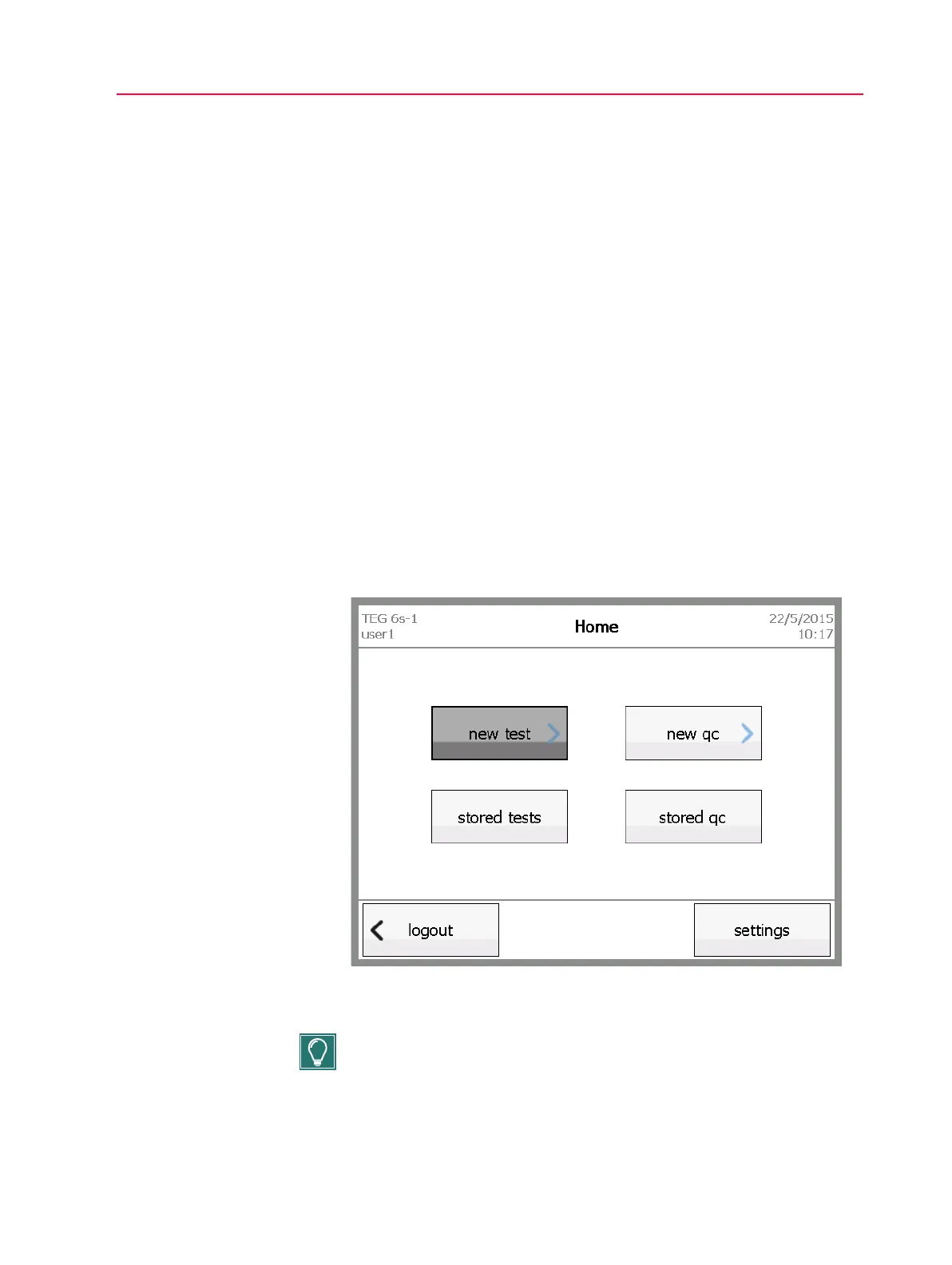
1. From the Home screen, touch new test.
2. On the Select Patient screen, select the patient ID you wish to use. If the
patient is not listed, add a new patient by touching + and entering a
patient ID on the Add Patient screen. Then touch next.
3. Insert the cartridge into the slot, as indicated on the screen, with the bar
code on the left side.
4. Verify that the cartridge type is correct, and then touch next.
5. On the Test Information screen, enter information for the test, and then
touch next.
6. Add blood to the cartridge sample port, filling up to or above the line
marked on the cartridge, and then touch next.
7. View the test results on the results and/or tracing screens.
8. When prompted to remove the cartridge, dispose of it properly.
9. Touch done to return to the main menu.
Detailed guide
for running a
patient test
1. From the Home screen, touch new test.
Figure 5-1, Home screen - touch new test
2. On the Select Patient screen, select the desired patient ID.
Tip: Use the up and down arrows on the right side of the screen to scroll
through the list of patient IDs.



 To Next Page