56 Chapter 5, Operating the TEG
®
Analyzer
P/N 115191-IE, Manual revision: AB Haemonetics
®
TEG
®
6s User Manual
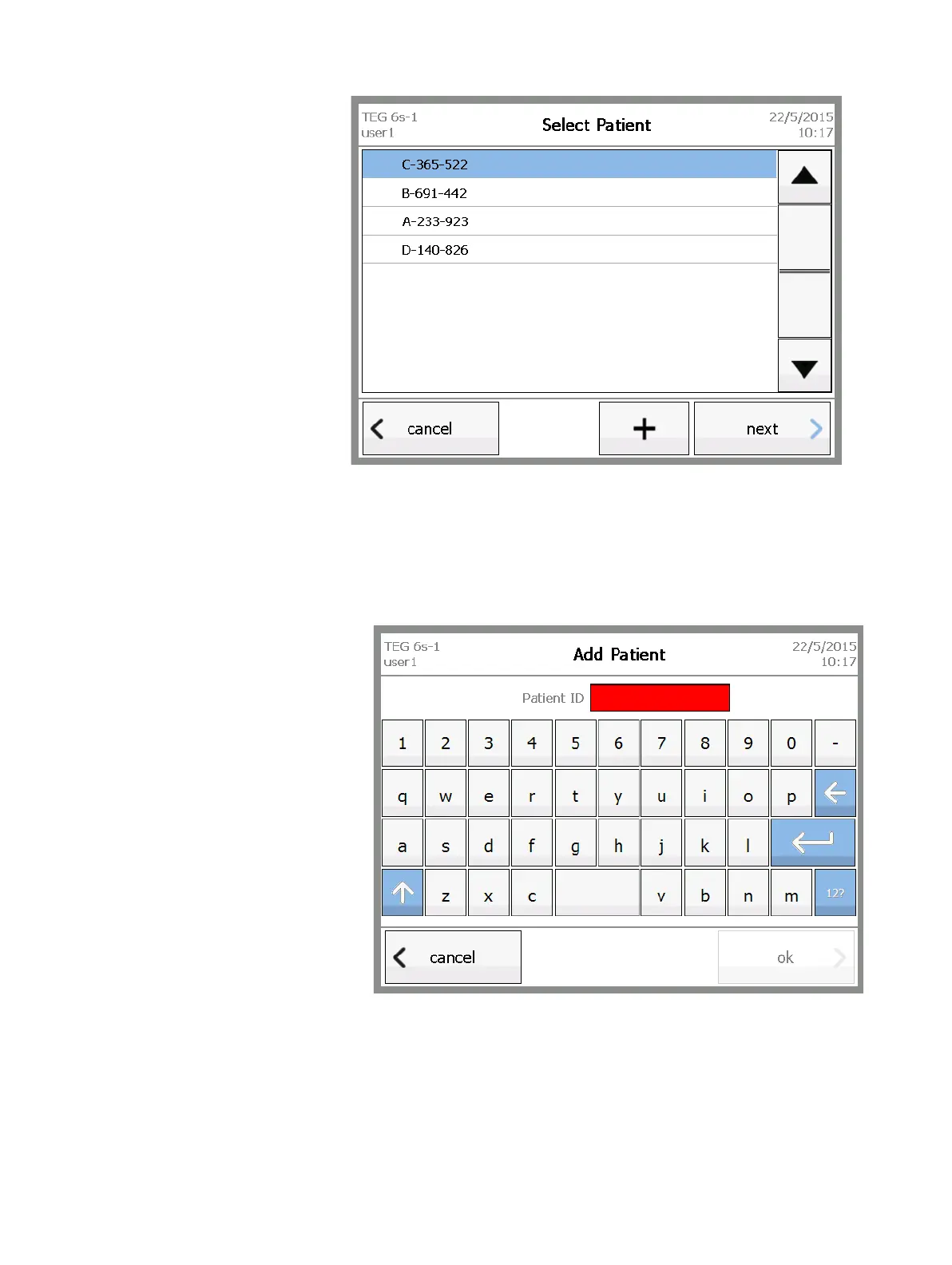
Figure 5-2, Select Patient screen
3. (Optional) If the patient is not listed, add a new patient ID by doing the
following:
a. Touch +.
b. On the Add Patient screen, enter a new patient ID (maximum of 20
characters) for the analyzer, and then touch ok.
Figure 5-3, Add Patient screen
c. On the Select Patient screen, select the new patient ID.
4. On the Select Patient screen, touch next.



 To Next Page