66 Chapter 5, Operating the TEG
®
Analyzer
P/N 115191-IE, Manual revision: AB Haemonetics
®
TEG
®
6s User Manual
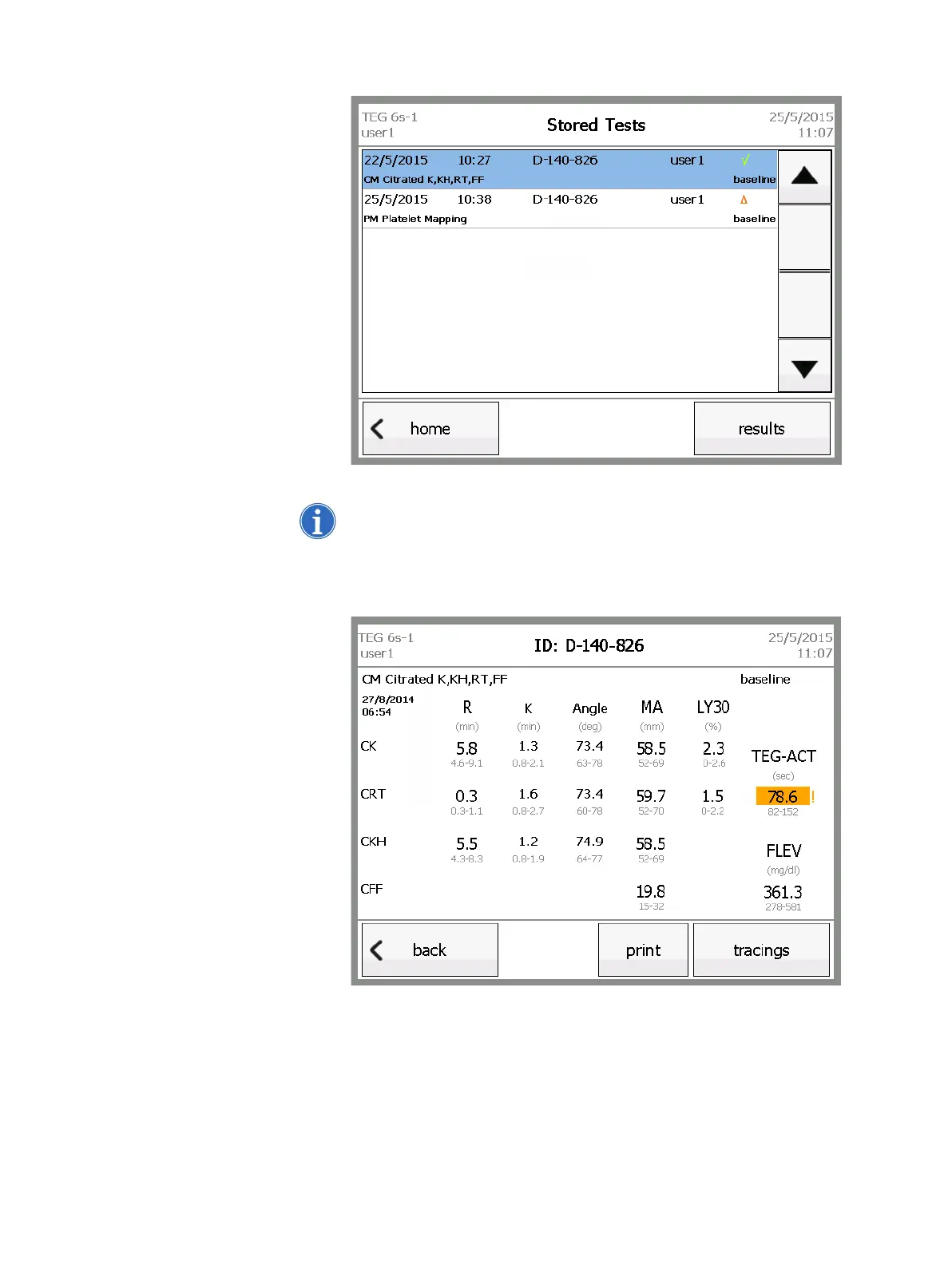
Figure 5-16, Stored Tests screen
Note: The status of each test is shown on the right side of the screen. A
green check mark indicates that the test completed (all parameters were
finalized), and an orange triangle indicates that the test was stopped early.
3. Touch results to view the results screen for the test.
Figure 5-17, Results screen



 To Next Page