EB+ Soft DockingInstallation guide
15
2020 Innovative Vehicle Solutions
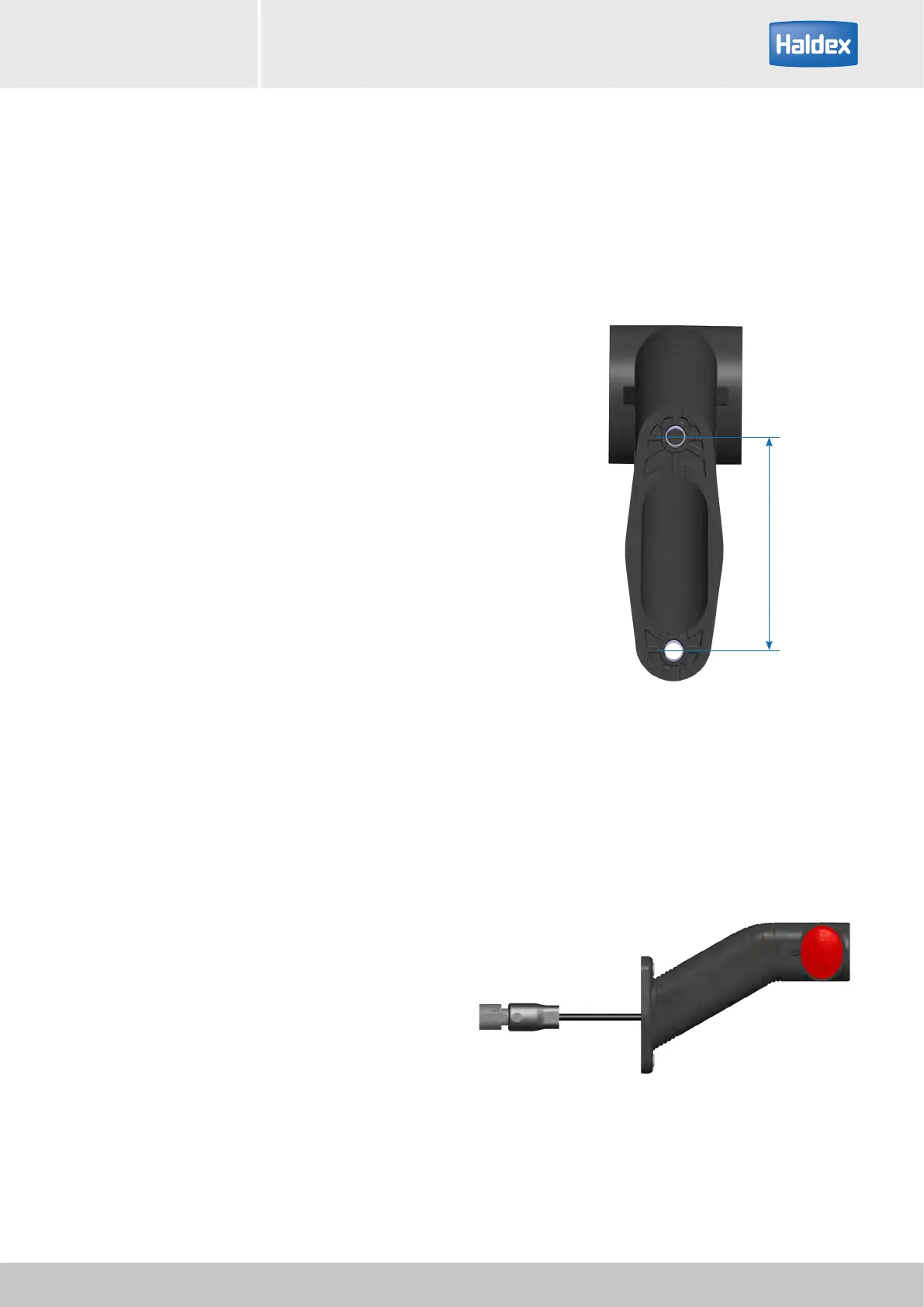
Right marker light
Installation of LED outline marker light
The LED outline marker lights should be mounted to
the trialer so that the lights can be clearly seen from
the truck mirrors. The outline marker connectors should
be plugged into the EB+ Soft Docking cable (part
number 364 606 xxx).
It is essential that you only use LED outline markers, not
incandescent bulbs.
Note: The EB+ Soft Docking system will go in a failure
mode if incandescent bulbs are used.
The breakage of one or more optical part may cause a
short circuit which causes the temporary extinction of
both of the end outline marker lamps.
Any product opening or any product change cancels
the product warranty.
Do not leave any cable connection or any cable end in
an open situation. Each cable connection or cable end
must be tightly closed.
The EB+ Soft Docking is designed for two 1,5 W end
outline marker lamps.
If the EB+ Soft Docking is plugged into a 12 V supply,
choose two 12 V end outline marker lamps.
If the EB+ Soft Docking is plugged into a 24 V supply,
choose two 24 V end outline marker lamps.
Mounting dimensions
Use 2 x M5 screws
Screwing torque = 2.4 Nm max.
Fit on a flat surface
78 mm
Ø 6 mm



 To Next Page