EB+ Soft DockingInstallation guide
17
2020 Innovative Vehicle Solutions
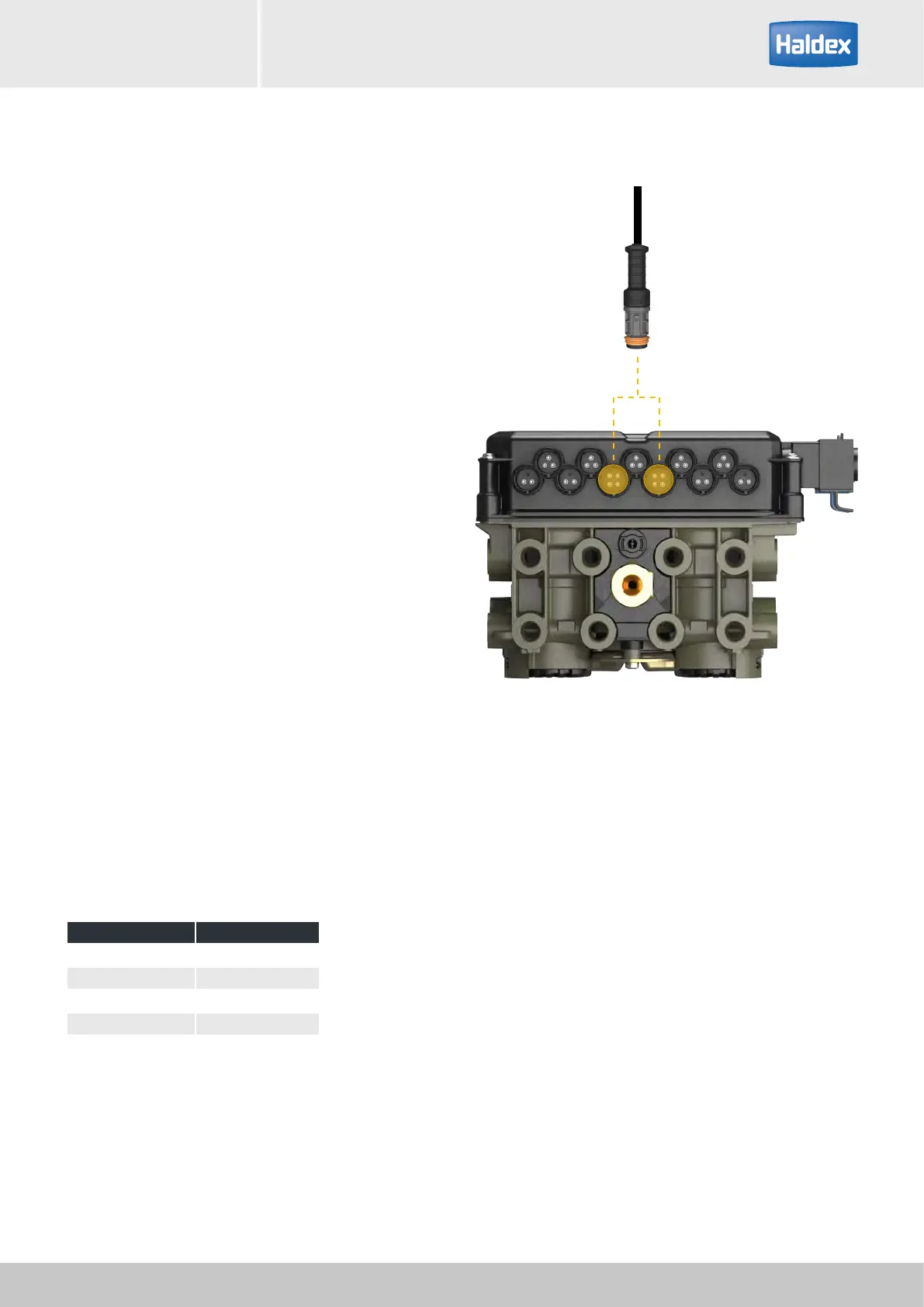
EB+ CAN cable connection
The EB+ Soft Docking system only works with
EB+ Gen3 systems.
Plug the auxiliary CAN cable into one of the CAN
auxiliary ports on the EB+ Gen3 unit, ensure correct
polarity is maintained.
The EB+ Gen3 ECU needs to be updated to the latest
E-level of software if manufactured prior to January
2014.
Insert cable through spare entry of existing junction
box. Connect wires as appropriate. Ensure waterproof
installation.
Cable connections
Note: only four out of the eight cable cores are used.
Cut unused wires.
Close the junction box.
Ensure that the junction box gasket is seated correctly.
Installation of power supply into an existing junction box:
Cable colour Function
Grey Reverse light
White Earth / common
Black Left tail light
Brown Right tail light
Installation of power supply adapter cable
Connection to Haldex EB+ Gen3 unit



 To Next Page